You updated Anti Gravity to version 1.20.5, turned on the new AI Credits toggle, and now you keep seeing a quota refresh limit error while models like Gemini and Claude stop responding. Here is the fastest fix to get your models working again.
Anti Gravity quota refresh limit after the 1.20.5 update
Users report that after enabling the AI Credits setting under Settings then Models in Anti Gravity 1.20.5, credits are consumed quickly, followed by persistent quota refresh limit errors. Some are told to wait about seven days for a reset, and even then requests fail across models.
For background on how Google AI Pro and Anti Gravity allocate credits and quotas, see this quota explainer.
Solution Overview
Aspect
Detail
Root Cause
A regression in Anti Gravity 1.20.5 tied to the new AI Credits toggle triggers aggressive credit spend and cascades into quota locks across models.
Primary Fix
Turn off AI Credits, sign out and back in, then temporarily downgrade Anti Gravity to 1.19.6, which restores normal quota behavior.
Complexity
Easy
Estimated Time
10 to 20 minutes
Fix Anti Gravity quota errors now
Step by Step Solution
Step 1 Turn off AI Credits
1. Open Anti Gravity.
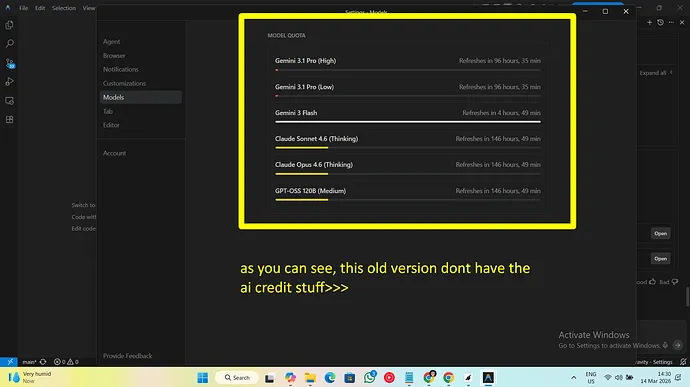
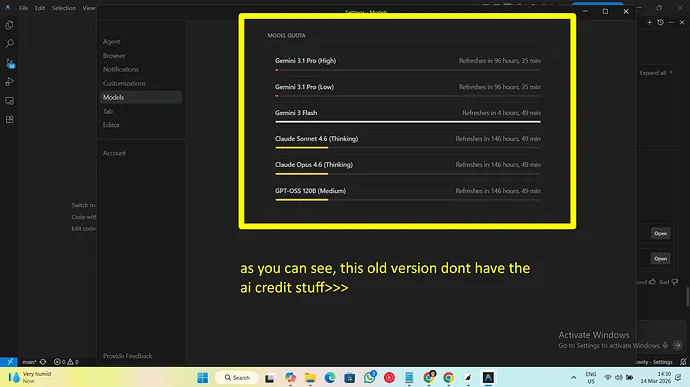
2. Open Settings then Models.
3. Find the AI Credits toggle and set it to Off.
4. Confirm changes, then fully quit the app and reopen it.
Tip for why this matters and deeper subscription behavior details are covered in this follow up on credit behavior.
Step 2 Sign out and sign back in
1. Profile menu then Sign out.
2. Close Anti Gravity.
3. Reopen and sign back in with the same account to refresh model entitlements.
You should see requests start working if your quota is not already locked. If errors persist continue to Step 3.
Step 3 Temporarily downgrade to version 1.19.6
Users report that rolling back to 1.19.6 immediately restores model access and stops quota refresh errors.
1. Uninstall Anti Gravity 1.20.5 from your device while keeping data if your platform offers that option.
2. Install Anti Gravity version 1.19.6 which shipped around February 28. Use your official distribution channel or a vetted archive you trust.
3. Launch Anti Gravity and sign in.
4. Verify that Settings then Models no longer shows the AI Credits toggle and test model requests.
Optional quick reference
Target version: 1.19.6
Problematic version: 1.20.5
Setting to disable: Settings > Models > AI Credits = Off
Step 4 Prevent auto update back to 1.20.5
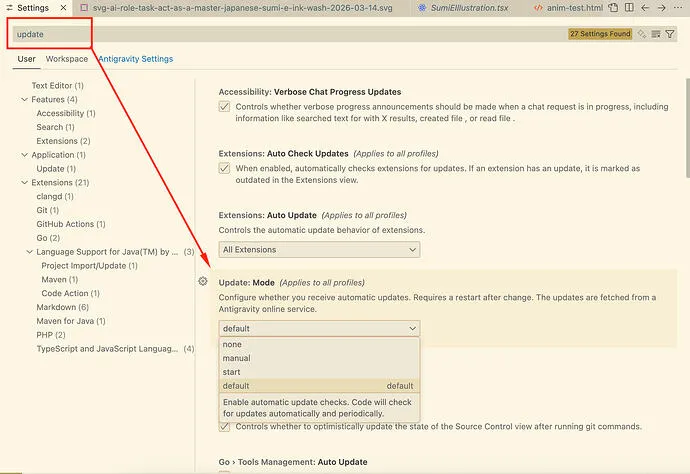
1. In Anti Gravity, disable any in app auto update setting if present.
2. In your operating system store or package manager, turn off automatic updates for Anti Gravity.
3. When you see an update prompt, choose remind me later until a patched release is confirmed.
Verification checklist
- App version shows 1.19.6

AI Credits toggle is not present
Test call to Gemini or Claude succeeds without quota refresh limit
Alternative Fixes and Workarounds
Wait for the scheduled quota reset window
If your account was hard locked after the AI Credits spike, waiting the provider stated reset period about seven days has restored access for some users. This is slower and not guaranteed during the current bug so consider the downgrade above first.
Create a fresh workspace or project
Some users recover faster by creating a new workspace or project and authenticating Anti Gravity to it which avoids the locked quota context. Migrate only what you need and test immediately.
Reduce request size and frequency
If you must remain on 1.20.5 with AI Credits off reduce token budgets and batch size to avoid retriggering the lock until a patch ships.
Ranking by effectiveness
1. Turn off AI Credits then downgrade to 1.19.6 primary
2. New workspace or project secondary
3. Wait for scheduled reset tertiary
4. Reduce request size supplementary
Troubleshooting Tips
Confirm you actually disabled AI Credits then restarted the app. This toggle persists until a full restart.
Verify the installed version. If you still see the AI Credits toggle you are not on 1.19.6.
Test multiple models. If all models fail with quota refresh limit the account context is likely locked.
Sign out then sign back in after any settings change or version change to refresh entitlements.
If you manage multiple accounts repeat the steps for each because the lock can be account scoped.
Review the provider quota page and confirm your per minute and per day allocations to avoid false positives. See Google AI Studio quotas at Google AI pricing quotas.
Best Practices
Keep production on a stable app version. Only upgrade after verifying quota and billing features in a test environment.
Pause auto updates for Anti Gravity until a patch addressing the AI Credits regression is released.
Monitor credit spend and quota health daily after upgrades. Alert on unusual spikes.
Document your known good settings. A simple checklist helps catch toggles like AI Credits before rollout.
Communicate known issues to your team so no one re enables the problematic toggle by accident.
Final Thought
The most reliable way to fix the current quota refresh limit problem is to turn off AI Credits and temporarily roll back to 1.19.6. That returns normal behavior quickly while you wait for an official patch, and it prevents further credit spikes that can lock your account.
We use cookies to ensure that we give you the best experience on our website. If you continue to use this site we will assume that you are happy with it.