AutoBe lets you describe an app in plain English and get a fully working back end that compiles to real TypeScript. It does not allow the model to write raw code. Instead, it has the model fill structured forms, feeds those to compilers that emit TypeScript, and automatically loops on compiler feedback until it builds cleanly.
To install it on Ubuntu with a local model, install Node, npm, and pnpm, clone the repo, run pnpm install, then start the playground on port 5173. Point the vendor to your local Ollama server and select a strong model such as Qwen 3.5 27B, then start prompting. If you need a local runner, see this
Ollama setup guide.
What makes it different
Everyone knows AI generated code can be unreliable, break, fail to compile, or call fake APIs.
AutoBe never lets the AI write raw code, it forces structured outputs and uses purpose built compilers that turn those forms into TypeScript.
If anything breaks, the system pinpoints the failure and feeds that exact error back to the model until it compiles.
It currently focuses on
TypeScript, which most teams are already using. The goal is to skip boilerplate while still producing code that builds and runs.
Install on Ubuntu with local models
Prerequisites
You need Node, npm, and pnpm. PNPM is faster and shares packages across projects, which saves disk space.
Make sure you also have Git and a local model runtime. If you are new to Ollama, check this quick
guide to installing and running Ollama locally.
Clone and install
Clone the repo and install dependencies with pnpm.
git clone https://github.com/wrtnlabs/autobe.git
cd autobe
pnpm install
Fix permissions if needed
If pnpm fails due to directory ownership, fix it with chown and re run install.
sudo chown -R $USER:$USER .
pnpm install
Run the playground
Start the dev server.
pnpm dev
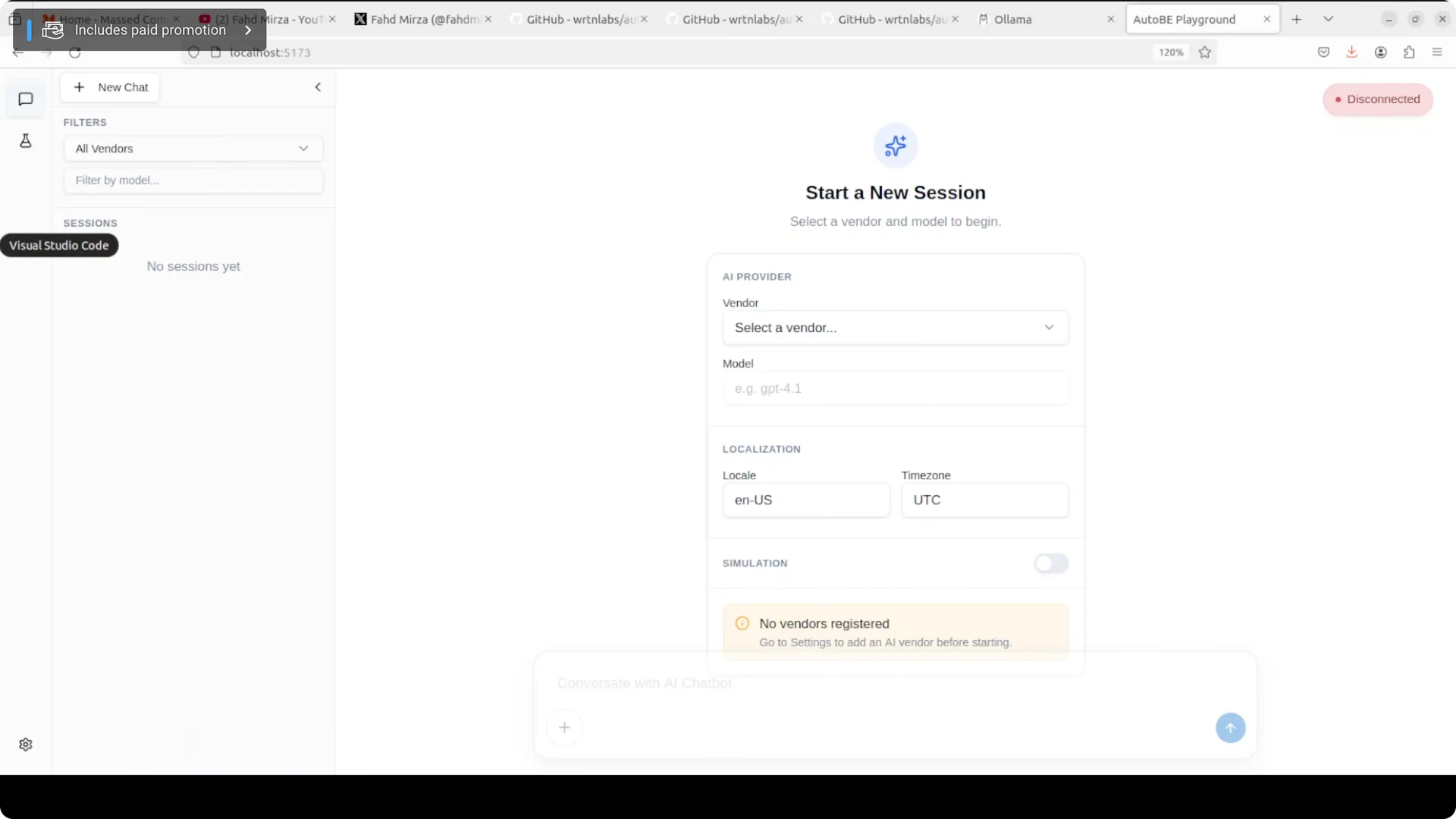
The playground runs locally, typically at http://localhost:5173. Open it in your browser.
Configure a local model vendor
Add Ollama
Open Settings from the bottom left cog, click Add, and choose the Ollama template. If you run Ollama on a custom host or port, set the base URL accordingly, for example http://127.0.0.1:11434.
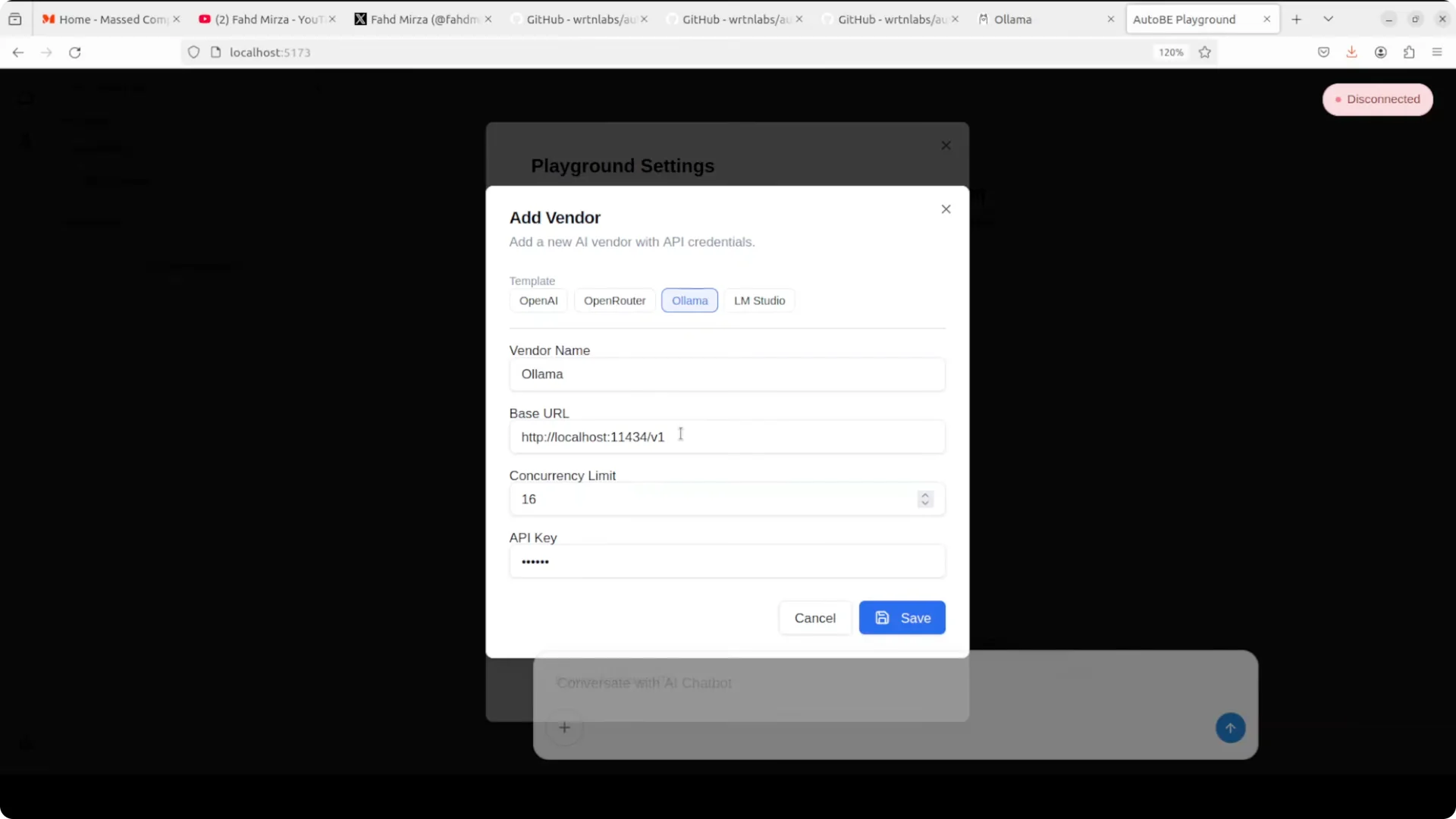
You do not need an API key, though you can type any placeholder if the UI asks. Save the vendor and return to the main screen.
If Save fails
If saving the Ollama vendor fails, choose the OpenAI template and change the base URL to your Ollama address. Name it something like my ollama, save, then select it from the dropdown.
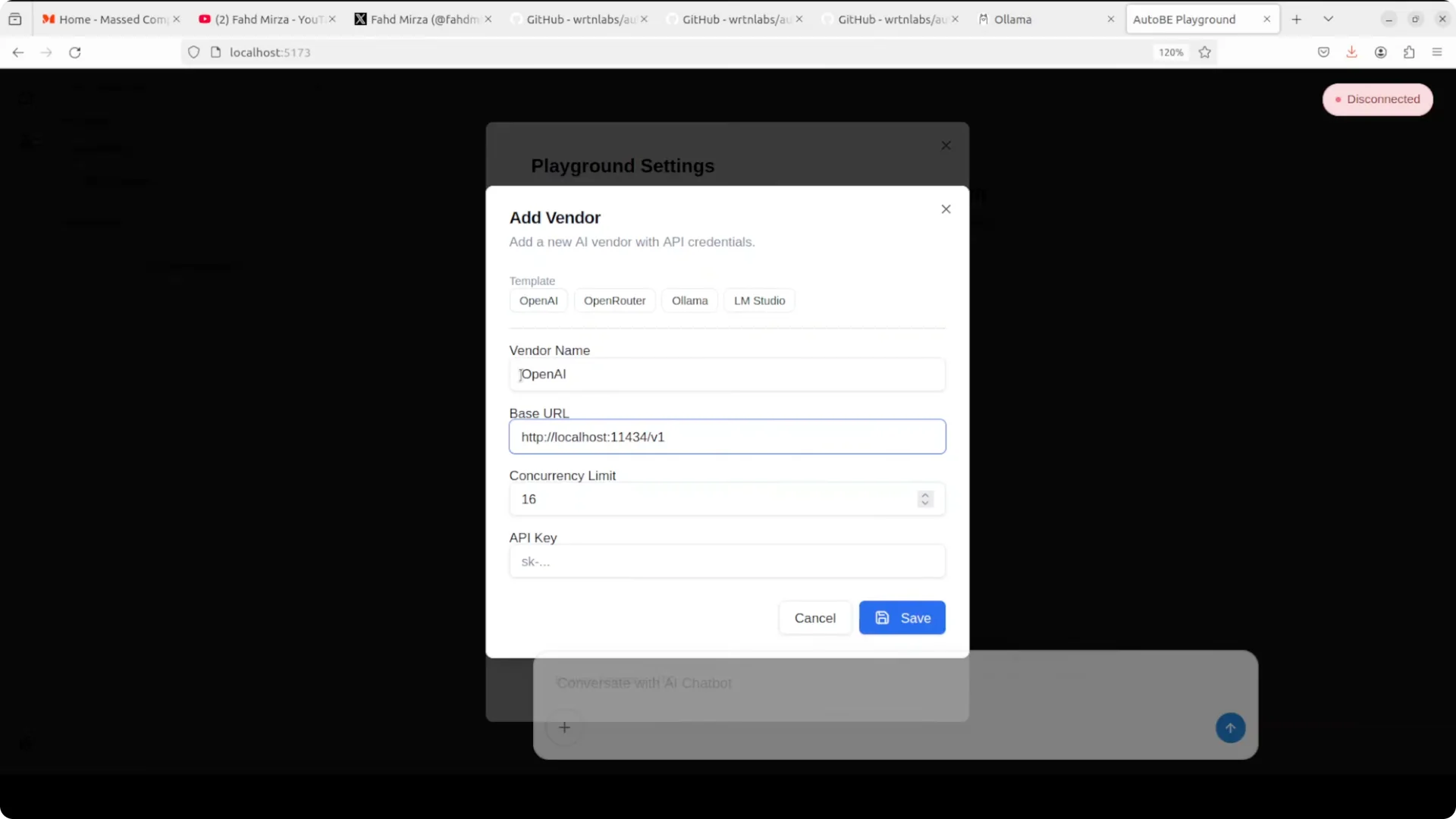
Set the model name exactly as it appears in your Ollama list command, for example Qwen 3.5 27B. Keep the tag consistent with your local model.
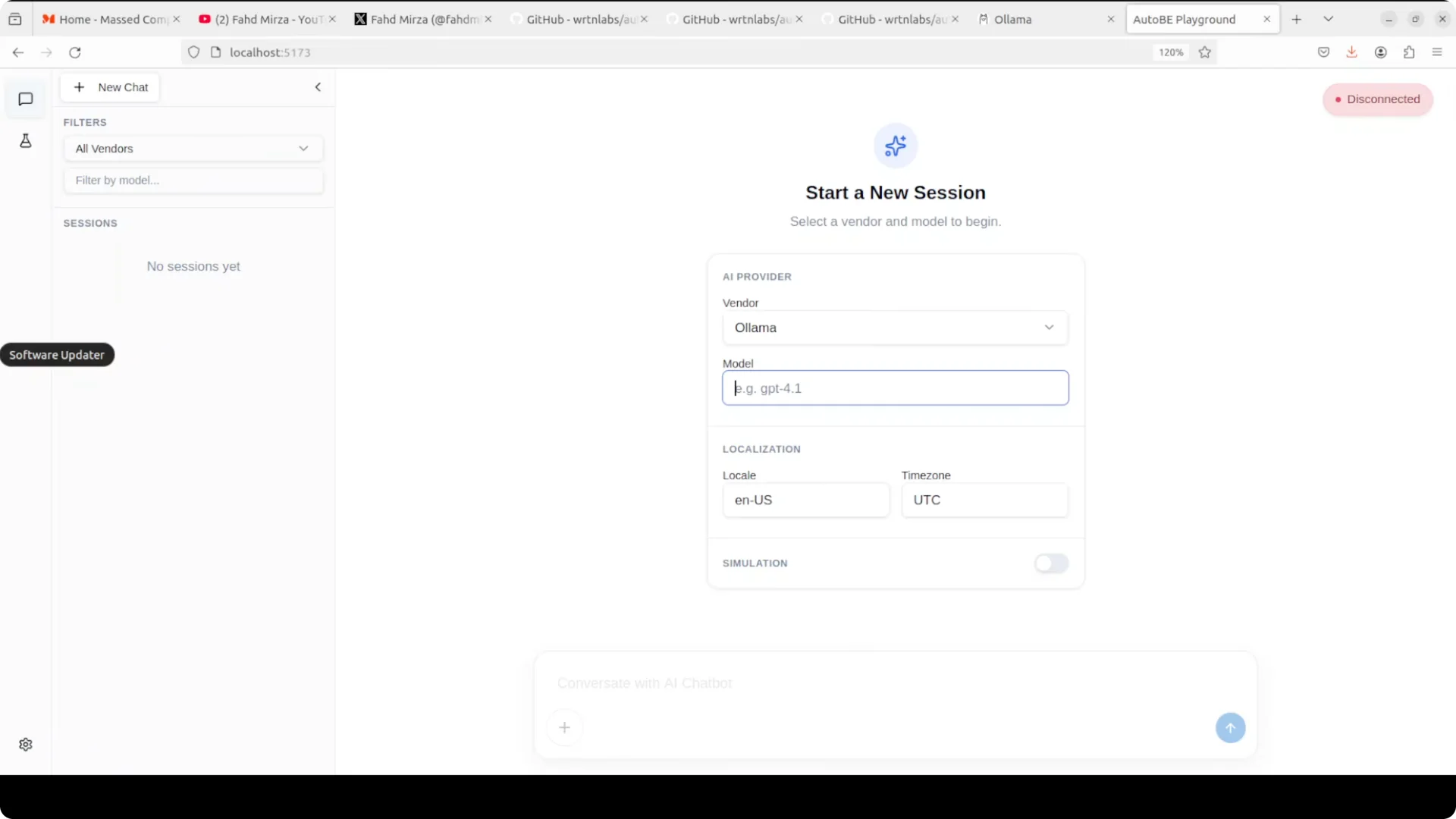
Start your first run
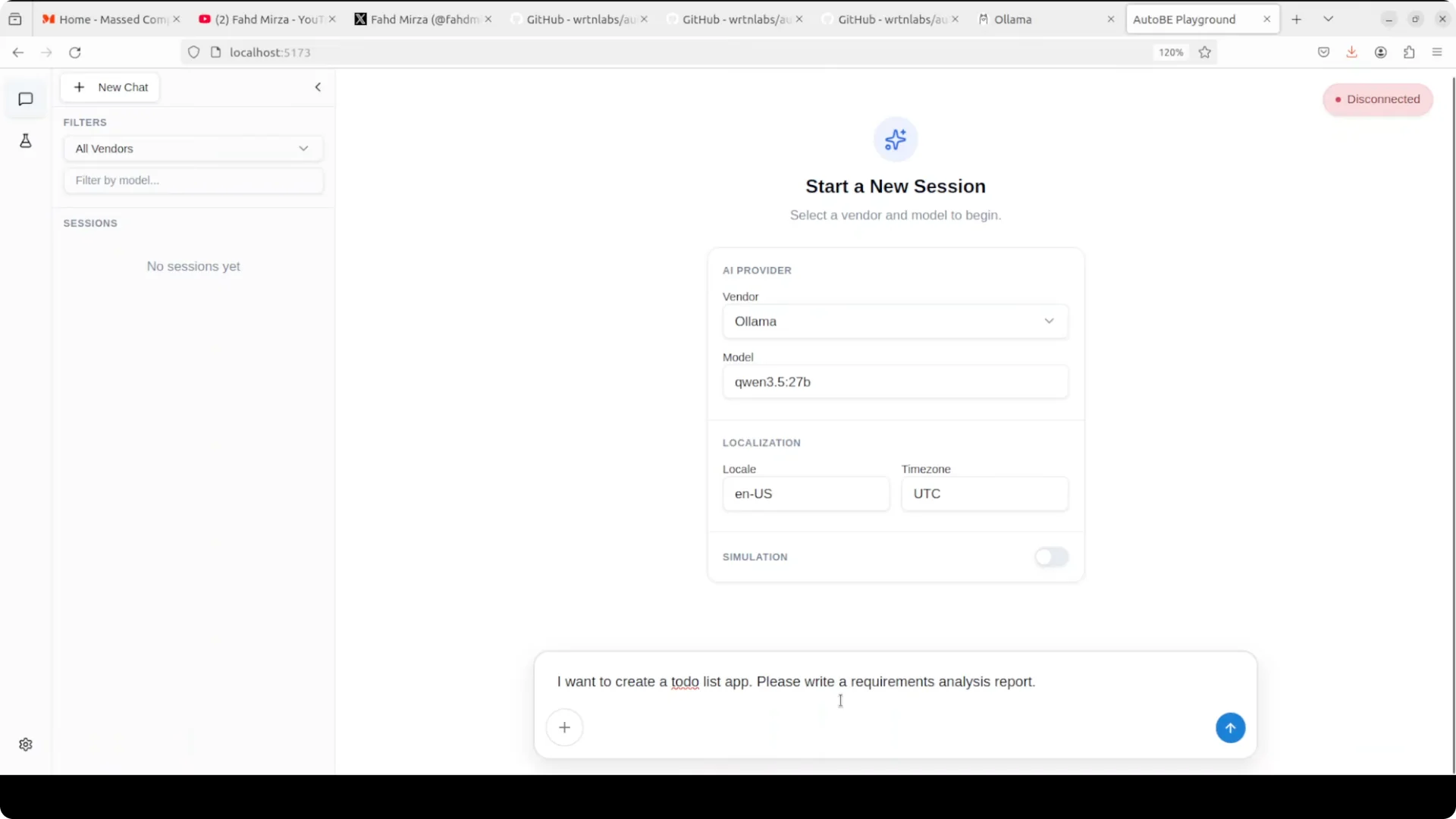
Open a new chat and describe the app you want. For example, ask for a to do list app and request a requirements analysis report.
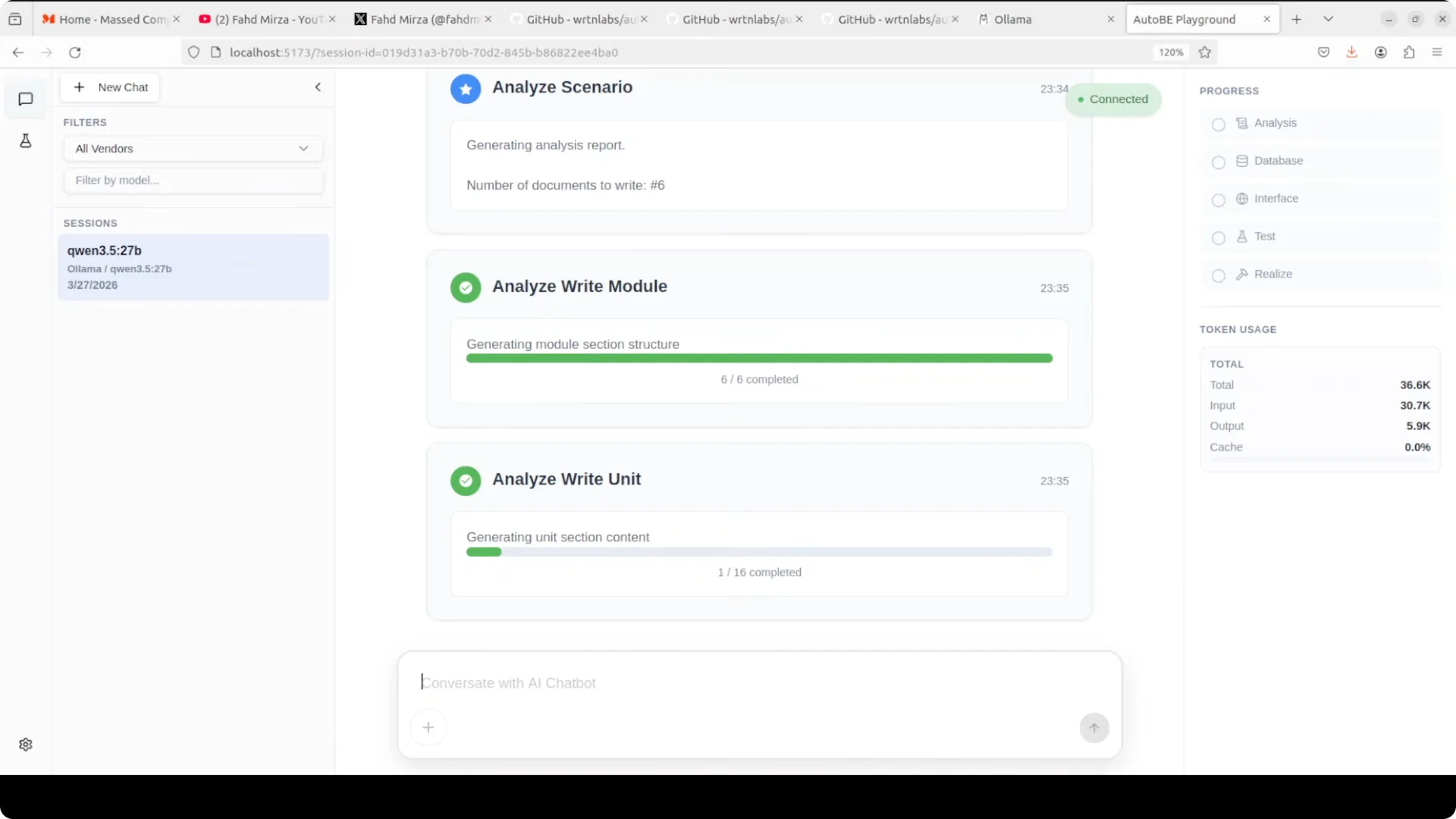
AutoBe connects to your local model and starts the pipeline. It begins with analysis, then moves through database design, interfaces, tests, and realization, and shows progress and token usage in the top right.
Model guidance
I run
Qwen 3.5 27B locally and it is solid for this use case. The 27B build I use is a dense model, and it works better for me than small quantized variants.
Local quantized models can be weaker than their full versions. For production grade outcomes, I suggest an API model or a full local build with enough memory. On Windows builds that need a lot of RAM, see this note on
high memory configurations.
Workflow inside AutoBe
AutoBe starts with an analysis that clarifies scope, core features, and constraints. It produces a requirements analysis that includes core features, a data model, API requirements, and request and response formats.
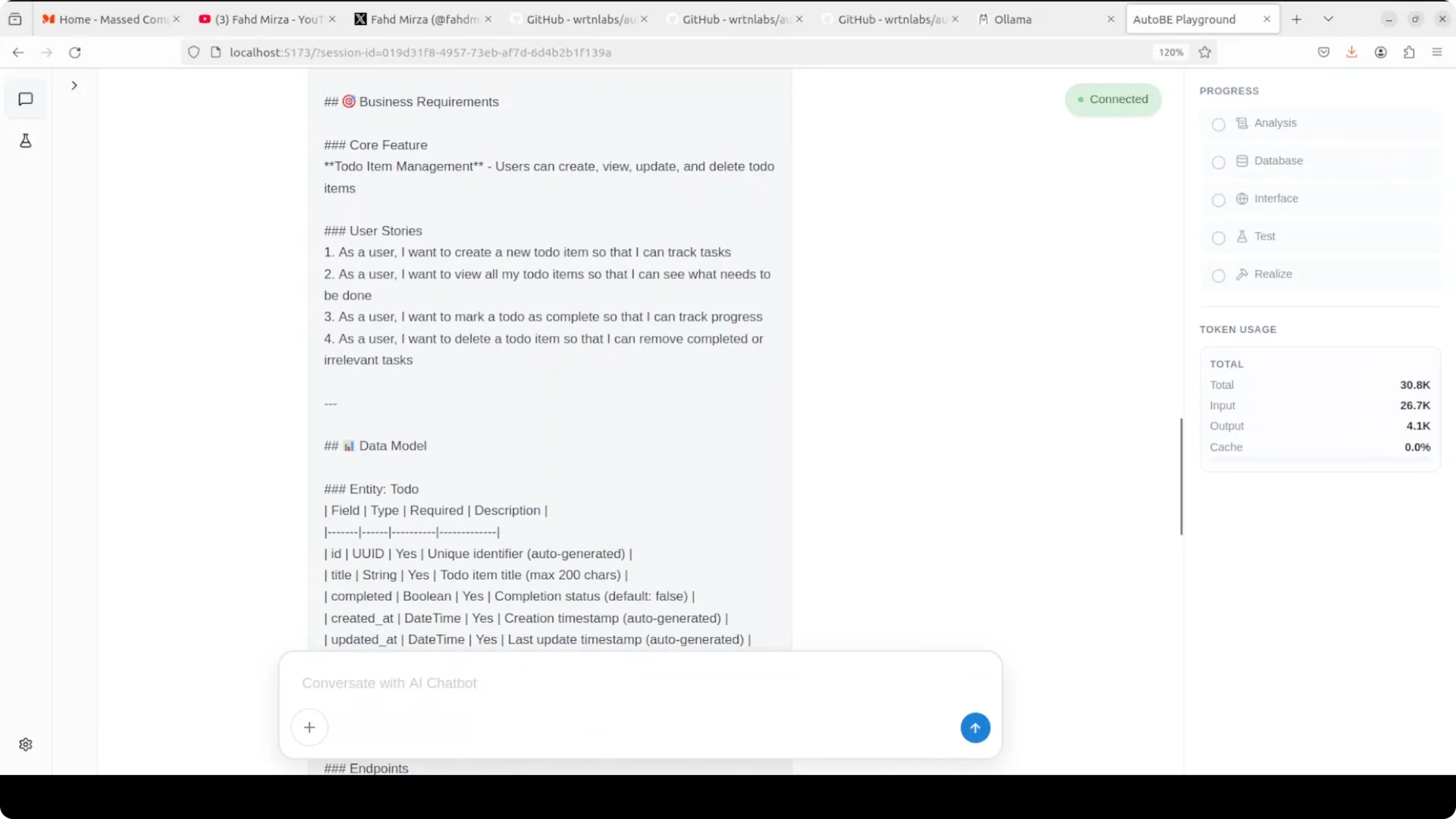
Then it writes modules and units, generates interfaces, test files, and realization steps. You can nudge it to design the database schema or jump to tests, or let it finish the full pipeline.
Performance, cost, and privacy
On local models, I have seen it run slower than I would like. Token usage can be high during long planning and compilation loops.
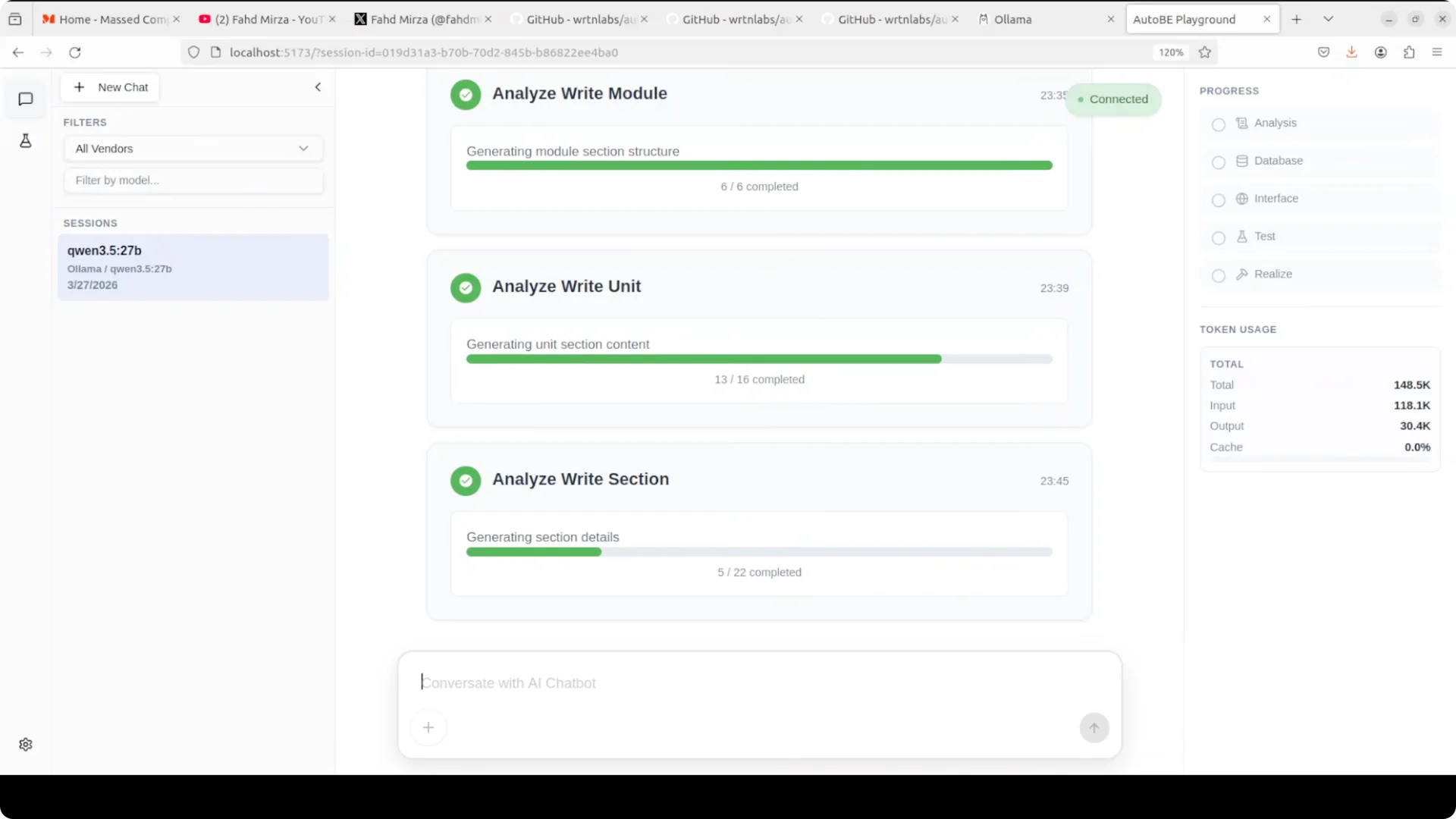
The big win is cost and privacy.
Everything runs local and private, with no throttling or quota pressure, which is valuable if you are testing ideas rapidly. If you are dealing with API rate limits in other setups, this
quota limits overview can help assess constraints.
If your model seems to stall at low context or stops thinking early, review strategies here:
fix the 1024 tokens not thinking issue. For cost protections with API providers, also see how to
fix sudden quota reduction problems.
Use cases
This fits developers who have an idea and want to skip boilerplate setup. Instead of spending days building a database schema, wiring API endpoints, and creating tests,
AutoBe delivers those pieces in one pass and gets you to a compiling back end.
I reach for it to scaffold a to do app, a Reddit style feed service, or a basic commerce back end that I can extend. It gives me a compiled starting point that is ready to run.
Practical cautions
Local models that are aggressively quantized might feel underpowered on complex specs. The full Qwen 3.5 model performs better for me than the smallest variants.
The UI and terminology can improve, and I have seen save flows misbehave during vendor setup.
I would not ship this to production yet, but the core idea is strong.
Final thoughts
AutoBe aims to make a reliable back end from natural language by forcing structure and compiling to TypeScript, then iterating on errors until it builds. Installation is straightforward with pnpm, the playground runs locally, and vendor configuration works with Ollama and models like Qwen 3.5 27B.
For prototyping and skipping boilerplate, it is already useful. For production, consider stronger models and API backed runs, keep an eye on token usage, and review quota and context strategies as needed.