TurboVac lets you build a fully local RAG pipeline that keeps your data on your own machine while cutting vector memory usage by around six to eight times with near-identical recall. Install TurboVac, wire it into LlamaIndex as a compressed in-memory vector store, run Nomic embeddings and your LLM through Ollama, and answer questions against your own documents without any external API calls.
Nothing leaves your server.
Here is the short path: install TurboVac and LlamaIndex with the Ollama connectors, pull the Nomic embed model and your LLM in Ollama, build a TurboVac index at 768 dimensions with 4-bit compression, then query via LlamaIndex’s query engine.
You get the same quality at a fraction of the memory, and the whole RAG flow remains private and fast on local hardware.
What Turbo is doing
Turbo is Google’s compression algorithm for vectors your AI stores in memory. It shrinks them by about six times using two tricks: Polar K, which converts coordinates into a compact angle-based format, and QGL, which uses a single bit to correct the leftover error.
The result is the same accuracy with a fraction of the memory.
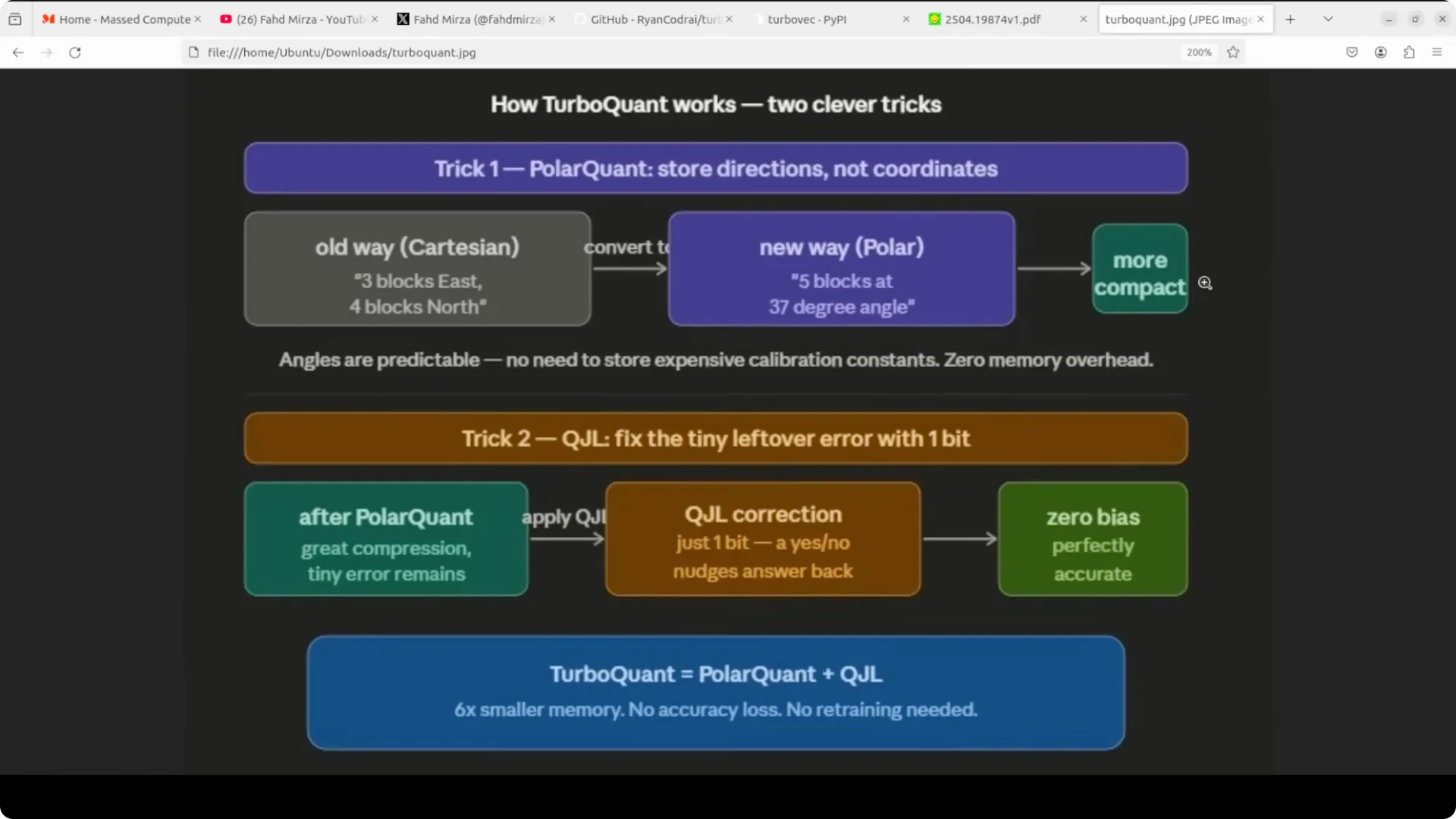
TurboVac implements this approach for practical vector search. You rotate, convert to polar, quantize to 4 bits per coordinate, and correct with a one-bit term to keep distortion extremely close to the theoretical limit.
In plain English, you cannot compress much better than this for a given number of bits.
Setup on Ubuntu
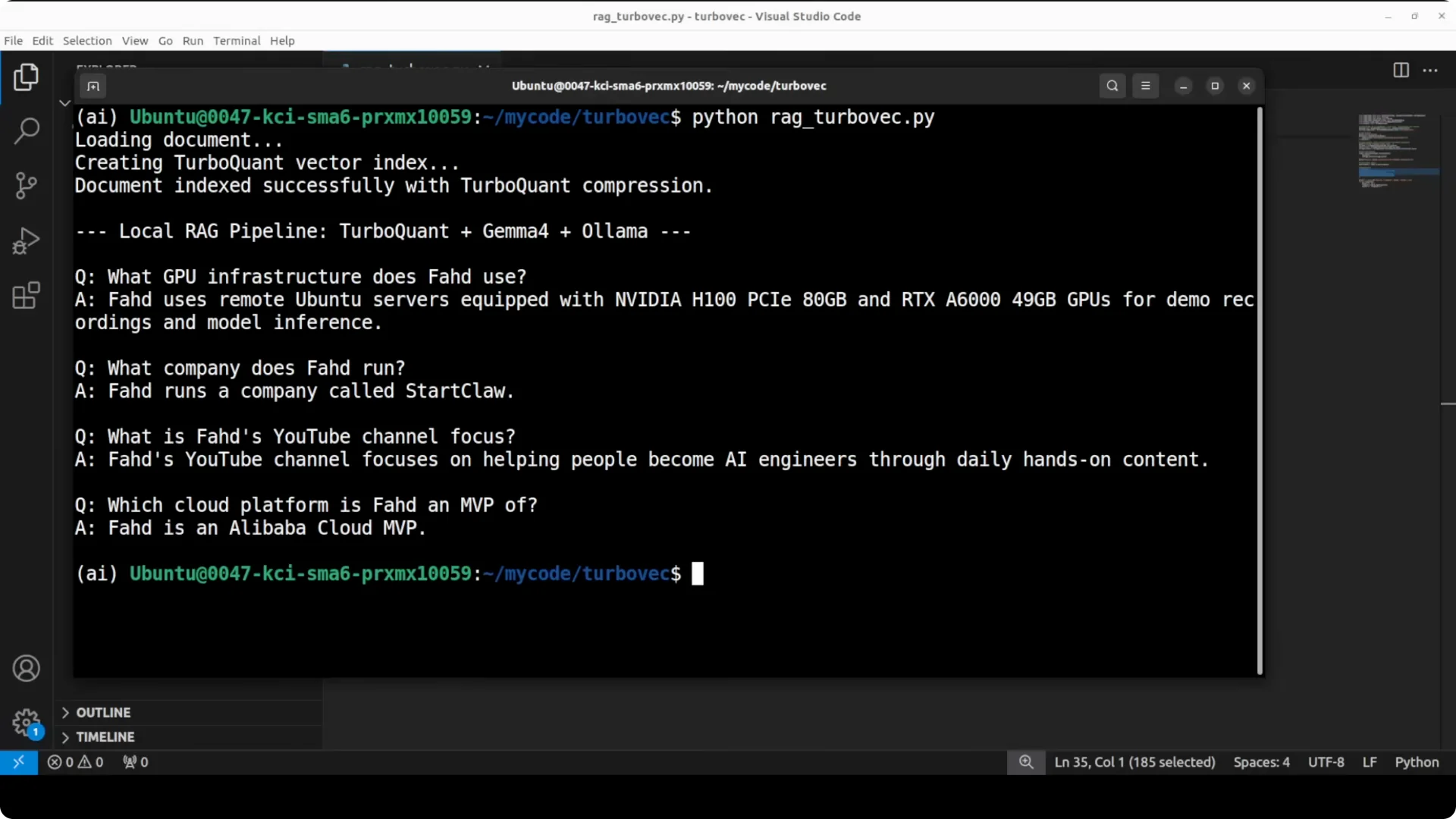
I use Ubuntu with a GPU, Ollama for both embeddings and LLM inference, and LlamaIndex for the RAG framework. The embedding model is Nomic to convert text to vectors, and the LLM is Gemma running locally via Ollama.
This stays fully local and free of API costs.
If you are moving to a local stack to avoid SaaS caps, you may also want to understand quota side effects in hosted tooling. For background on related quota behavior, check this short explainer:
common quota issues and how they show up.
Install Python packages
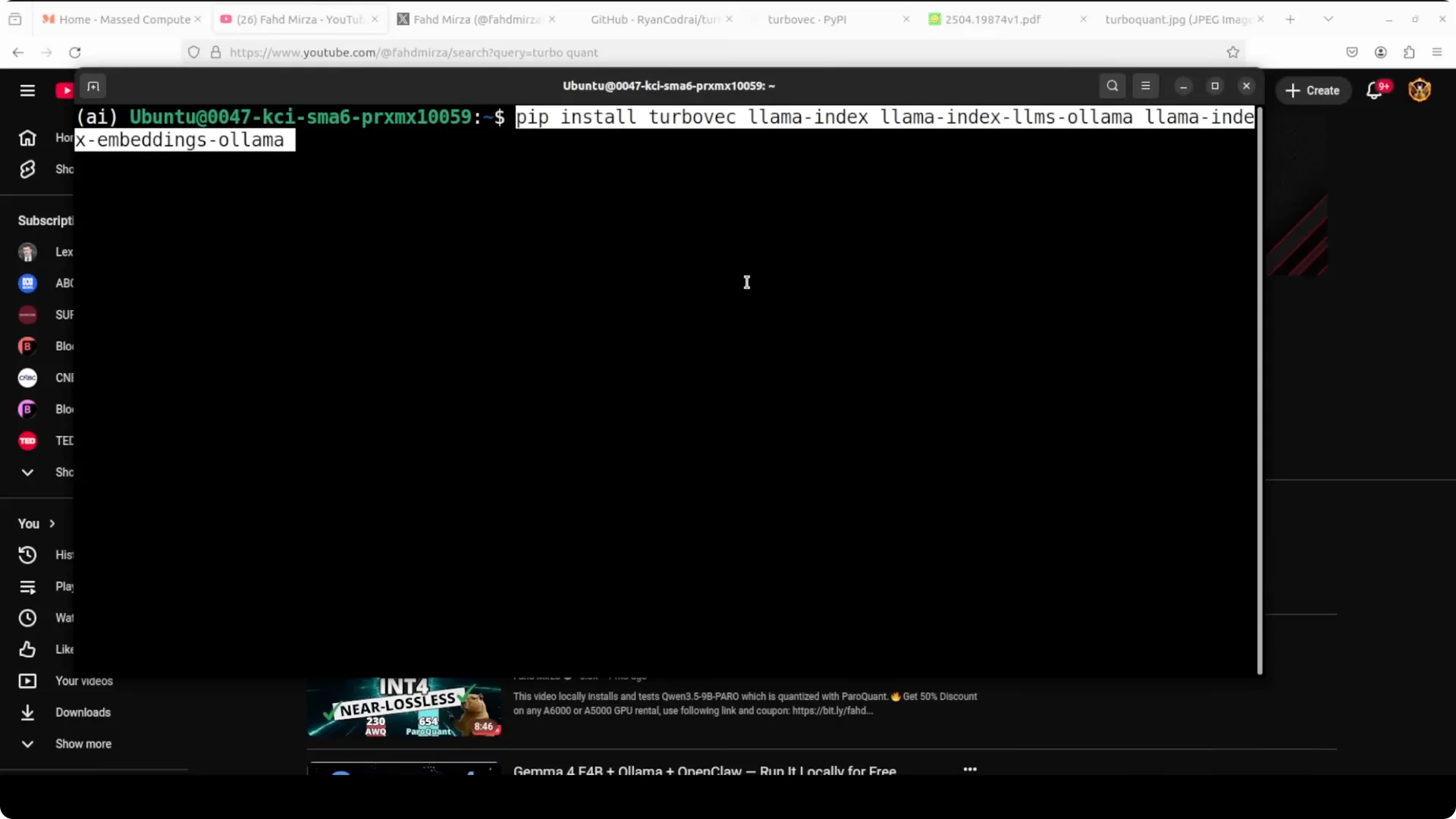
Use pip to install everything in one go. This brings in TurboVac for compressed vector indexing, LlamaIndex for the RAG framework, and the Ollama connectors for both LLM and embeddings.
pip install turbovac llama-index llama-index-llms-ollama llama-index-embeddings-ollama
Prepare Ollama models
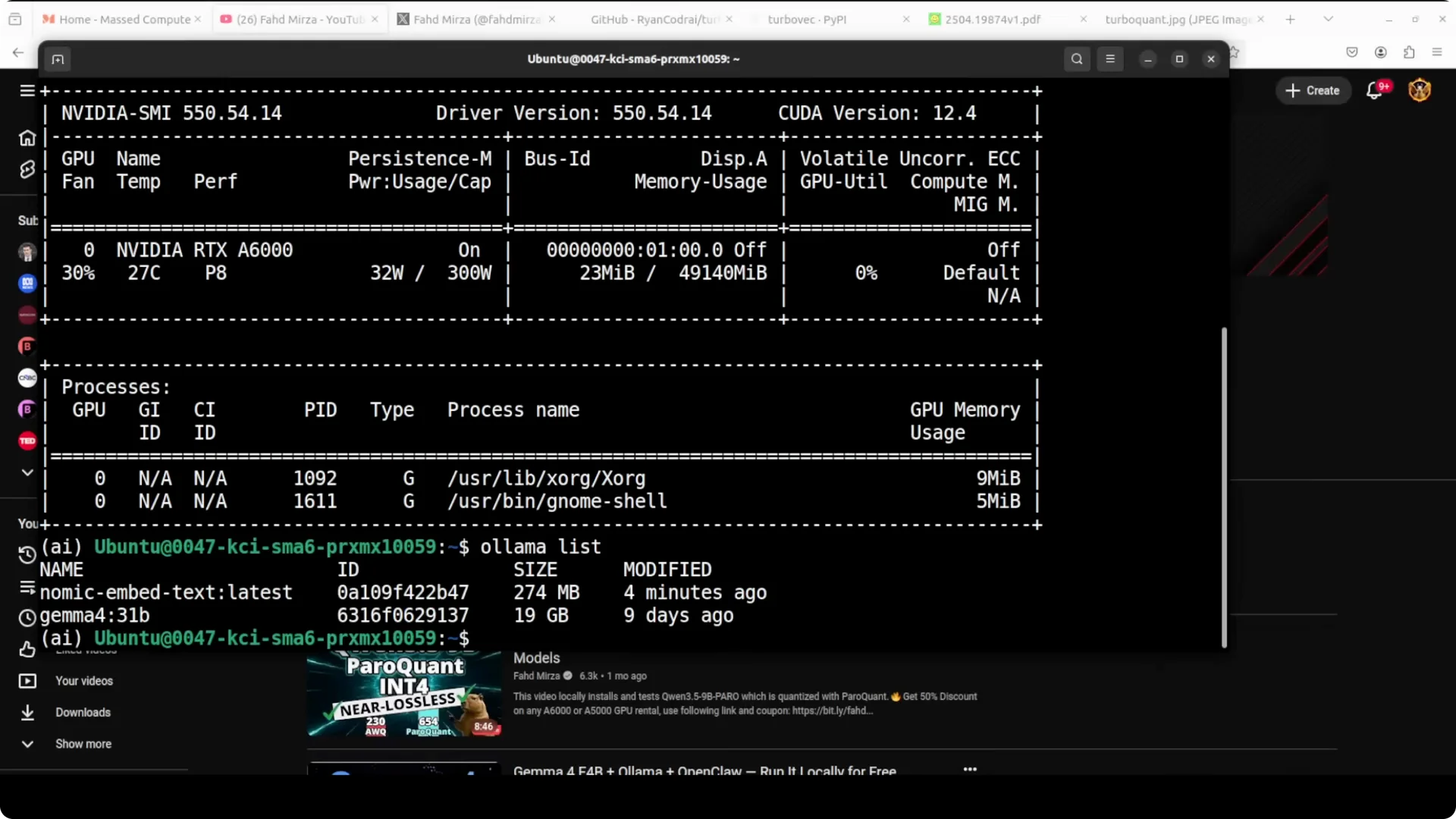
Pull the embedding and LLM models locally. I use the Nomic embedding model and Gemma through Ollama.
# Install Ollama if you have not already, then pull models
ollama pull nomic-embed-text
ollama pull gemma:2b
If you work in controlled environments where hosted APIs can lock you out, see this short note on handling lockouts:
avoiding quota lockout errors during builds.
Full script
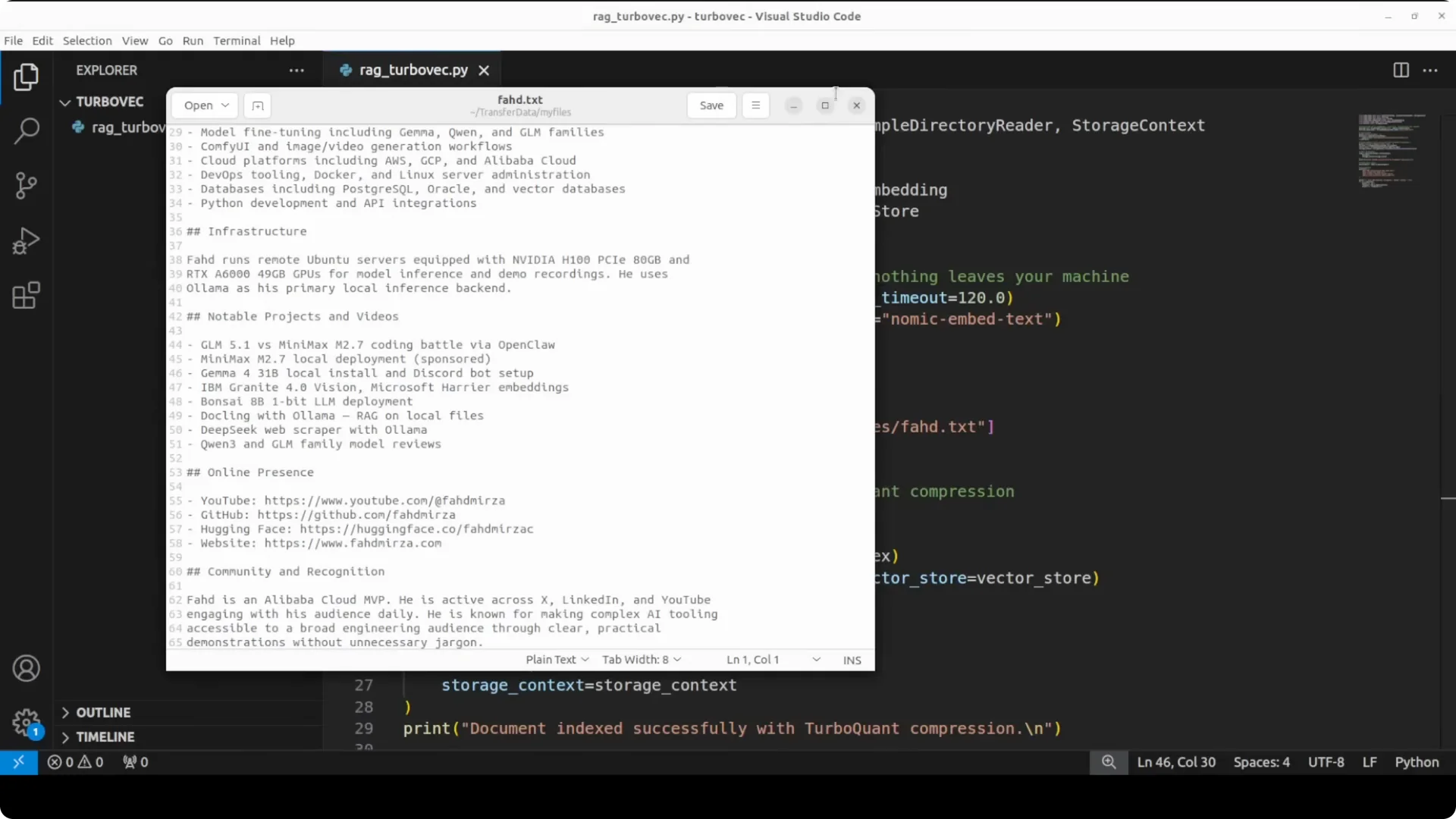
This script loads a local text file, compresses the embeddings into a TurboVac index at 768 dimensions with 4-bit quantization, wraps it so LlamaIndex can use it as a drop-in vector store, and queries the LLM through Ollama.
Swap the file path with your own document.
# rag_local_turbovac.py

from pathlib import Path
from llama_index.core import VectorStoreIndex, StorageContext, Document
from llama_index.llms.ollama import Ollama
from llama_index.embeddings.ollama import OllamaEmbedding

TurboVac compressed vector index
from turbovac import TurboQuantIndex, TurboVectorStore

1) Configure local models via Ollama
llm = Ollama(
    model="gemma:2b",
    request_timeout=120,
)

embed_model = OllamaEmbedding(
    model_name="nomic-embed-text",
    # You can also set: base_url="http://localhost:11434"
)

2) Load your local document
text_path = Path("my_profile.txt")  # replace with your file
text = text_path.read_text(encoding="utf-8")
docs = [Document(text=text)]

<img src="https://modelscopeai.com/wp-content/uploads/2026/07/turbovec-exploring-googles-turboquant-with-ollama-5.webp" alt="Turbovec: Exploring Google's TurboQuant with Ollama screenshot 5" style="max-width:100%; height:auto;" />

3) Build TurboVac compressed index
   768 dims match the Nomic embedding size, 4-bit compression for memory savings
turbo_index = TurboQuantIndex(dim=768, quant_bits=4)
turbo_store = TurboVectorStore(turbo_index)

<img src="https://modelscopeai.com/wp-content/uploads/2026/07/turbovec-exploring-googles-turboquant-with-ollama-6.webp" alt="Turbovec: Exploring Google's TurboQuant with Ollama screenshot 6" style="max-width:100%; height:auto;" />

storage_context = StorageContext.from_defaults(vector_store=turbo_store)

4) Create the vector index with compression applied during embedding
index = VectorStoreIndex.from_documents(
    docs,
    storage_context=storage_context,
    embed_model=embed_model,
)

<img src="https://modelscopeai.com/wp-content/uploads/2026/07/turbovec-exploring-googles-turboquant-with-ollama-7.webp" alt="Turbovec: Exploring Google's TurboQuant with Ollama screenshot 7" style="max-width:100%; height:auto;" />

5) Create a query engine and ask questions
query_engine = index.as_query_engine(
    llm=llm,
    similarity_top_k=3,
)

Example queries (replace with your own)
questions = [
    "Who is the person described in this document?",
    "What do they work on and where can I find their online presence?",
    "Summarize their background and current focus areas.",
    "List two lesser-known facts mentioned in the file.",
]

<img src="https://modelscopeai.com/wp-content/uploads/2026/07/turbovec-exploring-googles-turboquant-with-ollama-8.webp" alt="Turbovec: Exploring Google's TurboQuant with Ollama screenshot 8" style="max-width:100%; height:auto;" />

for q in questions:
    resp = query_engine.query(q)
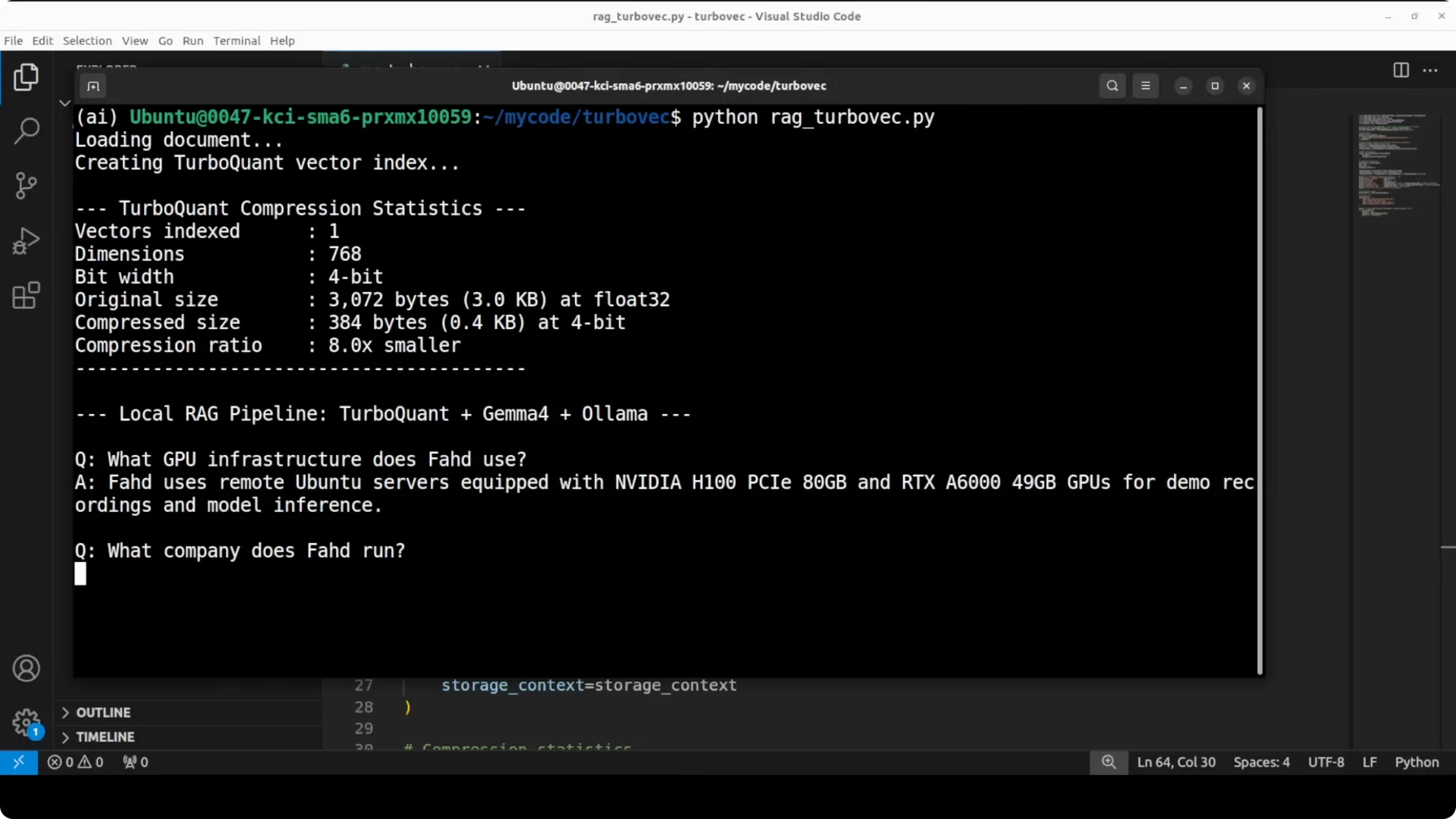
    print(f"\nQ: {q}\nA: {resp}\n")

6) Optional: Compression stats
If the library exposes stats; otherwise compute approximate sizes
try:
    stats = turbo_store.stats()
    print("\nTurboVac stats:", stats)
except AttributeError:
    # Fallback rough estimate for one vector
    dims = 768
    fp32_bytes = dims * 4  # 32-bit float
    qbits = 4
    qbytes = dims * qbits / 8
    print(
        f"\nApprox per-vector size: fp32={fp32_bytes/1024:.2f} KB, "
        f"4-bit={qbytes/1024:.2f} KB"
    )
If you maintain local stacks to sidestep hosted rate limits, this local pattern helps a lot. For more context on managing professional quotas at scale, see this quick reference:
navigating and managing pro quotas.
How RAG fits together
RAG stands for retrieval augmented generation. You take your documents, chunk them, embed them to vectors, store them in a vector store, then fetch the most similar chunks for any user question and append them to the LLM prompt at runtime.
That gives the model your private context without retraining or fine-tuning.
TurboVac slots right into the vector step by compressing embeddings to a compact representation. LlamaIndex treats the TurboVac store as a drop-in vector database in memory, and Ollama runs both the embedding and the LLM locally.
It is fast, private, and cost free to query.
If you are comparing local search vs hosted systems under quota pressure, skim this primer:
patterns behind recurring quota issues.
Compression results and quality
In practice with 768-dimensional embeddings and 4-bit compression, TurboVac cuts memory per vector by roughly six to eight times depending on rotation and correction overhead. The paper shows distortion within about 2.7 times of the absolute mathematical limit for any compressor at the same bit budget.
Quality stays intact and answers remain faithful to the source.
You can verify the ratio by checking the per-vector size difference between fp32 and 4-bit packed data. That is the simple sanity check to ensure a tight fit between theory and your measured memory.
Speed gains show up immediately when indexing and retrieving at scale.
For engineers working through frequent allocation stalls in hosted stacks, see this quick note:
common quota incidents and mitigation.
Use cases
Personal knowledge bases and resumes are a perfect starting point. Feed your profile, projects, and contact details, then answer questions consistently from a single source of truth.
No risk of leaking private data to third parties.
Local customer support copilots benefit from compressed memory footprints. You can hold more product manuals and tickets in RAM, reduce cold starts, and keep sensitive data on premises.
Air-gapped deployments gain both privacy and responsiveness.
Internal research assistants can summarize documents, extract facts, and compare drafts with fresh context on every query. Smaller indices sync quickly across machines and fit into modest GPUs or CPUs.
Compression lets you scale on limited hardware.
Notes and troubleshooting
Match the embedding dimension in TurboVac to your embedding model size, which is 768 for the Nomic model shown here. If you change embeddings, adjust the TurboVac index dims accordingly.
A mismatch will break similarity quality.
Start with 4-bit compression and top_k of 3 to 5 for most short-answer tasks. Increase top_k for broader questions or noisier sources.
If recall dips, widen top_k before changing compression.
This is not an official implementation of Google’s Turbo. Multiple community implementations are emerging, and TurboVac already looks promising.
Expect the API to evolve as contributors refine the package.
For teams that must juggle both local and hosted modes due to quotas, this quick brief helps you plan rollovers:
how to think about quota tradeoffs.
Final thoughts
TurboVac applies Google’s Turbo ideas to real-world vector search, delivering near-original accuracy at a small memory cost. Paired with Ollama and LlamaIndex, you get a clean, fully local RAG pipeline that is private, fast, and inexpensive to run.
Install, index, and query locally to keep control of your data and your spend.