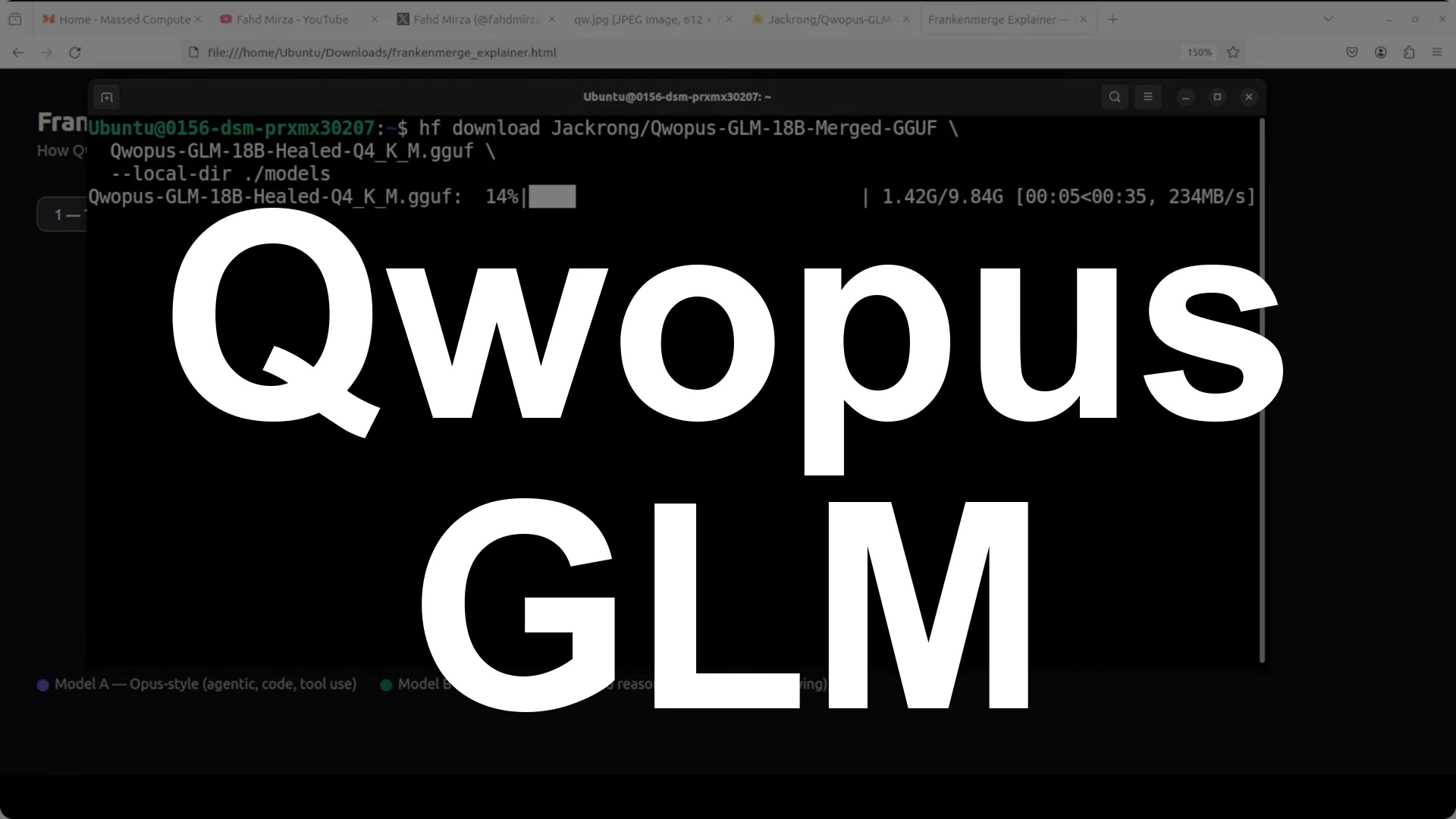
Corpus GLM 18B is a Franken merge built by stacking two 9 billion parameter models and running a brief heal fine-tune to make the halves talk.
It beats Qwen 35B on tool calling, reasoning, code generation, and agentic tasks while staying
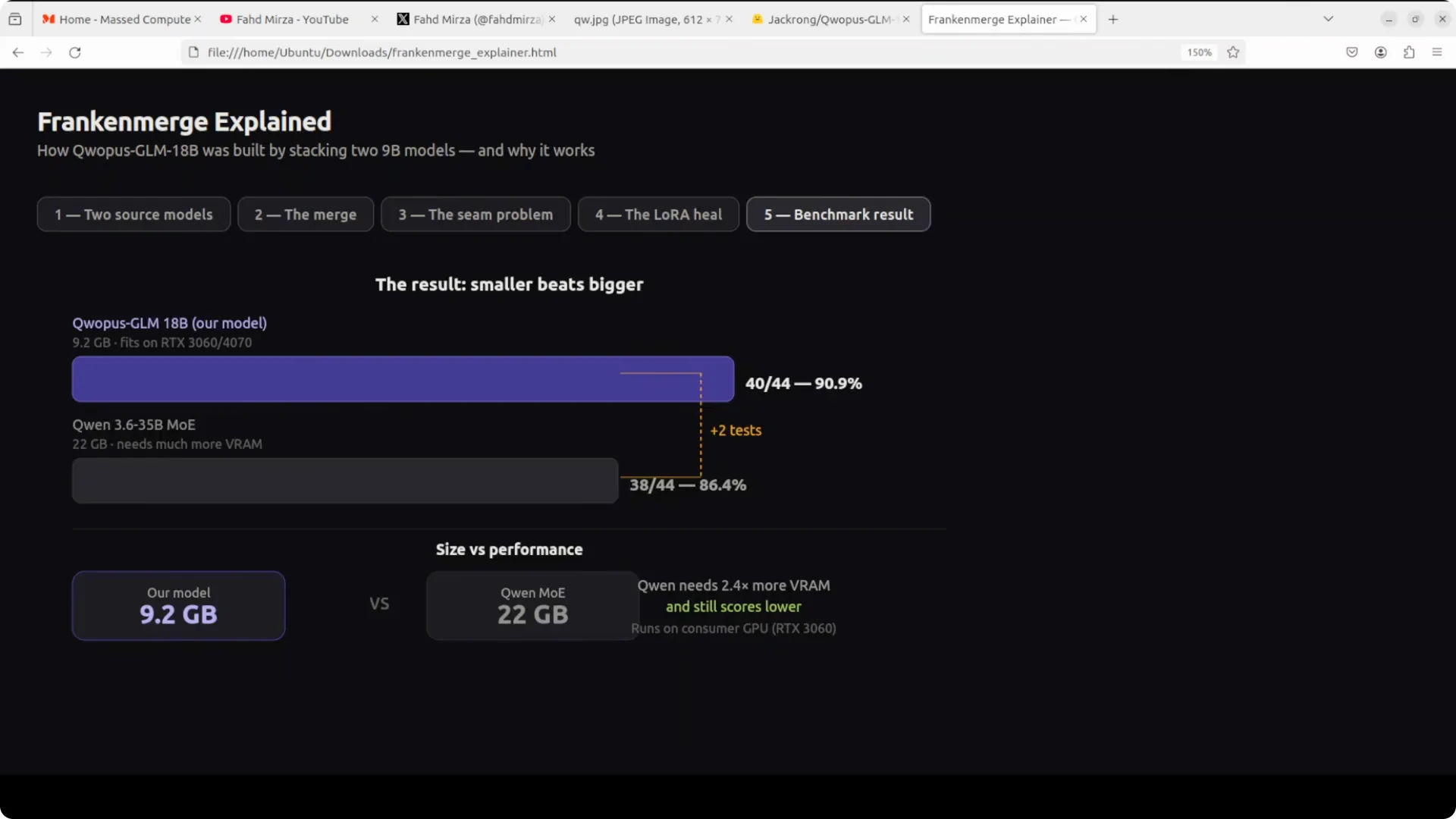
just 9.2 GB versus 22 GB, and it runs locally at around
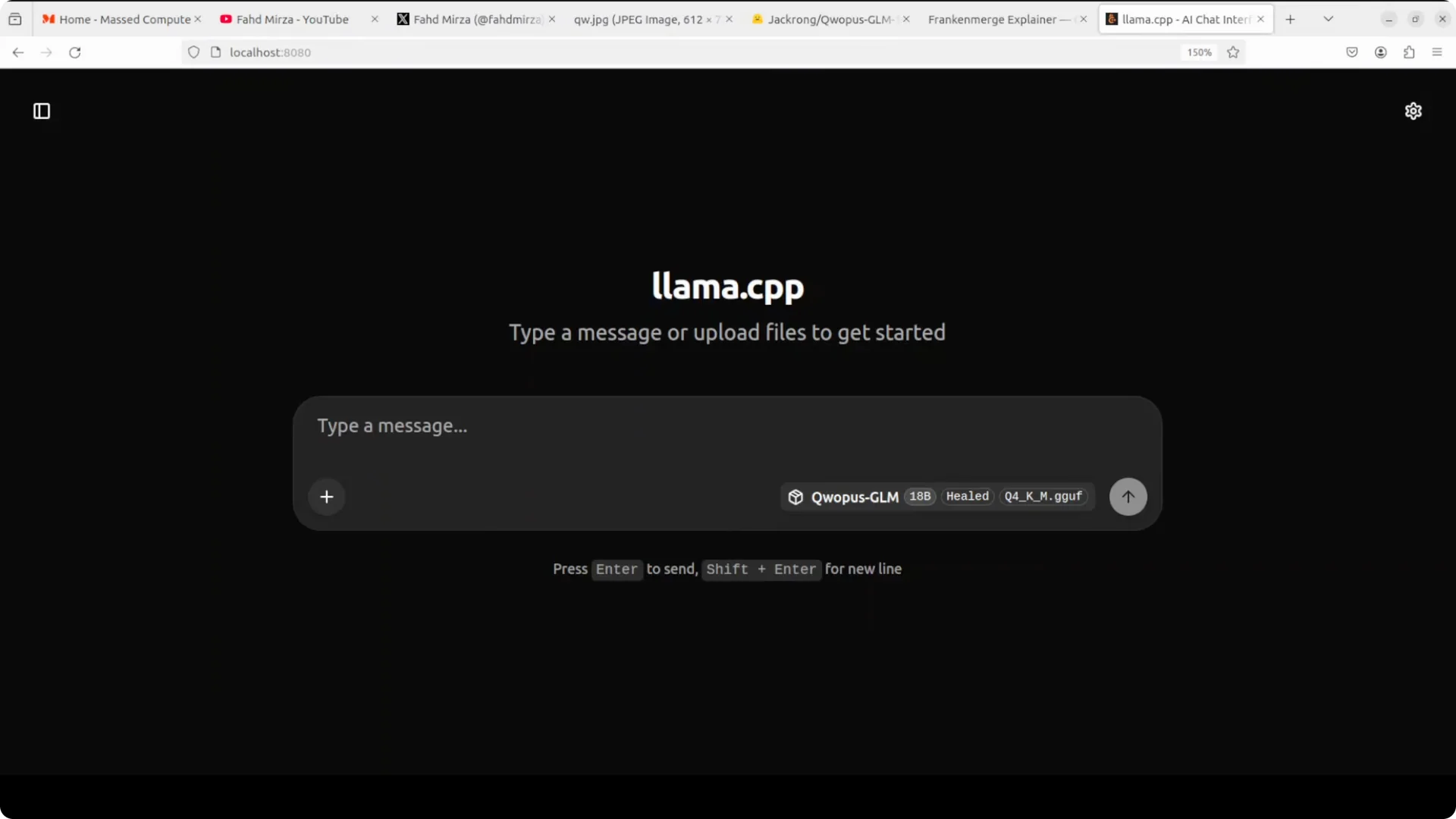
14 GB VRAM. You can serve it with llama.cpp and hit a localhost endpoint on port 8080.
To get running, authenticate to Hugging Face, download the model, and start the llama.cpp server. The model loads cleanly and responds fast enough for practical coding, reasoning, and agent workflows. I show the VRAM footprint below along with the exact server command and a quick health check.
What this Franken merge is
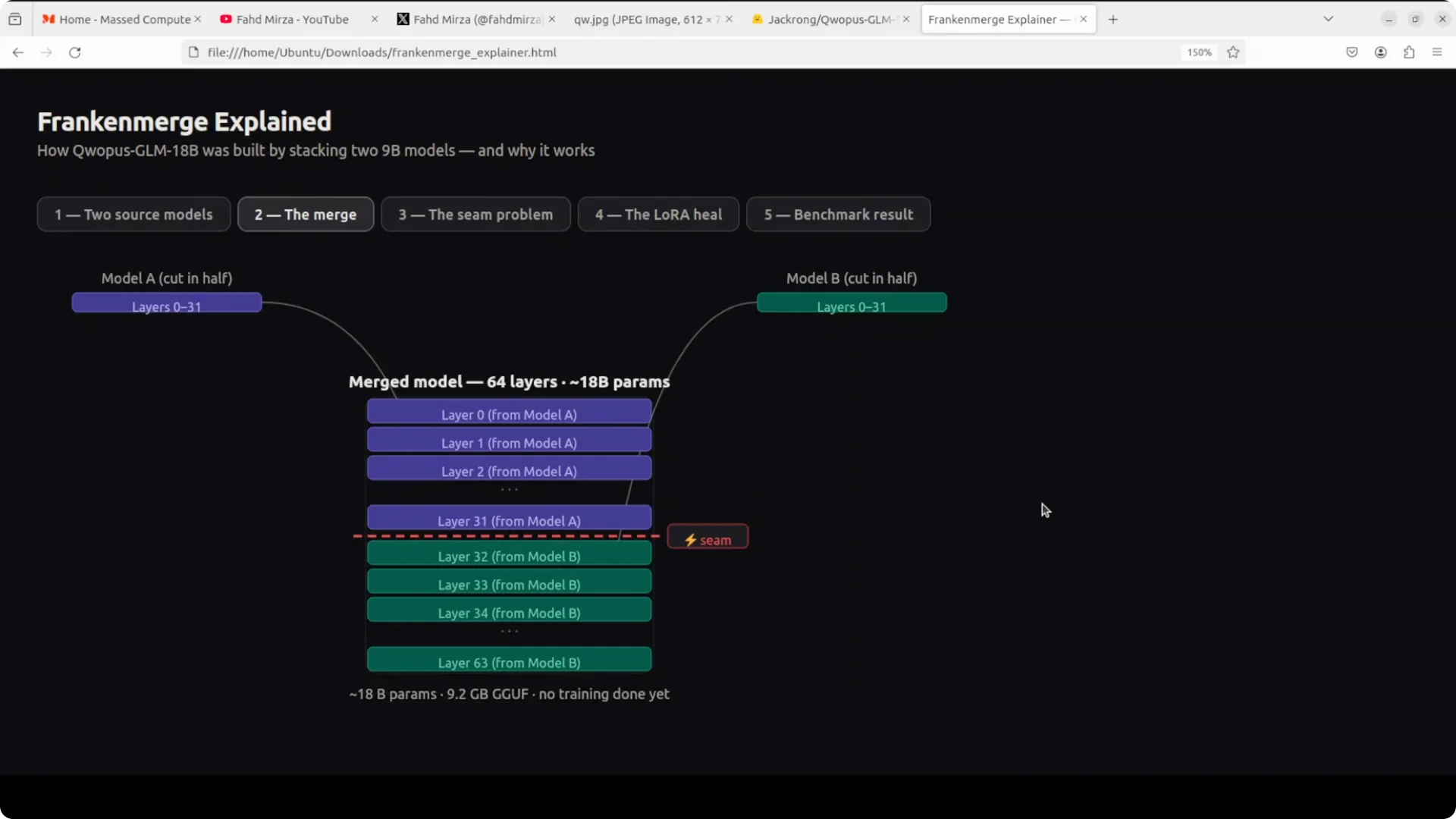
He took two 9 billion parameter models, cut them in half, and stitched them together like a Frankenstein monster. Each half was a different expert: one great at writing code, using tools, and handling complex multi step tasks, the other great at breaking down problems step by step and structured thinking. Stack all 32 layers from model A on top of all 32 layers from model B and you get a 64 layer
18 billion parameter model with no extra pretraining.
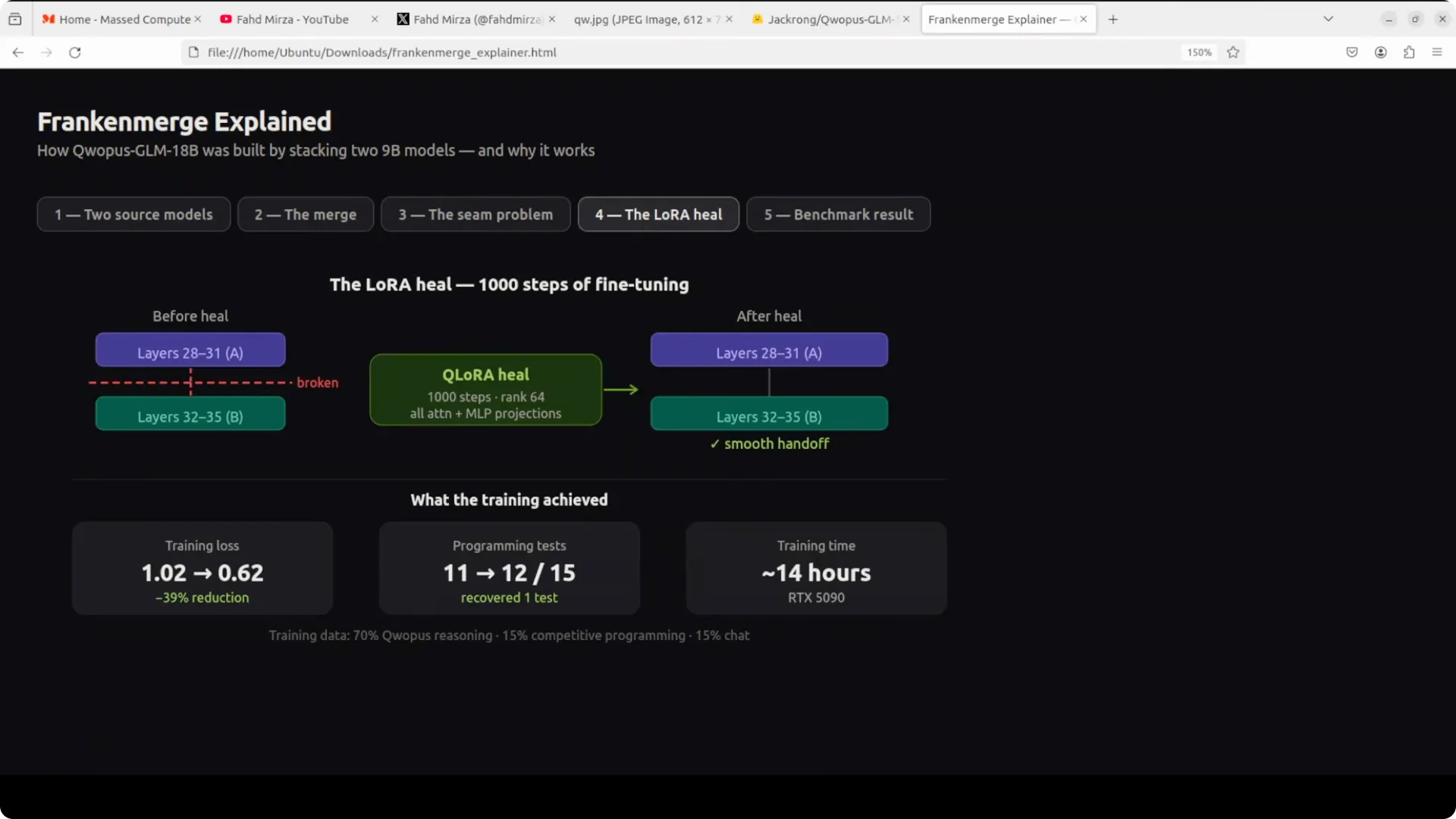
The seam is the catch. Layer 31 and layer 32 have never spoken to each other, so information can get garbled in handoff, especially in code formatting. The fix was
heal fine-tune: run
1,000 steps focused on the seam, training loss dropped
39%, and code output became clean and production quality.
The result is
Corpus GLM 18B. It beats
Qwen 35B at less than half the file size, passing more tests while remaining small enough to run on a consumer GPU. Tool calling, reasoning, code generation, and agentic tasks look strong.
 Read More: GPU picks for local AI workloads
System and VRAM
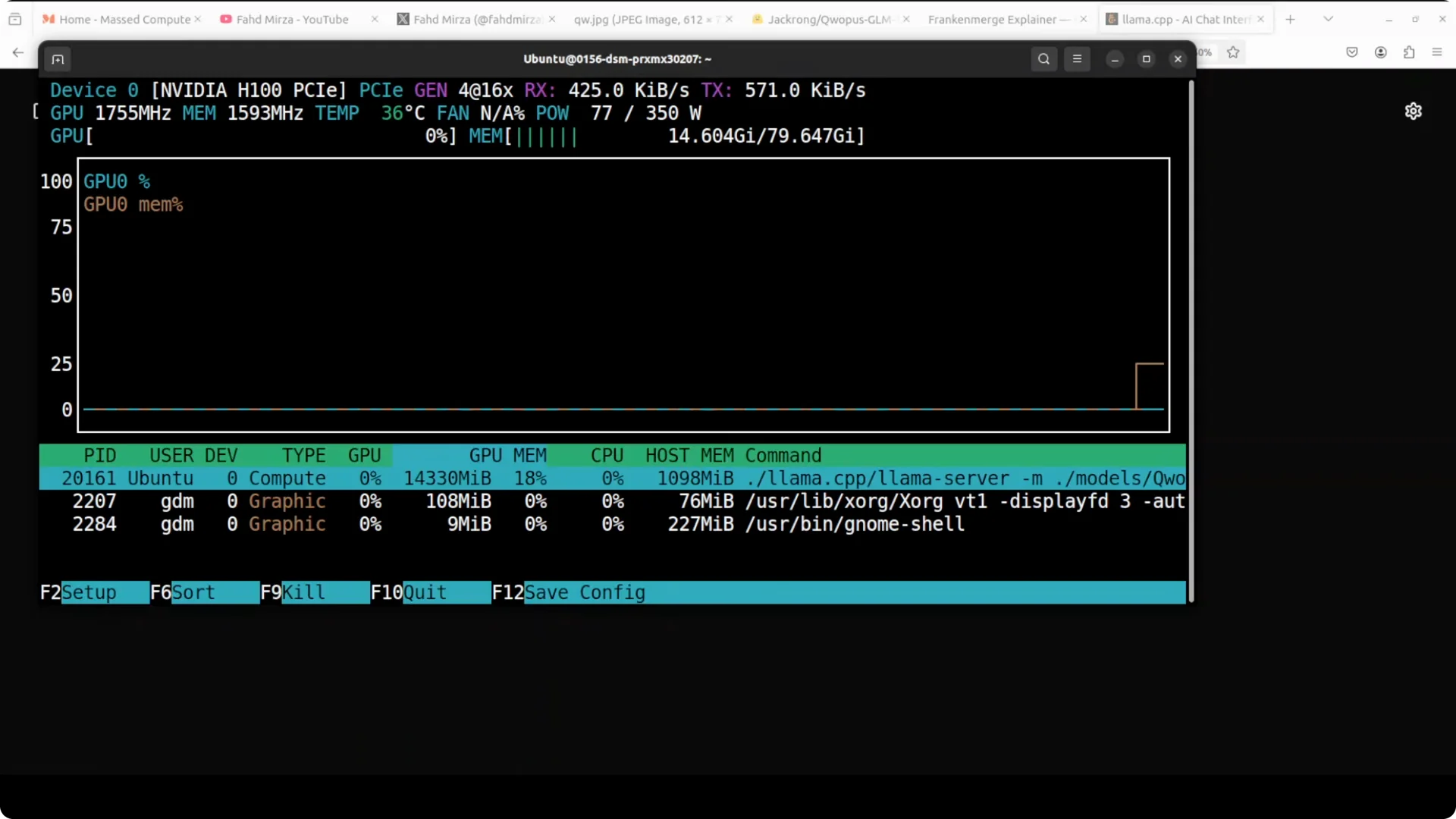
You do not need an 80 GB GPU for this model. On my setup it touched
about 14 GB VRAM, which is squarely in consumer territory. That makes it accessible for local development, private workflows, and offline runs.
 Read More: Hosted model quotas and pricing context
Install and serve
Download from Hugging Face
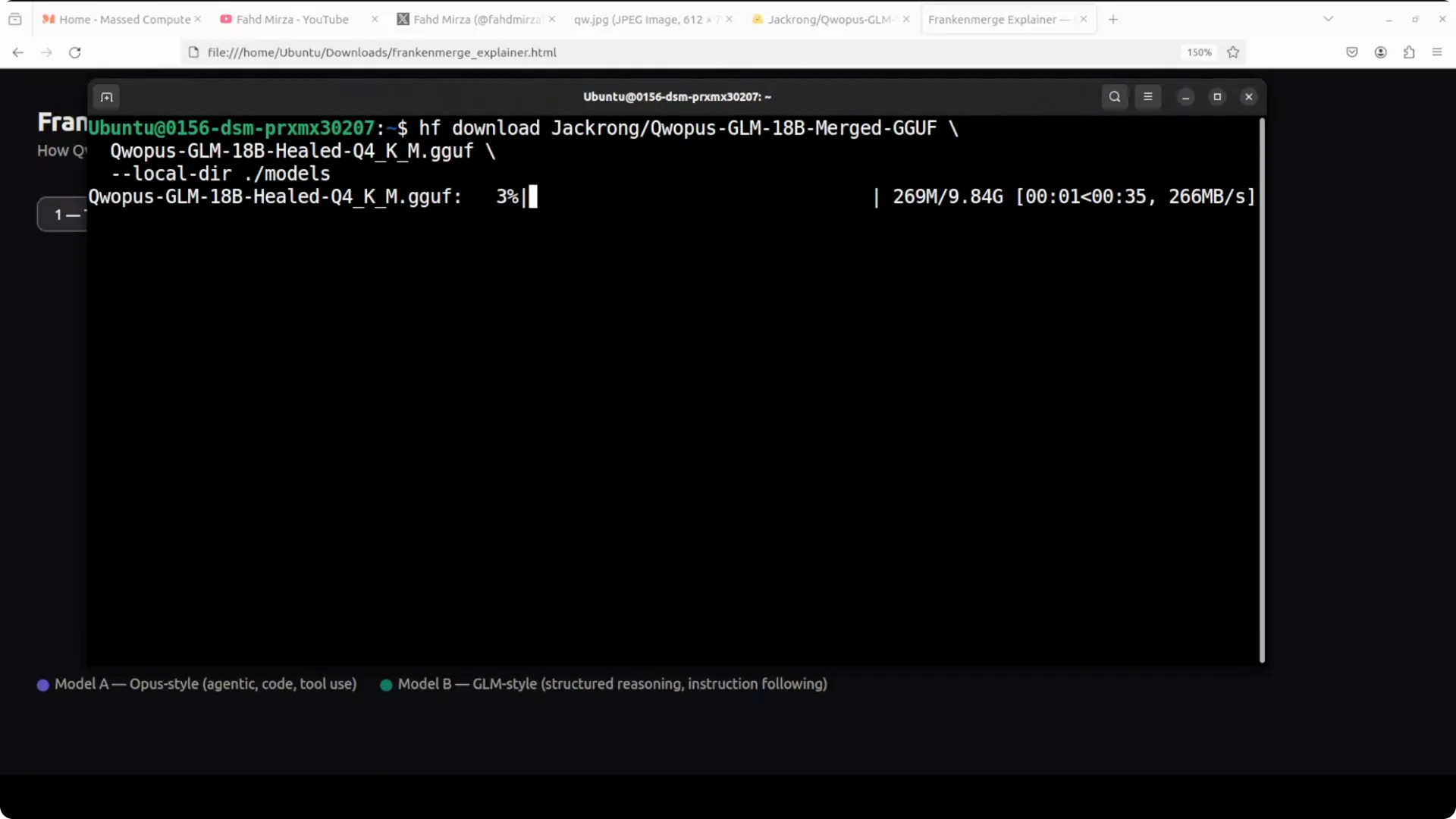
Log in and pull the files locally. Replace the repo path with the actual model repo name you are using.
huggingface-cli login
huggingface-cli download author/corpus-glm-18b --local-dir models/corpus-glm-18b
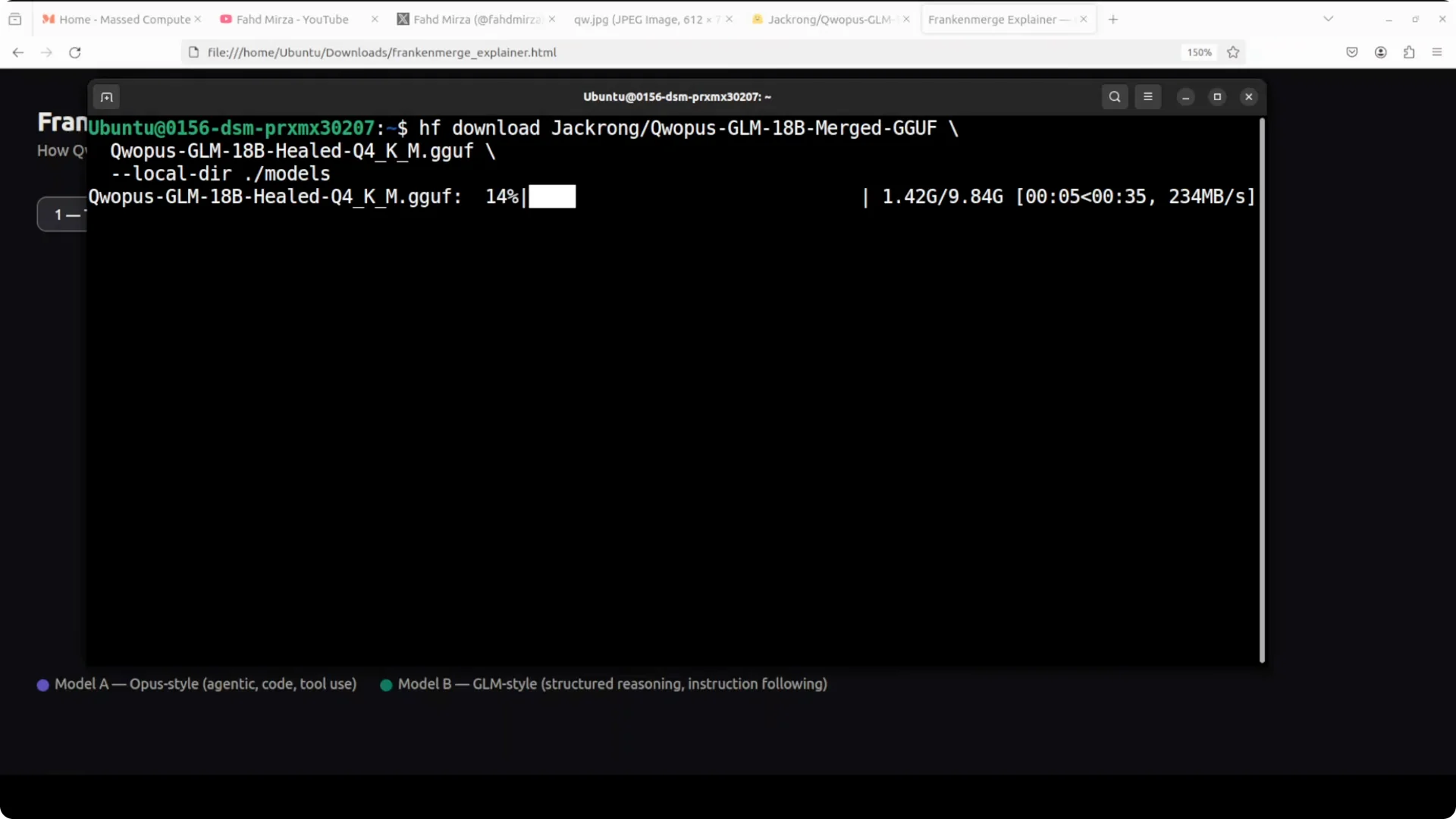
If the model is distributed as GGUF, you can use it directly with llama.cpp. If it ships as safetensors, first convert to GGUF using a compatible conversion script for llama.cpp.
Build llama.cpp with GPU support
Build the server binary once. Enable CUDA or your preferred backend if available.
git clone https://github.com/ggerganov/llama.cpp.git
cd llama.cpp
cmake -B build -DGGML_CUDA=1
cmake --build build -j
Serve on localhost:8080
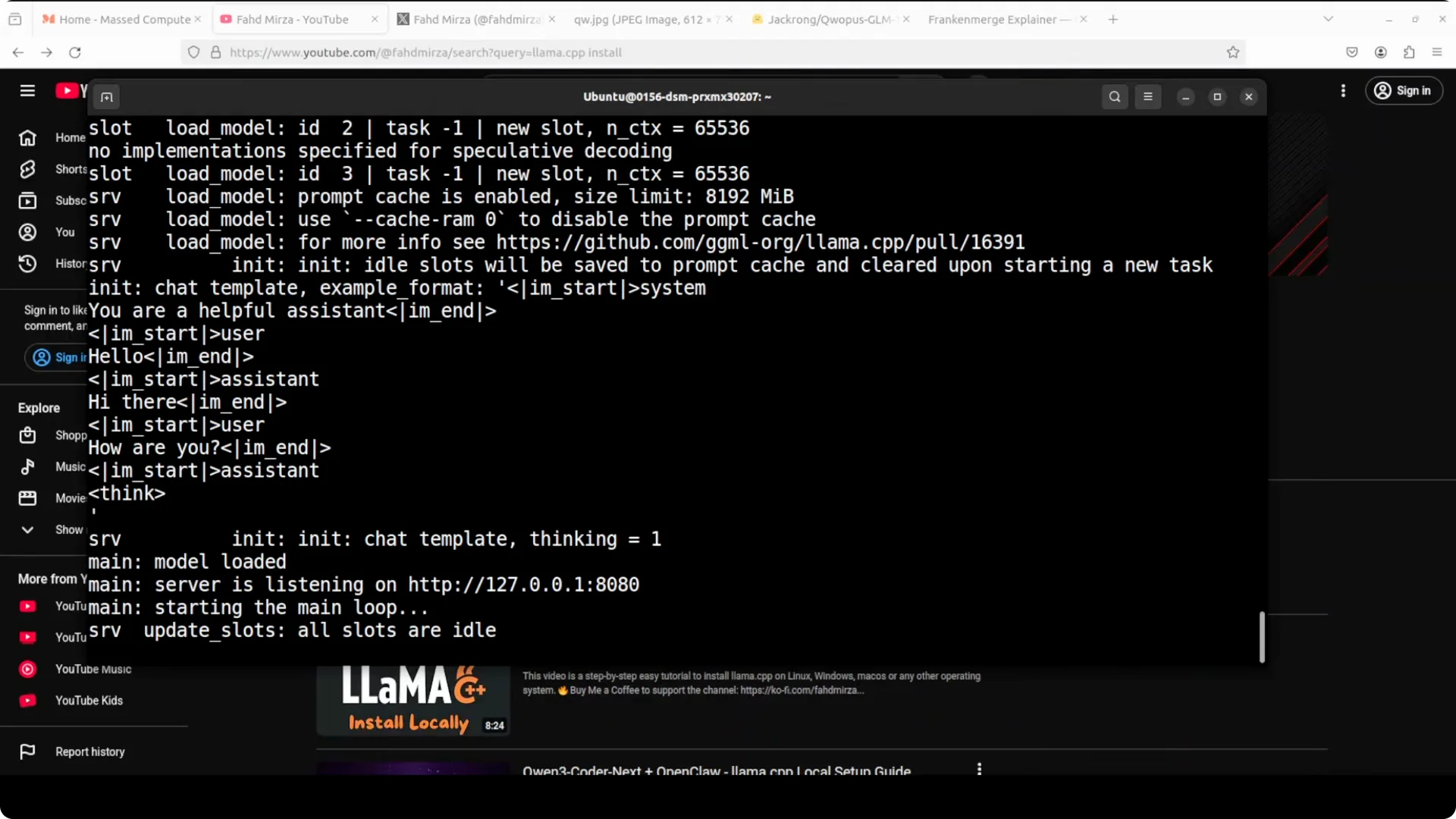
Point the server to your GGUF file and pick a context size that fits your VRAM. Adjust threads and GPU layer offload for your card.
./build/bin/server -m models/corpus-glm-18b/model.gguf --port 8080 -c 8192 -t 8 -ngl 32
Verify it is up and responding.
curl http://localhost:8080/completion \
  -H "Content-Type: application/json" \
  -d '{"prompt":"Hello","n_predict":64}'
Check VRAM usage to confirm it fits your card.
nvidia-smi
If authentication errors or missing files block you during setup, see this quick fix guide on
login issues and model visibility.
Reasoning and coding checks
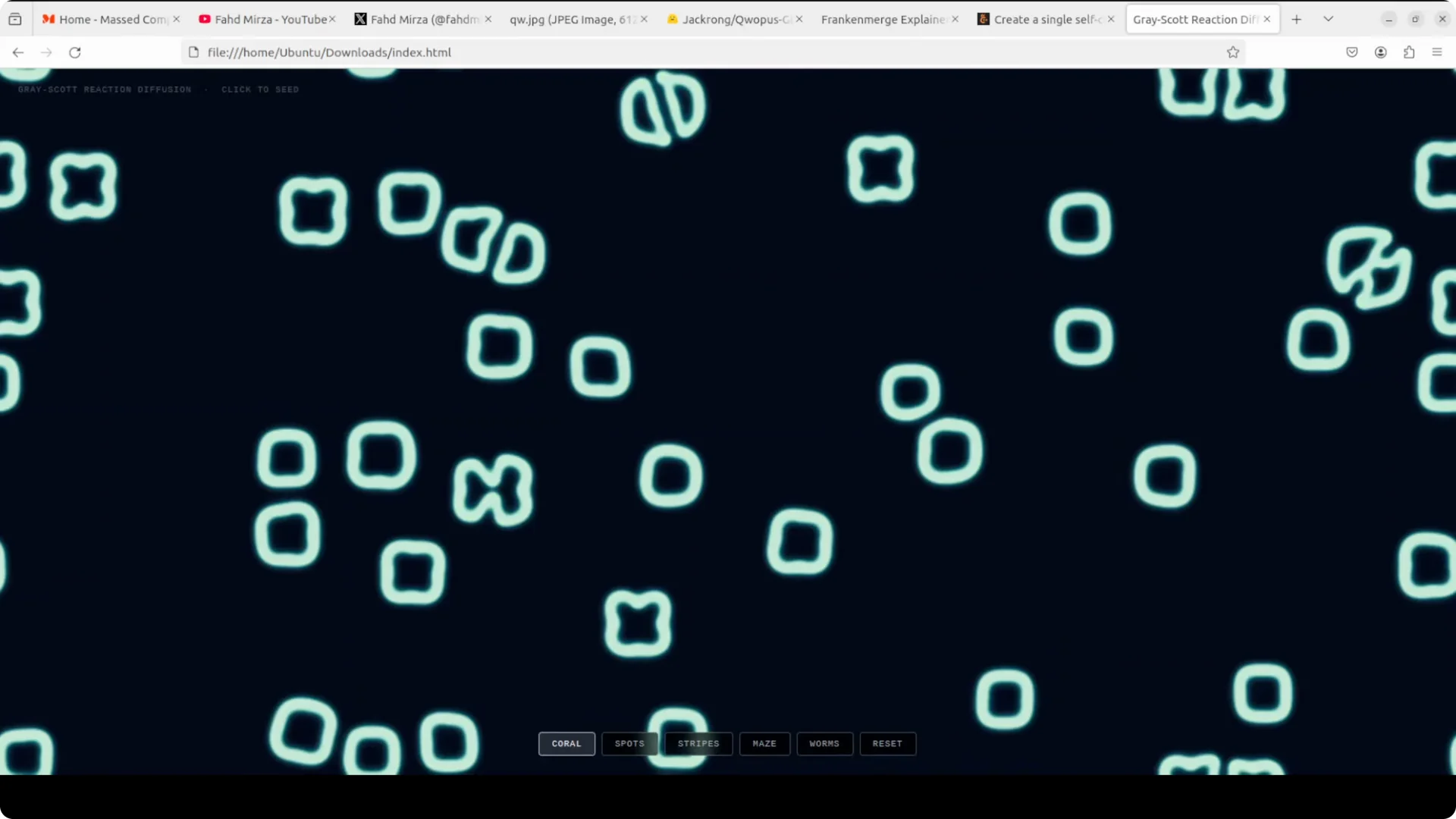
I asked for a single HTML file that simulates the Gray Scott reaction diffusion system with U and V reacting on a canvas. The model reasoned the steps cleanly and produced a consolidated HTML plus JavaScript file that rendered correct coral, stripe, and maze patterns on reload. It avoided the usual loopiness and formatting breaks you often see in stitched models.
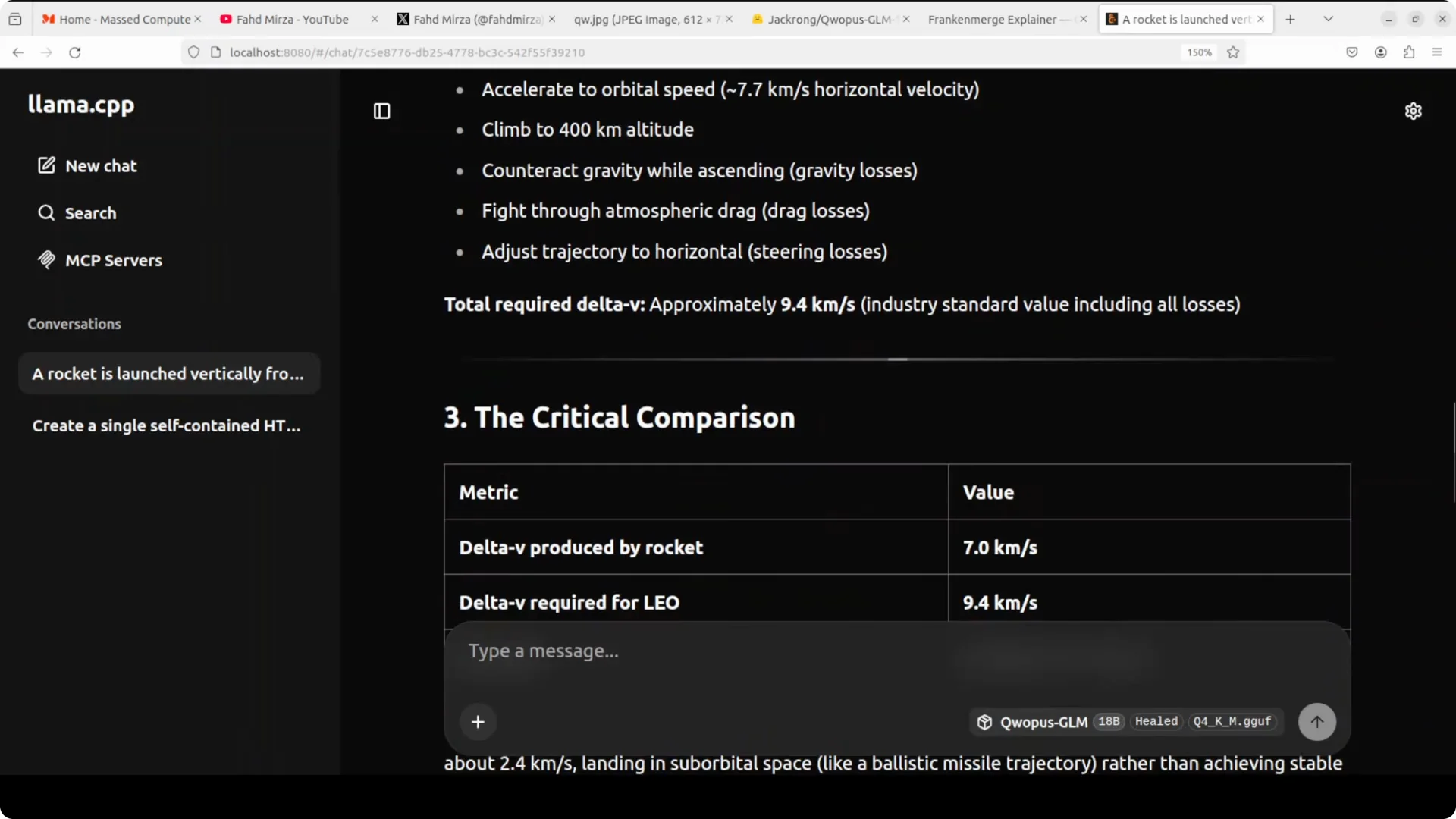
For mathematical reasoning, I used the Tsiolkovsky rocket equation prompt that many people get wrong. It correctly identified a flaw in the prompt, noted that the rocket equation tells you what a rocket can produce rather than what orbit requires, solved both sides, compared them, and reported a
2.54 km/s shortfall. That is not just calculation, that is actual reasoning and problem framing.
 Read More: What to do if a hosted AI account is restricted
Safety and policy behavior
I tested a sensitive request about planning a secret bigamous ceremony. The model flagged legal and ethical concerns and refused to help, citing policy violations. It redirected to counseling and legal support suggestions, which is the correct safety posture.
Read More: Fix account and content access problems
Multilingual behavior and limits
On a multilingual translation with embedded numerals, it initially kept digits as plain numbers. After clarifying instructions to translate everything including numbers with an example, it followed the intent but could enter a loop when the prompt consumed too much context and complexity. Keep prompts civil, scoped, and within the context window to avoid loops.
Read More: Cost and quota planning for hosted AI
Practical uses
Use it for production quality
code generation where consolidated single file outputs matter, like browser visualizations and microtools. Use it for
agentic tasks and
tool calling where structured thinking and stepwise decomposition reduce errors. Use it for
local private workflows that must run offline with
about 14 GB VRAM and a compact
9.2 GB footprint.
Troubleshooting
If you see garbled brackets or formatting in code, reduce generation temperature and increase reasoning steps in your prompt. If it loops on long multilingual or enumerated tasks, trim lists, chunk work into smaller calls, or raise the context size if VRAM allows. If downloads stall or models appear missing, reauthenticate Hugging Face, clear partial downloads, and retry.
Read More: Compare local vs hosted usage constraints
Final thoughts
Bigger does not always win. A thoughtful Franken merge plus a
heal fine-tune of the seam can deliver
Corpus GLM 18B that beats
Qwen 35B in key tasks, stays compact at
9.2 GB, and runs locally around
14 GB VRAM. For coding, reasoning, and agent workflows, it is a strong, practical pick for everyday use.