
Hermes Agent with Deepseek V4 Pro lets me install a single agent, connect it to the Deepseek API, wire it to Telegram, and fix a real world full stack app across multiple files without sitting at the terminal. Install Hermes, select Deepseek V4 Pro as the model, connect a Telegram bot, pair the agent, and you can send natural prompts in Telegram to read your repo, find bugs across backend and frontend, apply patches, run commands, and ship a working build.
I use the API because this is a large model, and I just top up a small balance on deepseek.com to get the key. Expect some early rate limits, but keep trying and the calls go through. Once paired, I ask Hermes to scan every file, propose fixes, and I grant command execution by replying always, after which it builds and verifies the app.
Why Hermes Agent for this
Hermes Agent by Nous Research adds a built in learning loop that creates skills from experience and remembers across sessions. It lives in Telegram instead of your terminal, which makes it perfect for travel and quick handoffs. This pairs well with Deepseek V4 Pro, a 1.66 trillion parameter model with 49 billion activated for long horizon agent work.
If you plan to serve the Flash variant on GPUs, see these GPU notes for the Flash flavor of the model: Deepseek V4 Pro Flash Model Gpu. If you are running locally instead of via API, this setup guide helps: run Deepseek V4 Flash locally.
Quick install on Ubuntu
I install Hermes Agent from its GitHub repository using a single line installer. The setup wizard walks through model, messaging, and service choices. A quick setup is enough for this workflow.
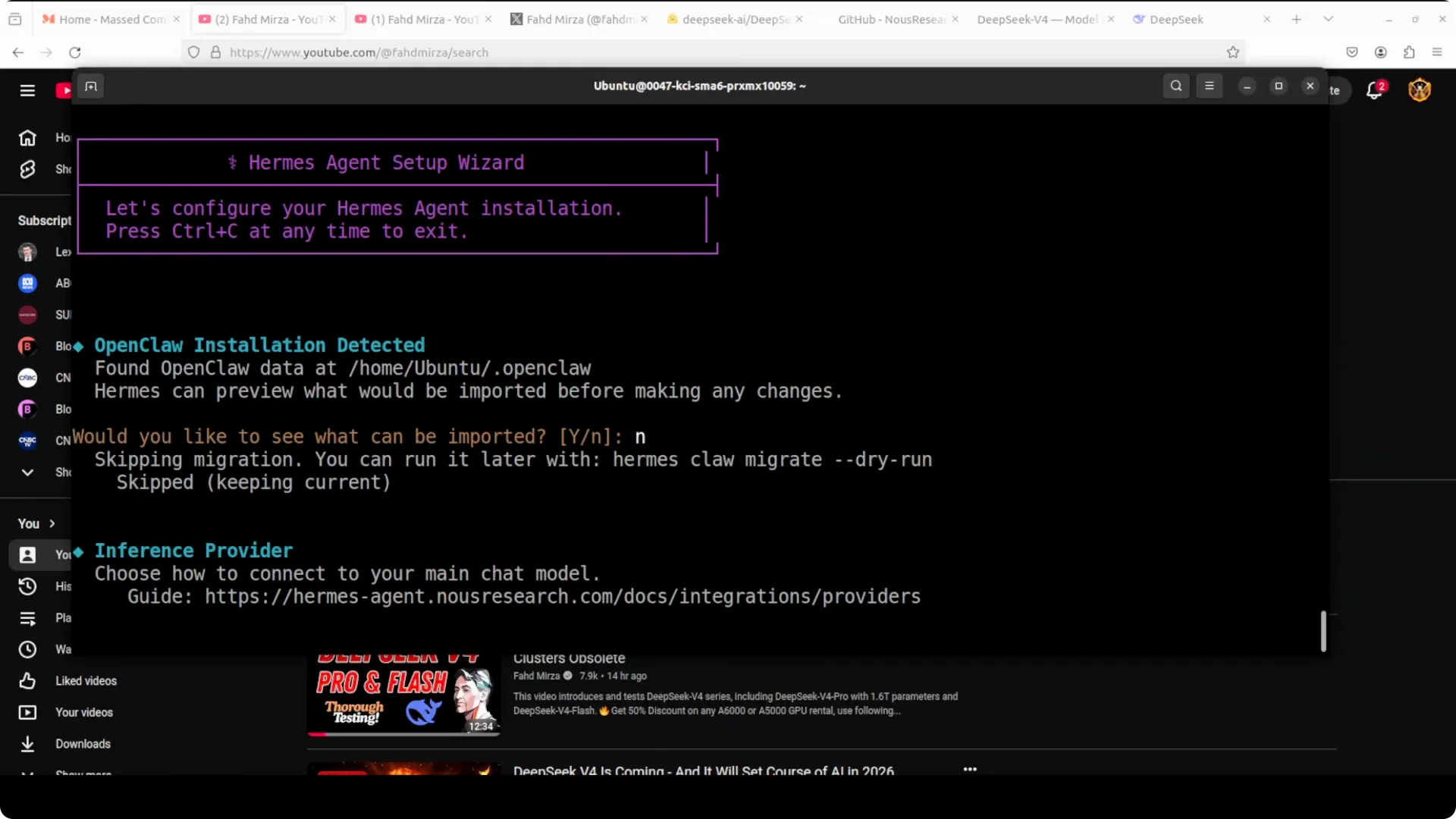
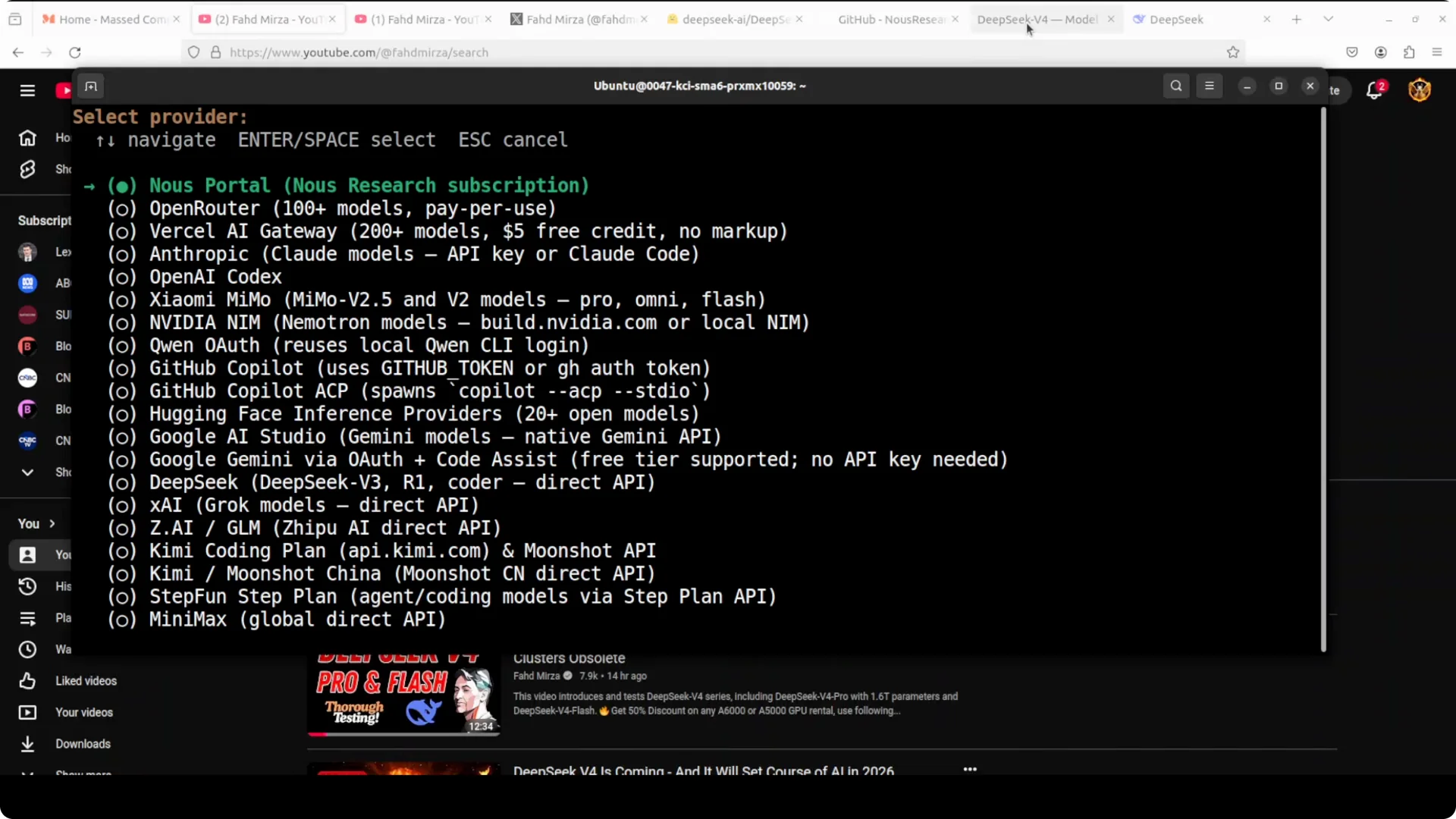
Because the model is big, I do not run it on this box. I pick API mode in the setup wizard and move on to provider and model selection. If Deepseek V4 Pro does not appear immediately, recheck, and then select V4 Pro when it shows up.
Connect Deepseek V4 Pro by API
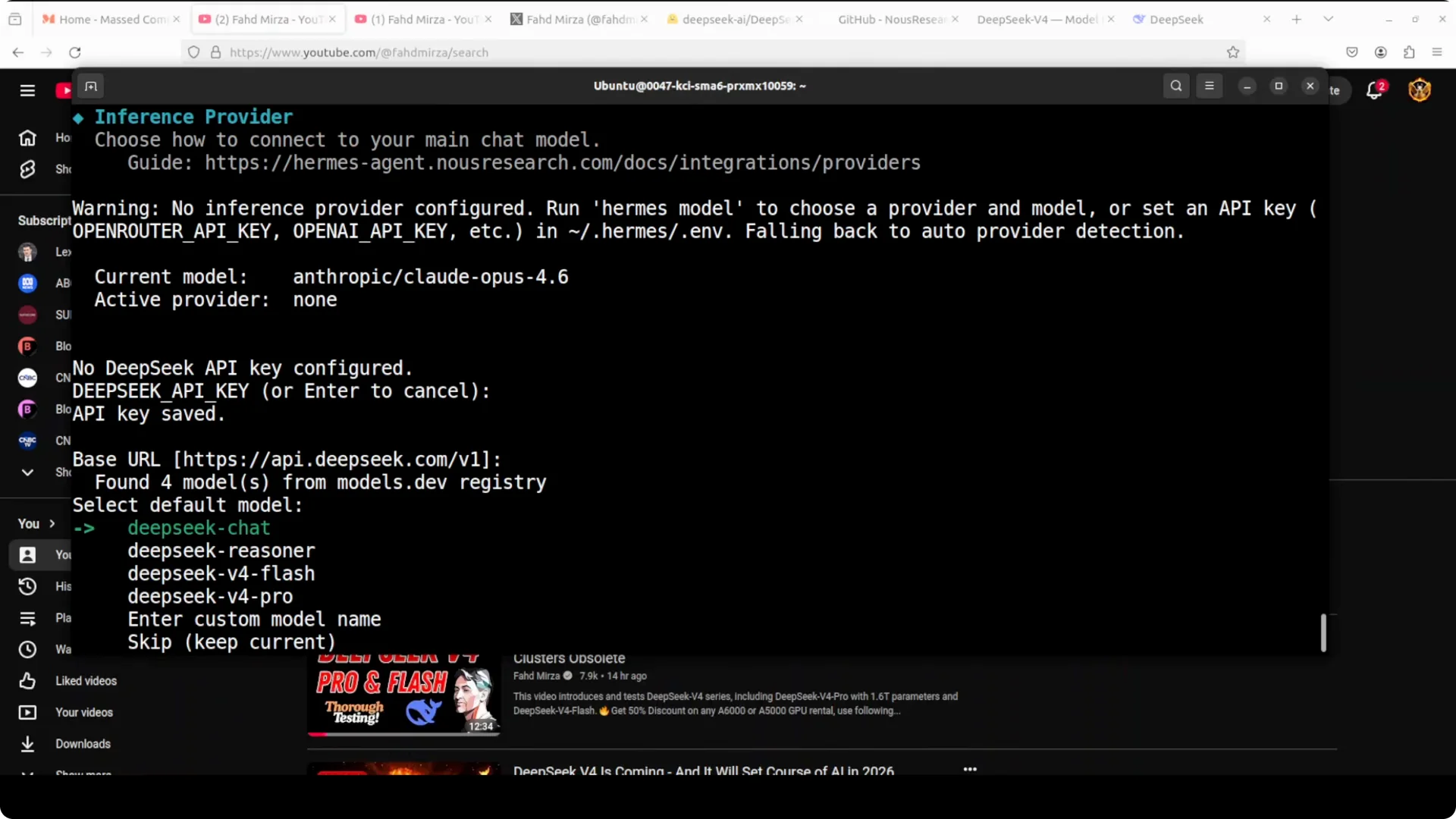
Go to deepseek.com, create an account, add a small balance, and create your API key. Enter the key in Hermes when prompted, confirm the base URL, and save. Hermes hides the key after entry, which is the right behavior.
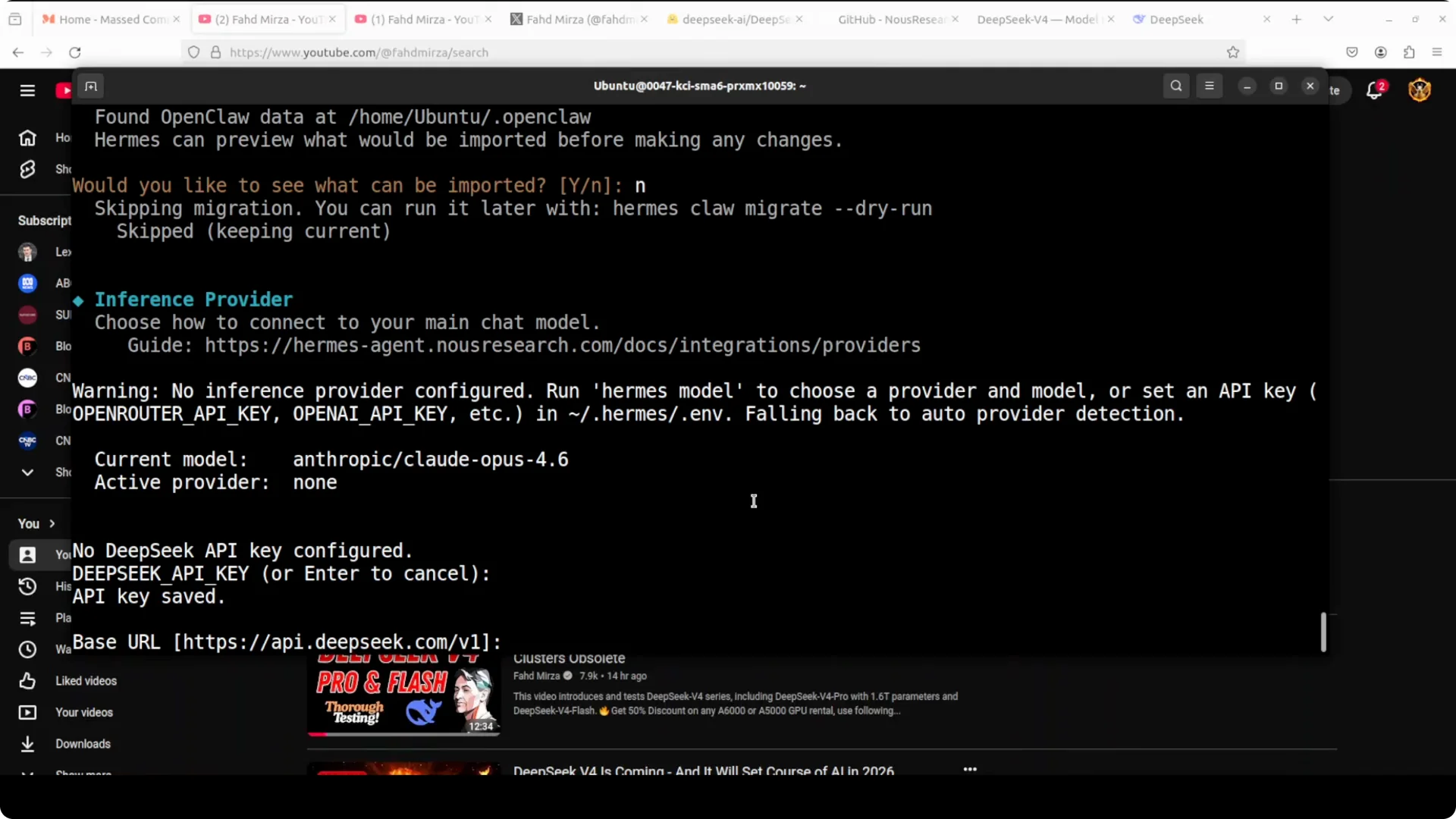
The service is new, and I saw occasional throttling and rate limiting. I retried the requests and they cleared. If your agent framework truncates long error messages, review this agent executor note: error message truncation failure in agent executors.
Set Telegram as the messaging channel
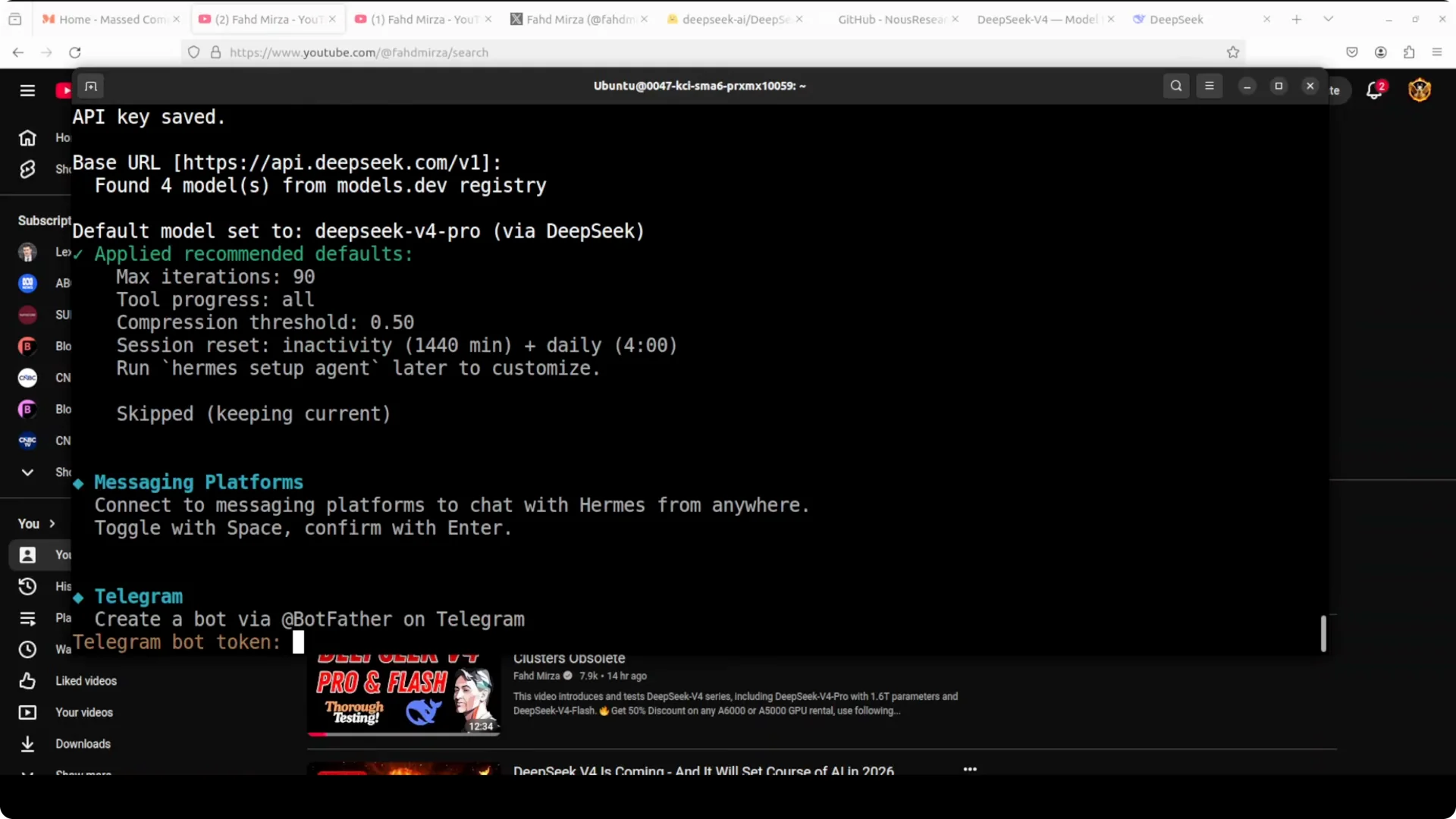
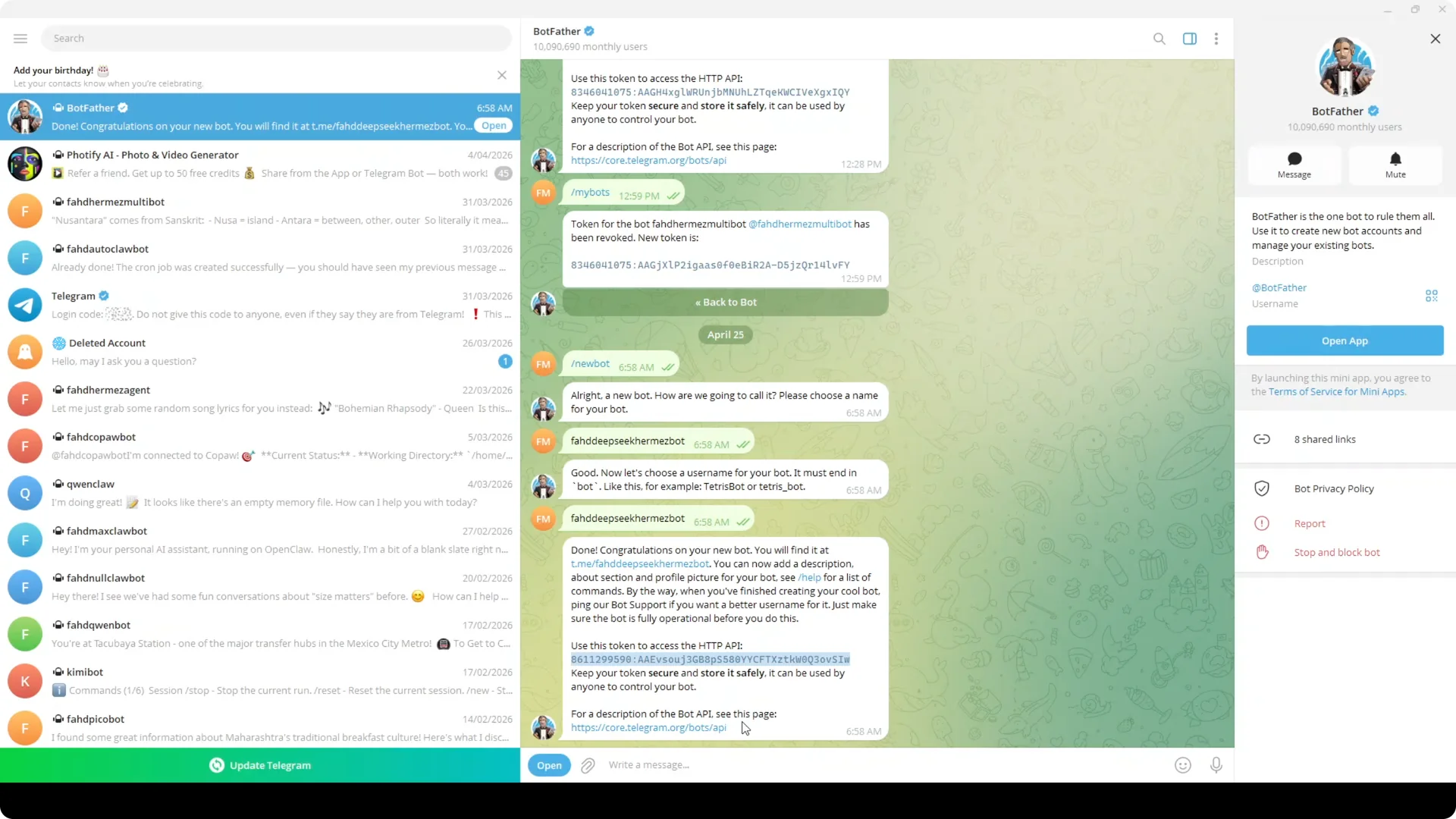
When the wizard asks for messaging, I press space to select Telegram and hit enter. It asks for a Telegram bot token, which I create with BotFather by sending new bot, naming it, and ensuring the username ends with bot. I paste the token back into Hermes and save.
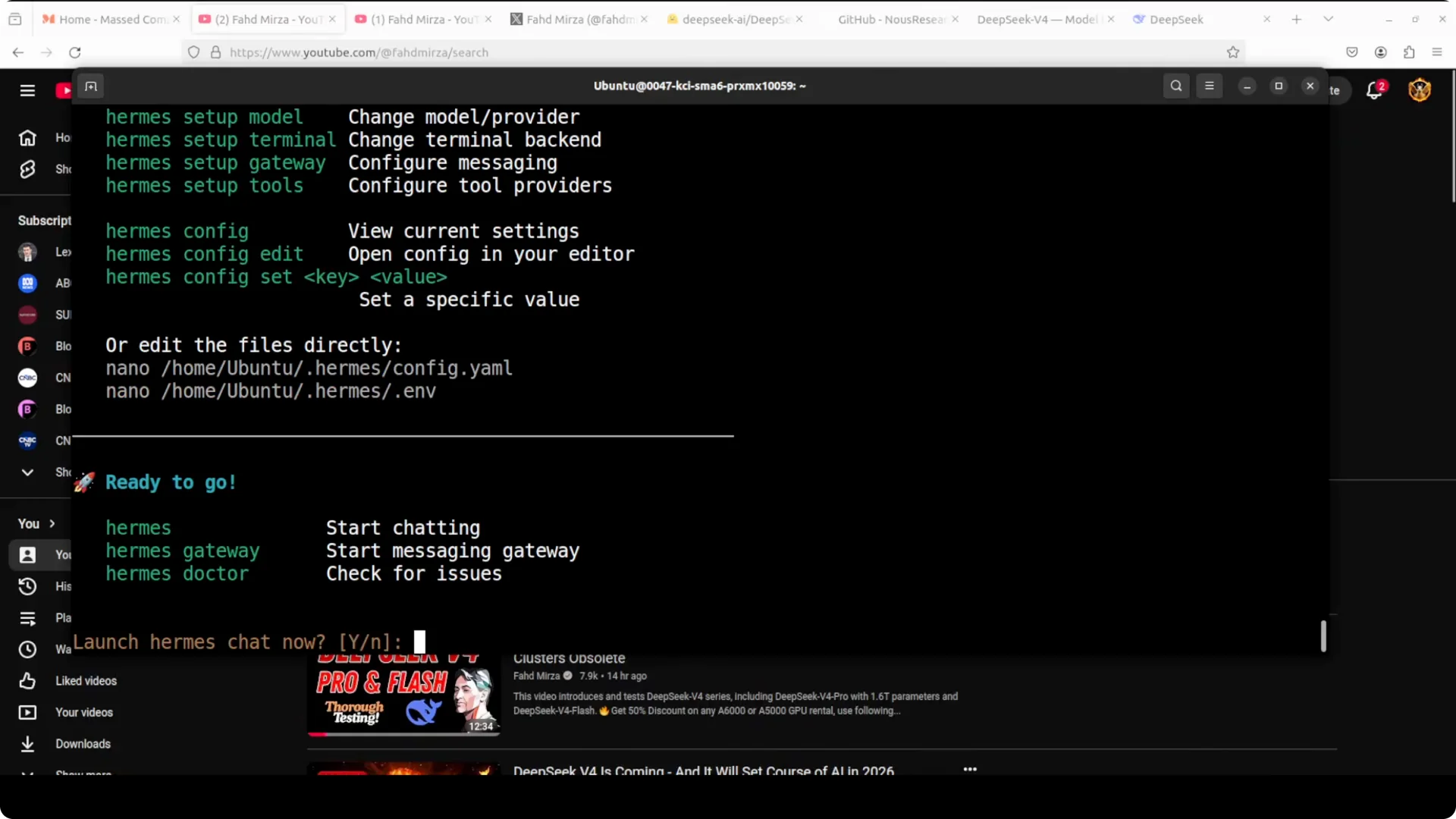
I start the agent as a user service because this is a quick run. The wizard offers to start it, and I accept. This service connects the Telegram channel with Hermes.
Pair Telegram with Hermes
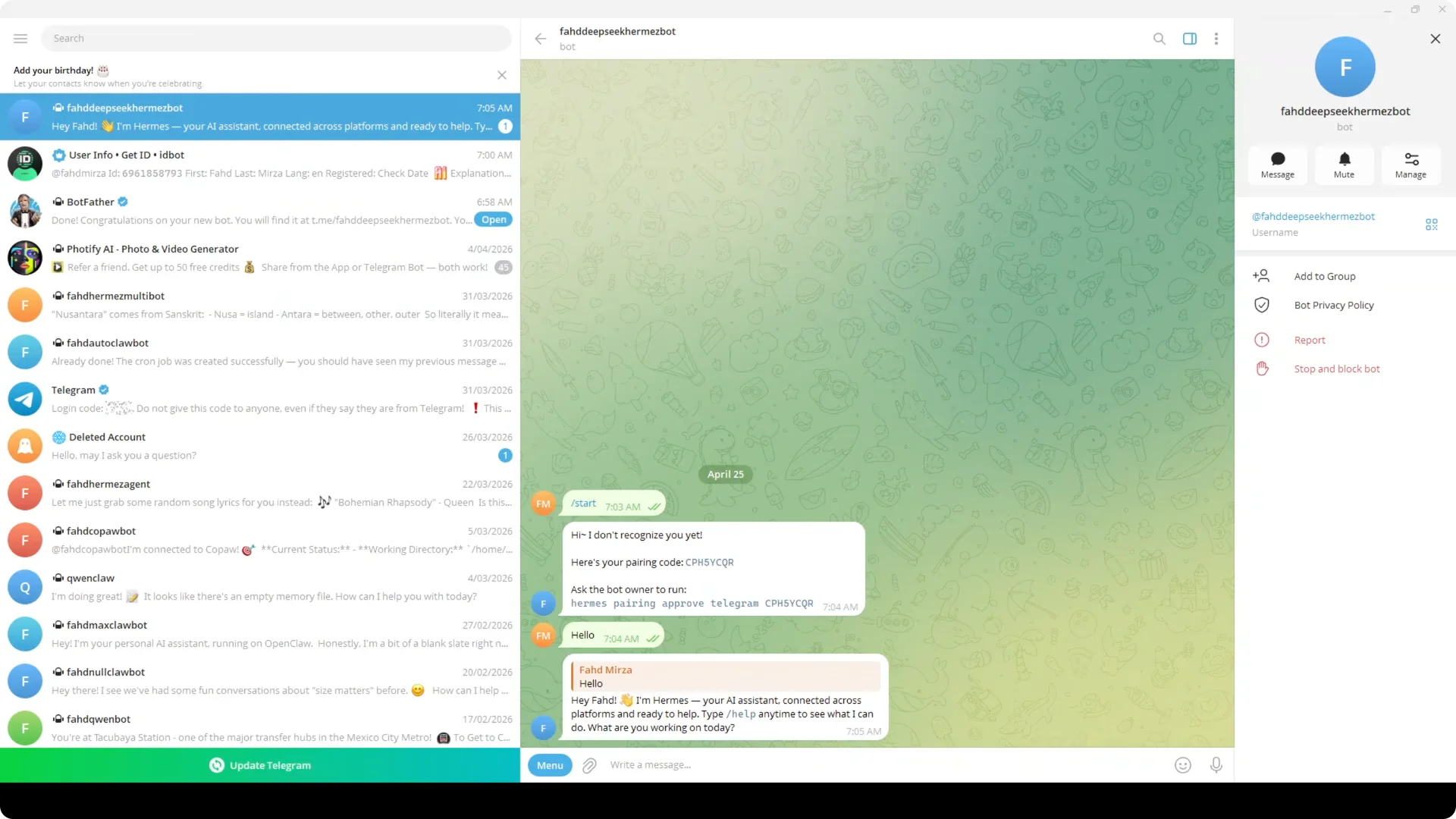
In Telegram I click my bot and hit Start. Hermes prints a pairing command, I run it on the Linux box, and it confirms the pair. A quick hello confirms the integration responds.
For teams, you can sit this agent behind a manager. See this overview on coordinating multiple agents: agent manager setup.
Real world coding task
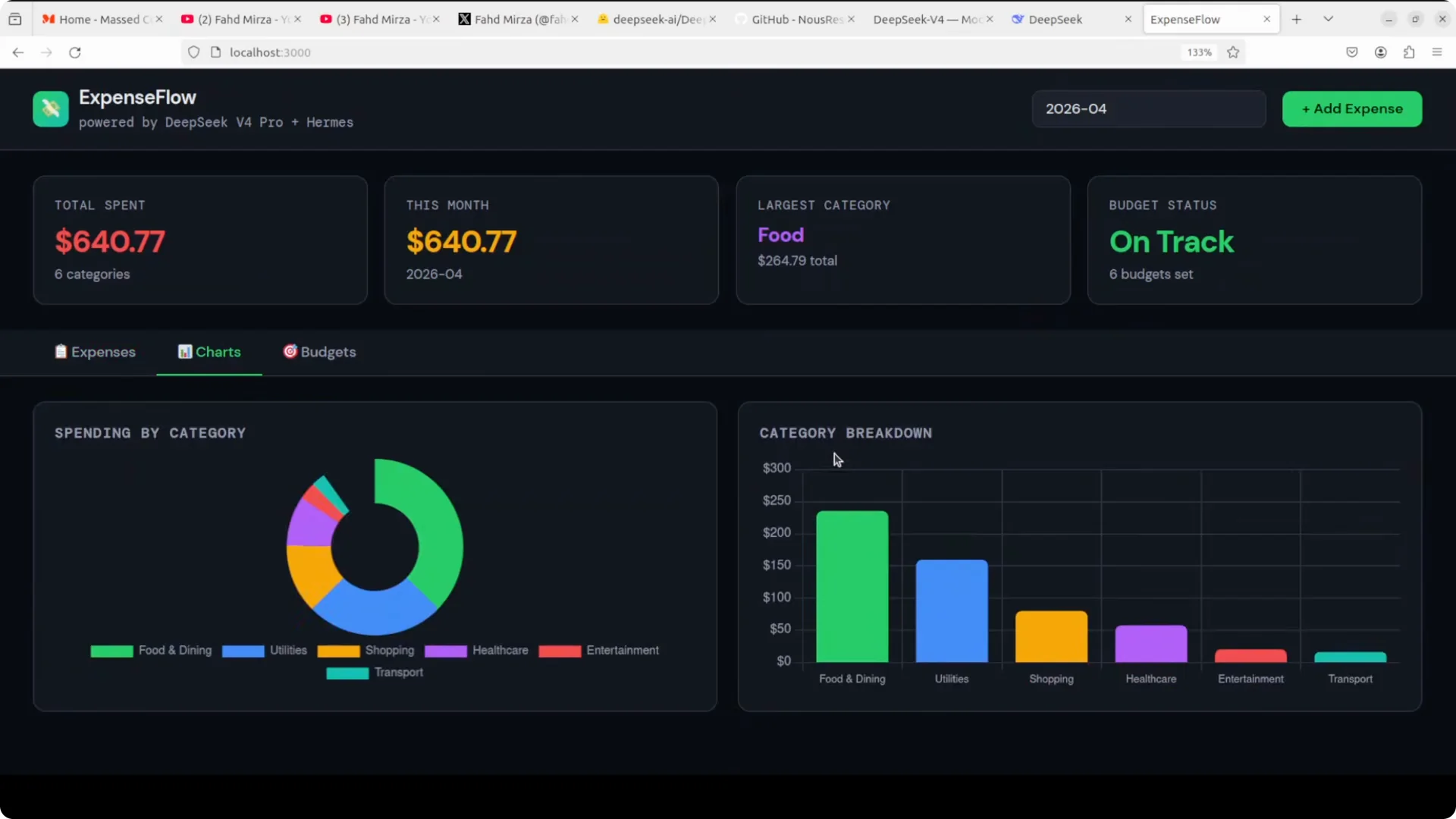
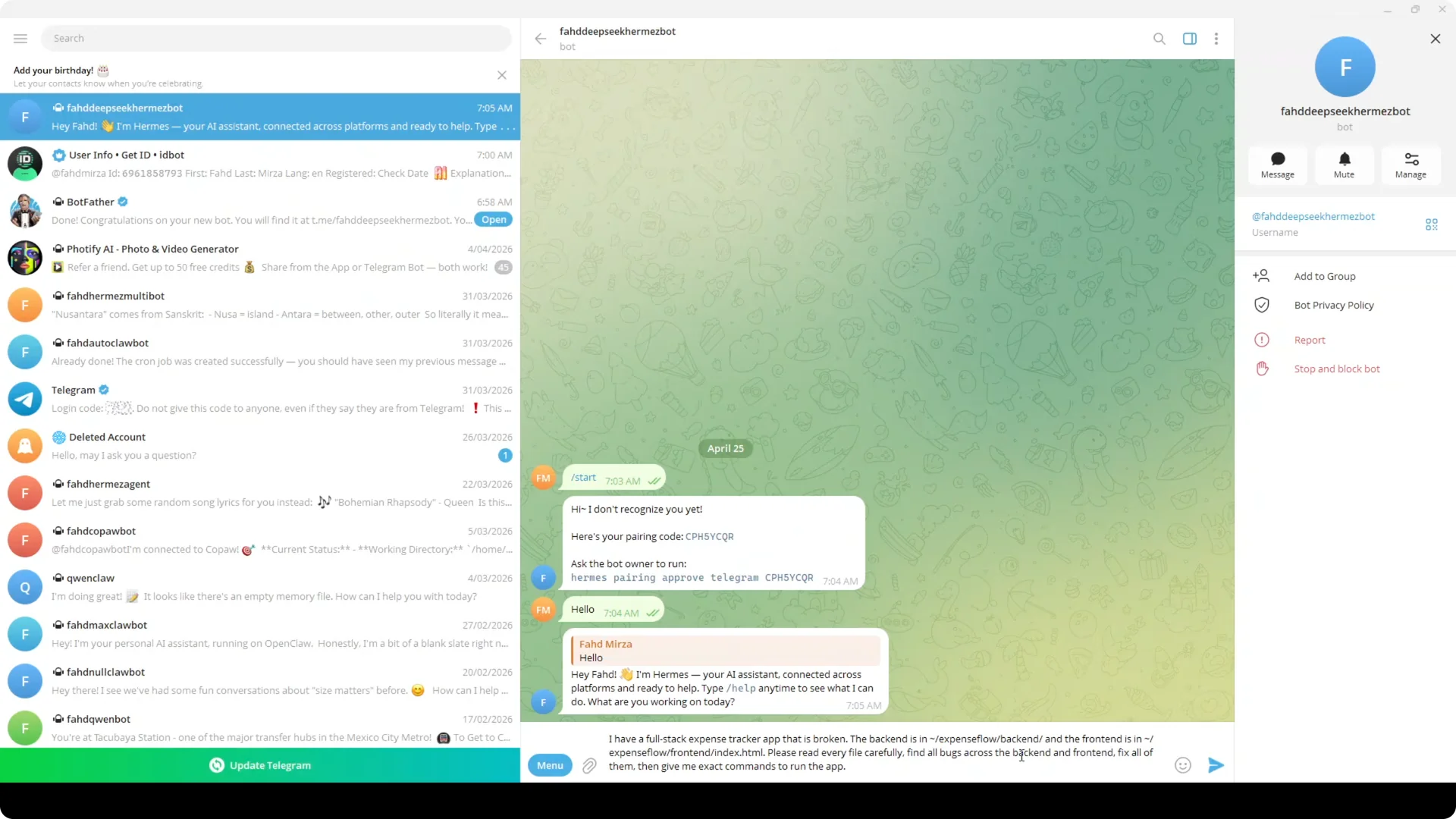
I use an expense tracker application with a FastAPI backend, SQLite database, and a rich frontend dashboard with charts, budget tracking, and multiple tabs. I removed a bug map to make the run harder, then I prompted Hermes in Telegram to read every file in backend and frontend, find all bugs, fix them, and make the app runnable. Hermes read the codebase, listed issues, proposed patches, and asked to run commands, to which I replied always.
Hermes built and verified the project. I then ran the backend on localhost port 8080 and the frontend on localhost port 3000 to confirm the app works. CRUD, charts, budgets, and calendar all functioned after the fixes.
Step by step guide
Step 1. Install Hermes Agent on Ubuntu with the single line installer from GitHub. Pick quick setup to move fast.
Step 2. Choose API mode for the model. Select Deepseek as the provider and pick Deepseek V4 Pro.
Step 3. Create an API key at deepseek.com, fund a small balance, and paste the key into Hermes. Confirm the base URL.
Step 4. Select Telegram as messaging, create a bot with BotFather, and paste the token into Hermes. Start Hermes as a user service.
Step 5. In Telegram, start your bot and run the Hermes pairing command shown by the agent. Send a hello to confirm it responds.
Step 6. Prompt Hermes in Telegram to read your repo, detect and fix backend and frontend bugs, and request permission to run commands. Reply always when asked to proceed, and let it build and verify.
If you prefer a local run of a smaller variant for dev machines, here is a practical path to run it: run Deepseek V4 Flash locally. For GPU deployment notes on the Flash family, see this guide: GPU tips for Deepseek V4 Pro Flash.
Notes and cautions
Deepseek’s API is new, so rate limiting may appear. Keep requests steady and retry if a call stalls. If your ops team runs into generic 500 errors in adjacent services, this primer can speed up root cause work: troubleshooting an HTTP 500 Internal Server Error in Google Workspace.
V4 Pro is large, and local inference needs serious hardware. I prefer API mode on light boxes and local runs only on capable GPUs. If a model list does not show V4 Pro, finish setup with a close match and then re select V4 Pro when it appears.
Practical use cases
You can fix production bugs from a train or plane by just chatting in Telegram. You can keep a persistent agent that remembers context and skills across sessions for long running refactors. You can let the agent read repos, propose diffs, and run builds without SSH.
For multi agent orchestration, use an external controller to assign roles and review outputs. This approach fits backend error sweeps, frontend build breakages, dependency upgrades, and config drifts. It also works for scheduled repo health checks and periodic test runs.
Final thoughts
Hermes Agent with Deepseek V4 Pro gives me a Telegram native workflow that remembers, learns skills, reads entire projects, and fixes code across services using simple chat prompts. Install it, connect the API, pair Telegram, and let it audit, patch, and build your app. The stack delivered a working full stack expense tracker end to end without me touching the local terminal.