
The fix is simple. Give Claude Code real browser access using a Playwright MCP server, so it can actually open your app, navigate, click, scroll, fill forms, resize the viewport, take screenshots, and read both console and network logs to verify changes against requirements.
Looking only at console logs and the codebase is not enough for front end work, so I connect Playwright to Claude Code to make the feature implementation observable and verifiable.
In my workflow, I start with a spec, pass that plan to Claude Code to implement, then I have Claude Code use Playwright tools to test the feature it just coded.
It takes screenshots, navigates the app, tests responsive sizes, inspects console and network logs, and then reflects on what to change, creates a follow up plan, and loops until the front end is correct.
For setup details, see how I run Playwright with Claude Code here: Playwright with Claude Code.
The problem I needed to solve
If you are a front end engineer using Claude Code to build front end applications, the blocker is that Claude Code cannot open a browser, navigate to the app, and verify the changes it just made.
Claude Code can look at console logs and the codebase, but that is not enough. I need Claude Code to see the changes in the UI and validate them against the requirements.
When I provide a plan, Claude Code can implement the feature, but it has no way to know the feature is accurate. That is where the Playwright MCP server comes in, because it gives Claude Code the vision access to browse the app.
It can navigate across pages and perform browser actions like clicking, scrolling, and entering forms, then verify the UI changes.
This avoids blind implementation based only on logs or code.
I want Claude Code to view the application during front end development and verify changes as it implements features. That is critical to keep quality high.
Where this fits in my workflow
I begin with spec development where I outline the plan for the feature and how I intend to implement it.
I pass that plan to Claude Code to execute, and it codes the feature. After coding, Claude Code uses the Playwright toolset to check what it implemented.
It takes screenshots, navigates to different parts of the page, sets different screen sizes, and inspects both browser console logs and network logs.
It then verifies the changes and thinks about what must change, drafts a new plan, and loops this workflow to improve the front end.
That loop continues until acceptance criteria are met and the UI matches our standards.
Set up
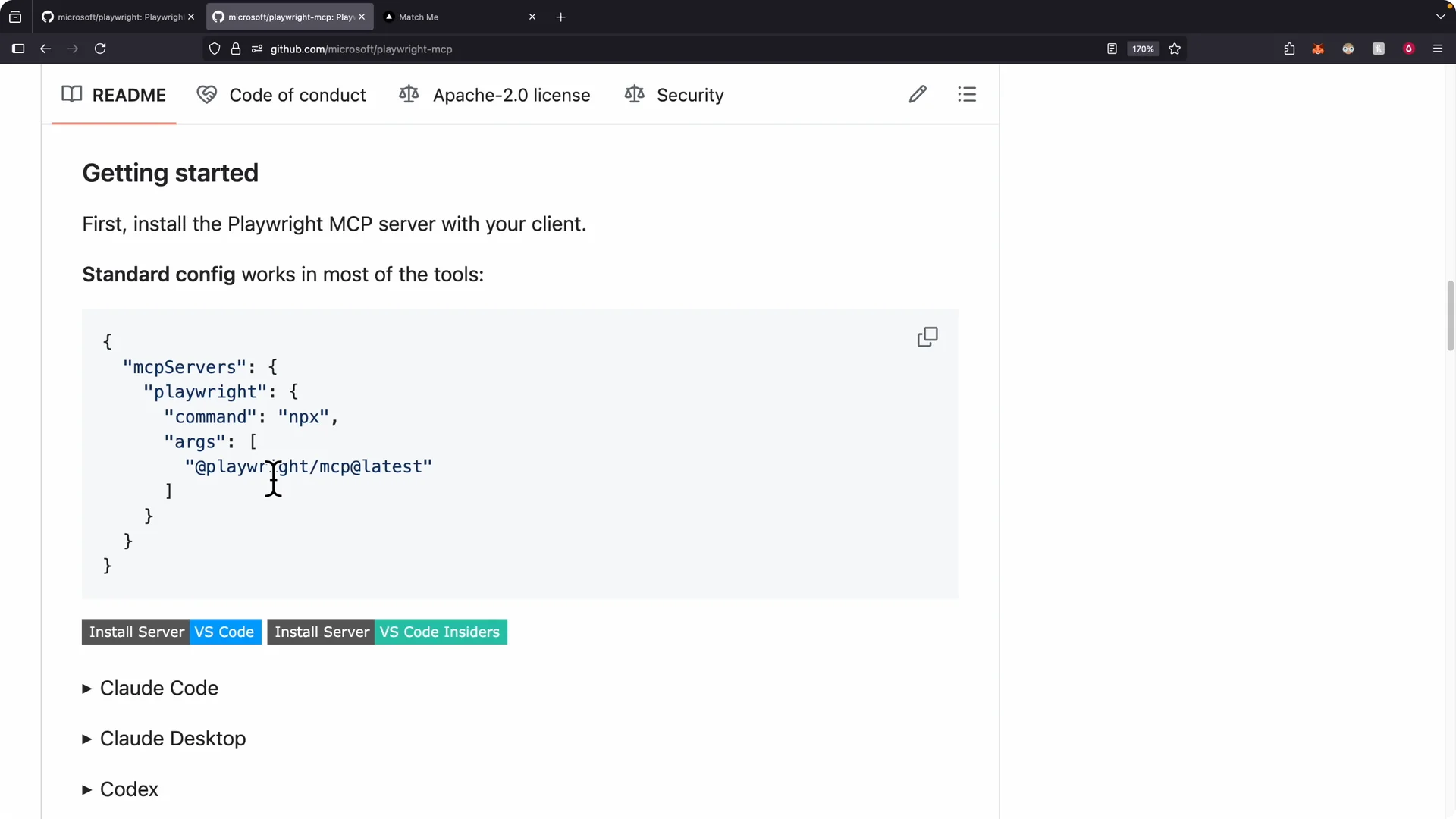
I go to the Playwright MCP GitHub page, follow the configuration notes, and add it to my MCP servers.
If you are using Claude Code like I am, copy the install command from the repo and run it in your terminal to install Playwright on your MCP server.
After installation, I open a new terminal and start Claude Code again.
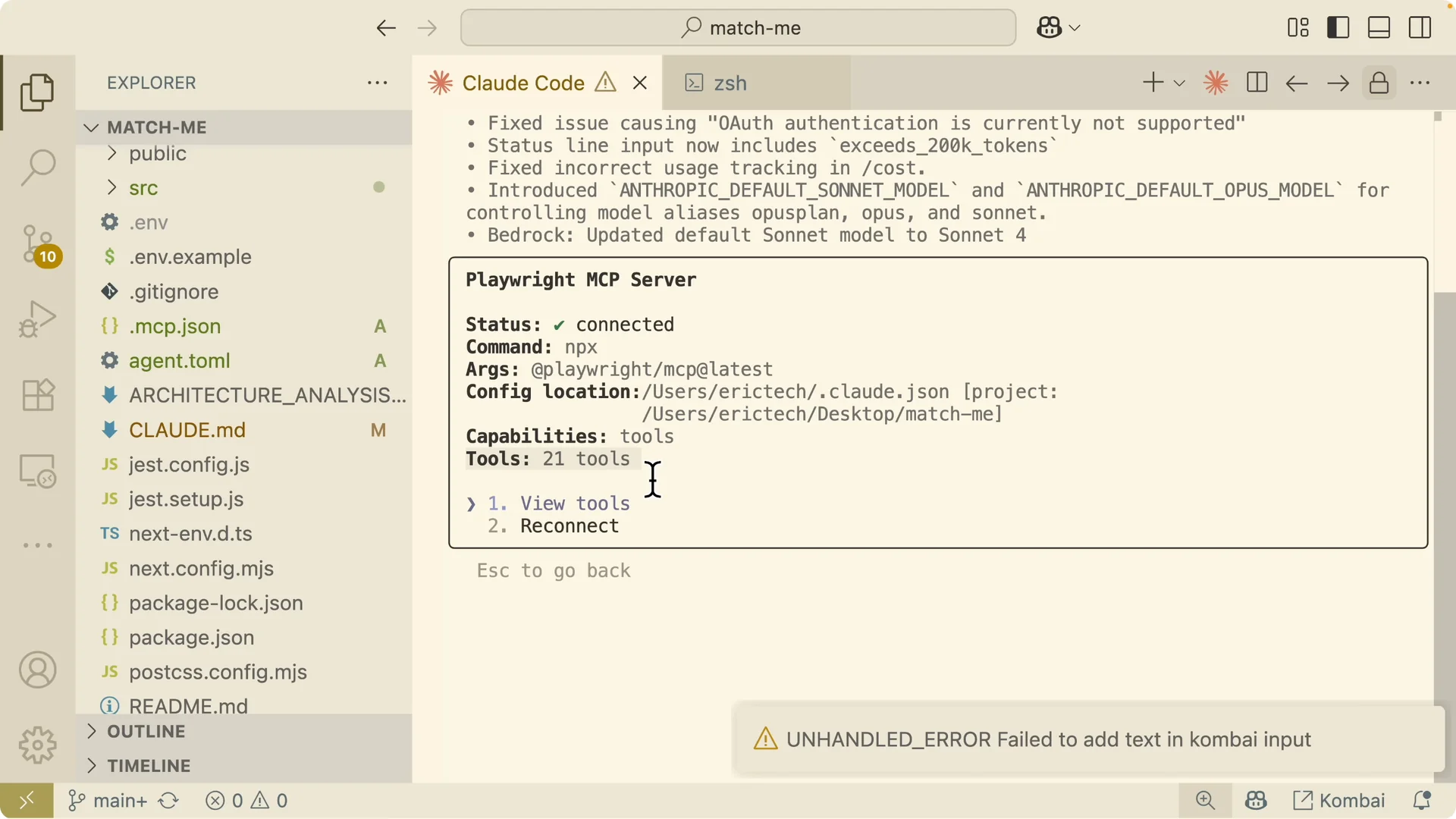
I list MCP servers to confirm Playwright is connected.
When I open the details, I see a total of 21 tools available.
I can view tools for actions like closing the browser, resizing the browser, getting console messages, uploading files, pressing keys, entering text, navigating to websites, taking screenshots, and clicking elements.
If you need help wiring Claude Code to control browsers and apps through MCP, see this quick remote control setup guide: remote control setup.
Once connected, any browser action I need for testing the UI is available. That is the foundation for visual validation.
How I integrated it into the project
Inside my claude.md file I added a section called Visual development and testing.
Any time we implement front end changes, Claude Code runs a quick visual check.
I also keep a Design principles section in context so the agent understands border, spacing, layout, and visual conventions for our UI.
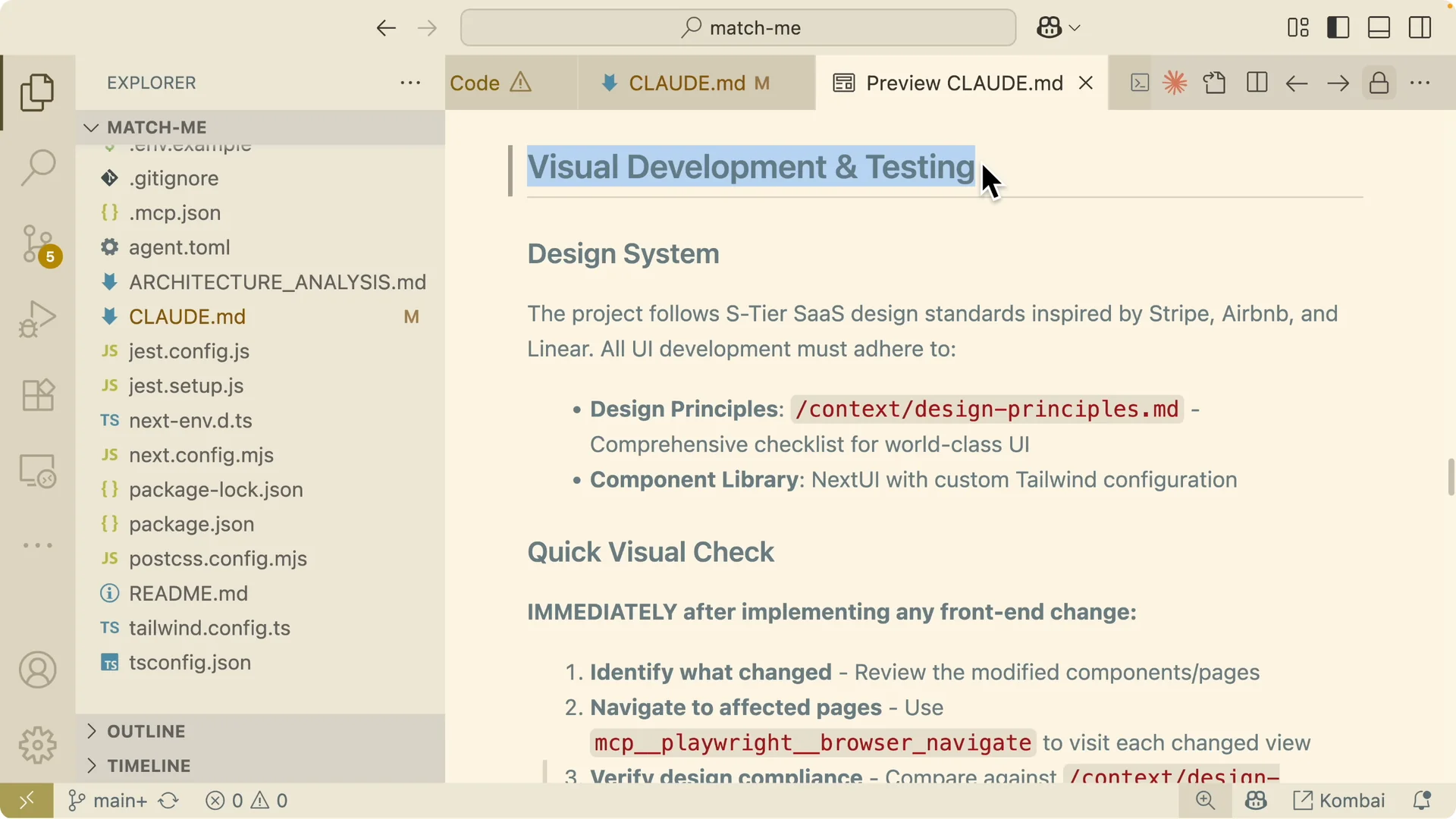
During the quick visual check, Claude Code identifies what changed and navigates to affected pages using the Playwright MCP server to visit each change view.
It compares the UI against our design principles, validates feature implementations against the acceptance criteria, and captures evidence with screenshots of each change.
It also checks for any errors it can detect.
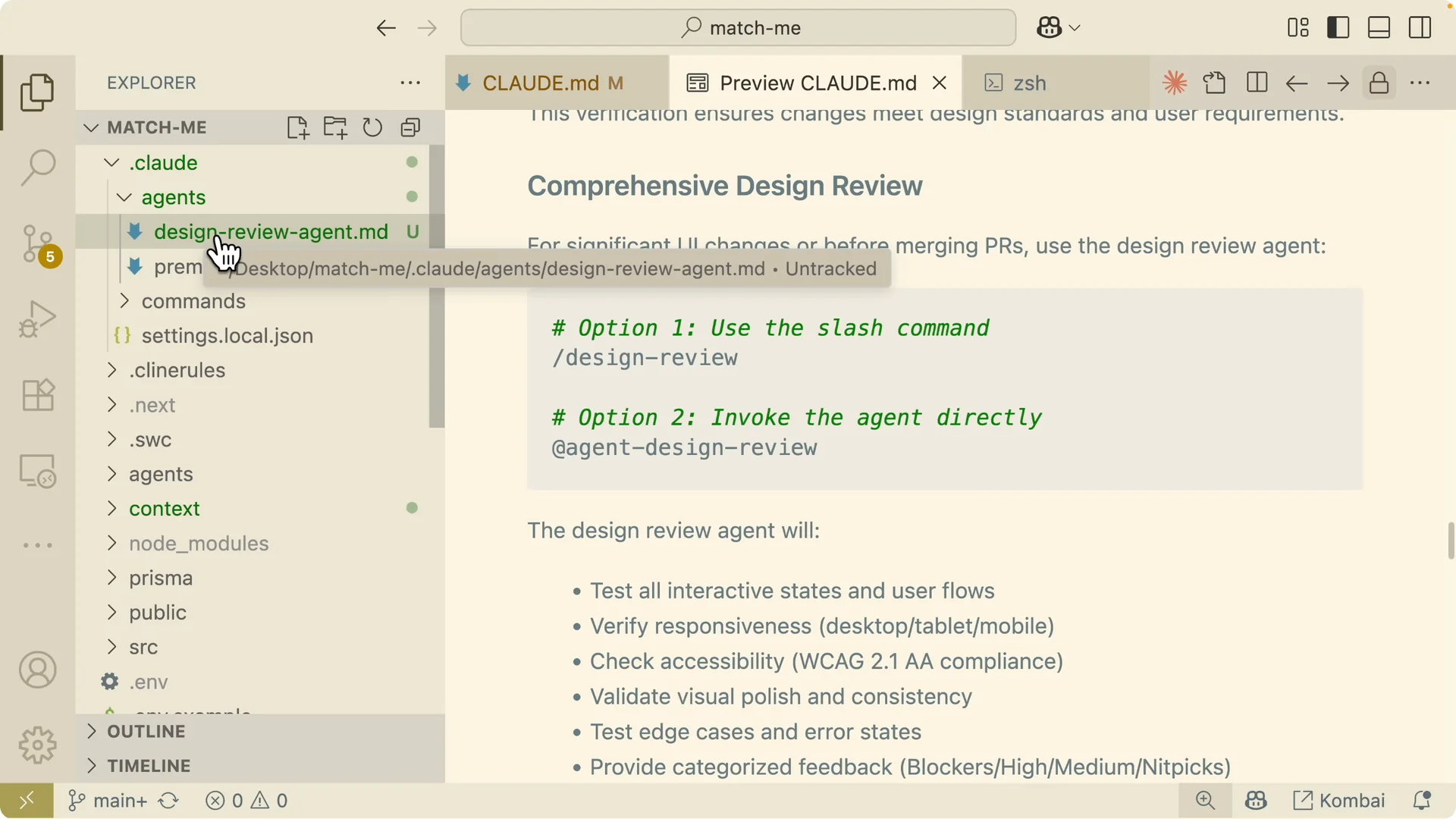
Below that, I added a section for Comprehensive design reviews.
After changes are complete and before merging a pull request, I trigger a design review agent.
This sub agent runs a review process to test interactive states, verify responsiveness, check accessibility, and exercise edge cases.
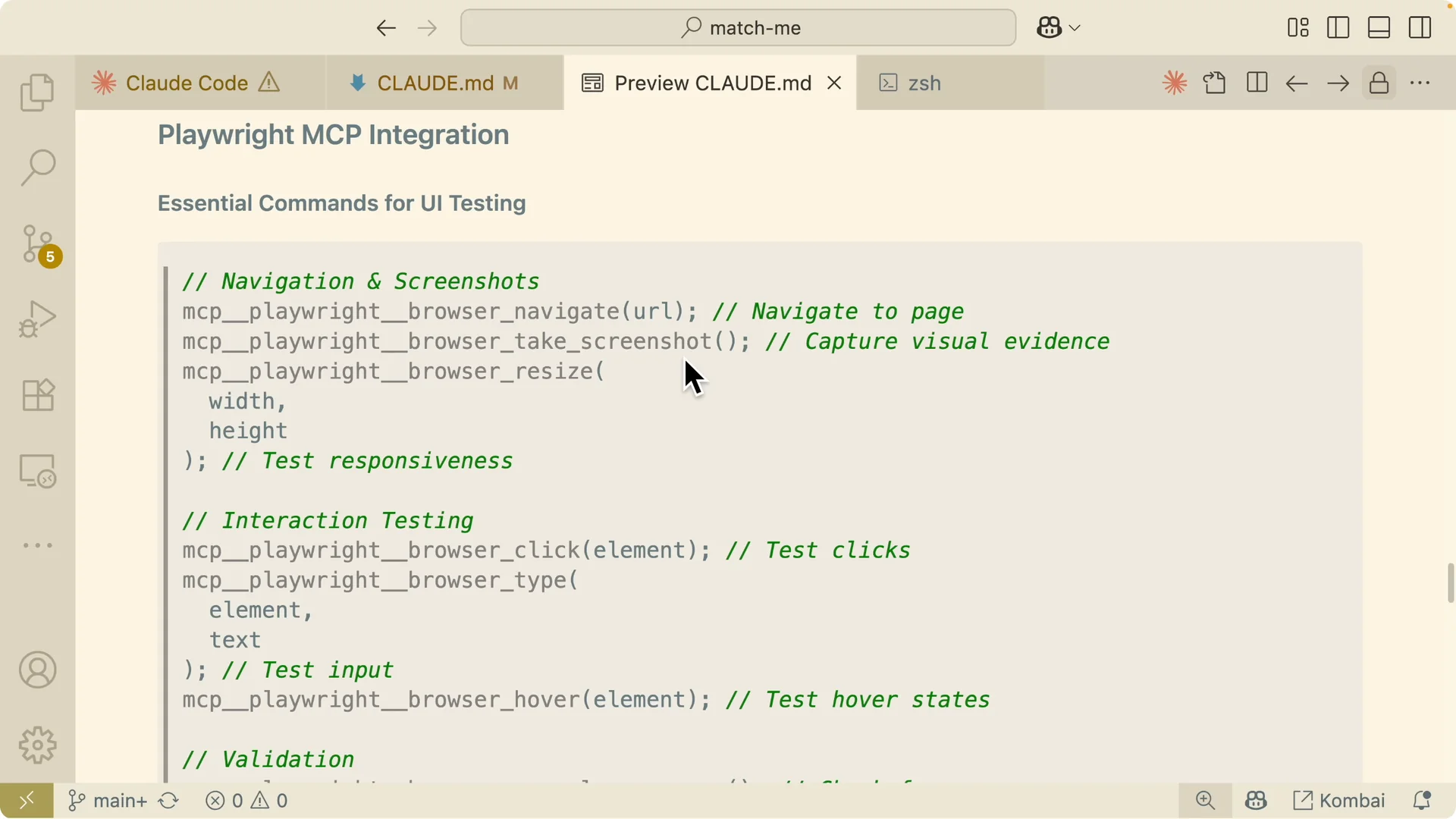
I also list the essential commands for UI testing that the agent should use.
It explains how to navigate to pages, take screenshots, set the browser size by width and height to test responsiveness, and interact with the UI by clicking, entering input, and hovering states.
It also shows how to validate data by checking for console errors, reviewing accessibility, and inspecting elements to ensure they are loaded.
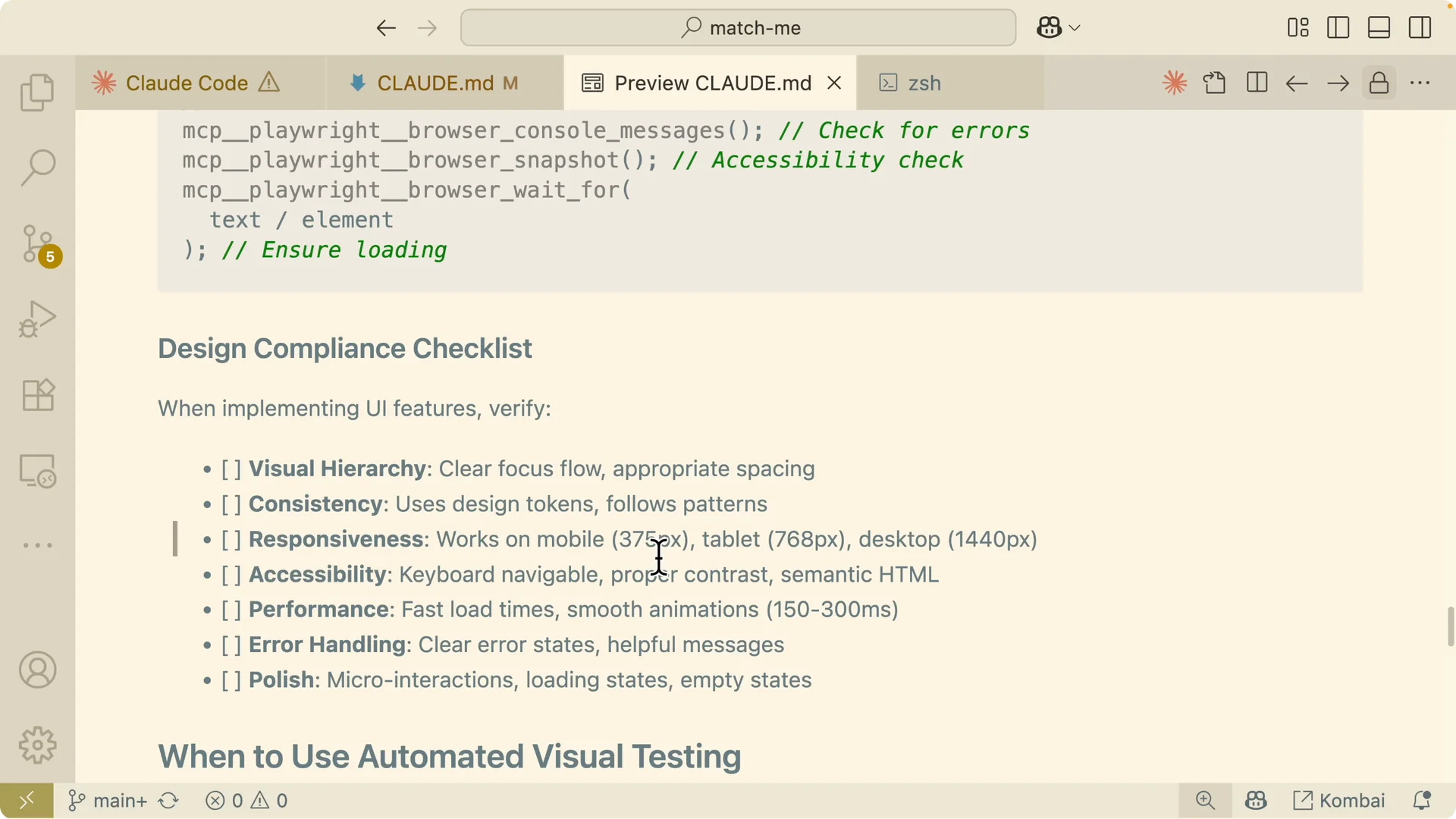
Finally, I include a compliance checklist with breakpoints and standards.
Mobile is 375 pixels, tablet is 768 pixels, and a desktop breakpoint is included.
We also check loading time and related quality metrics.
I spell out when to use automated visual testing. The quick visual check runs for typical front end changes.
The comprehensive design review runs for major feature implementations and component refactors, and we skip visual testing for backend only changes or documentation updates.
Example app and test run
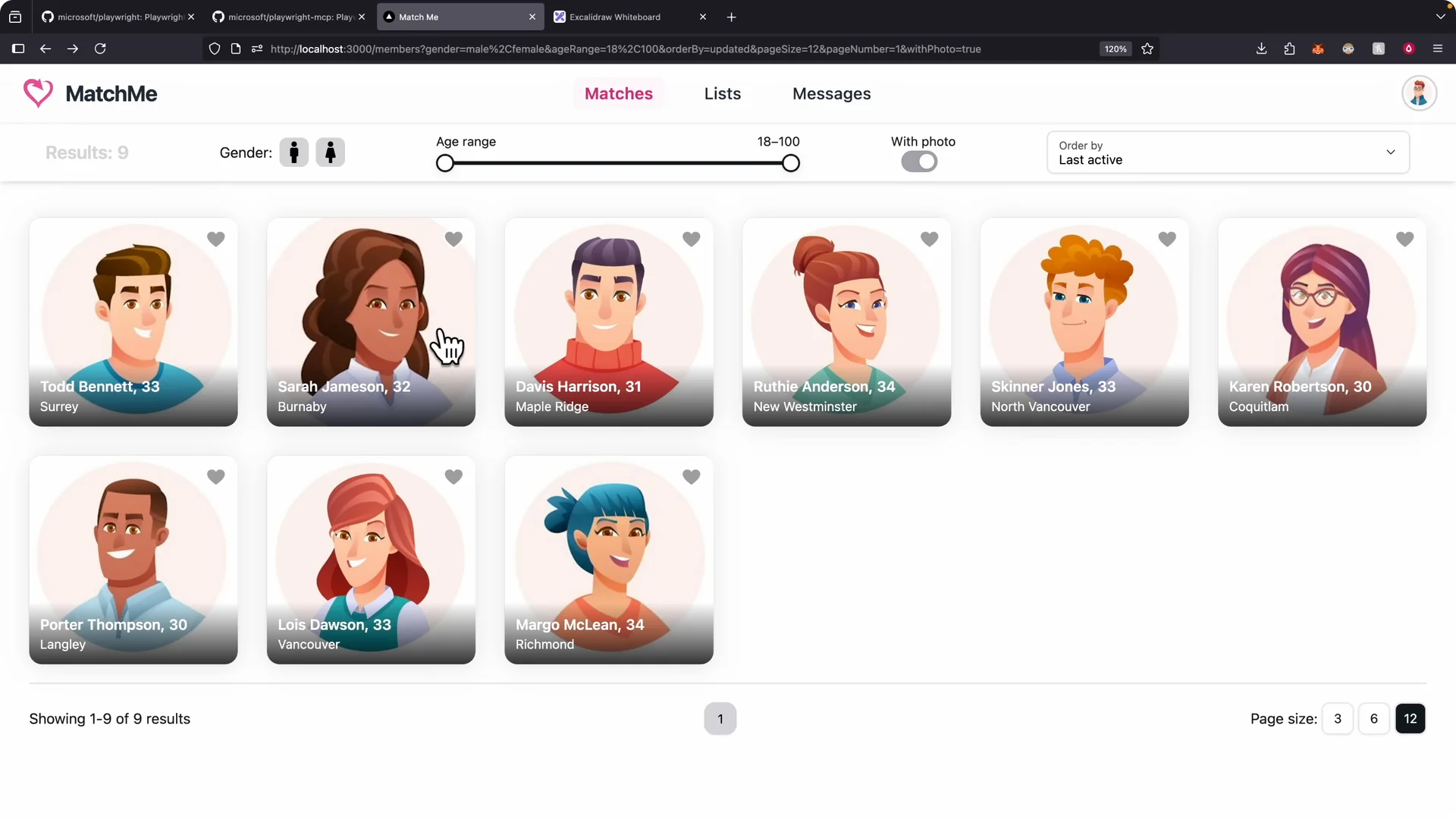
Here is what the application looks like after a user logs in.
You can like or dislike a user, search by age range, and send a message to other users.
I use the design review agent, which calls the Playwright MCP server, to demo the tests.
I reference the agent and instruct it to navigate the application and test the login feature with a given user and the password “password,” then test the members page.
It opens the application in a fresh browser and immediately takes a screenshot and saves it.
It locates the login button and clicks it automatically.
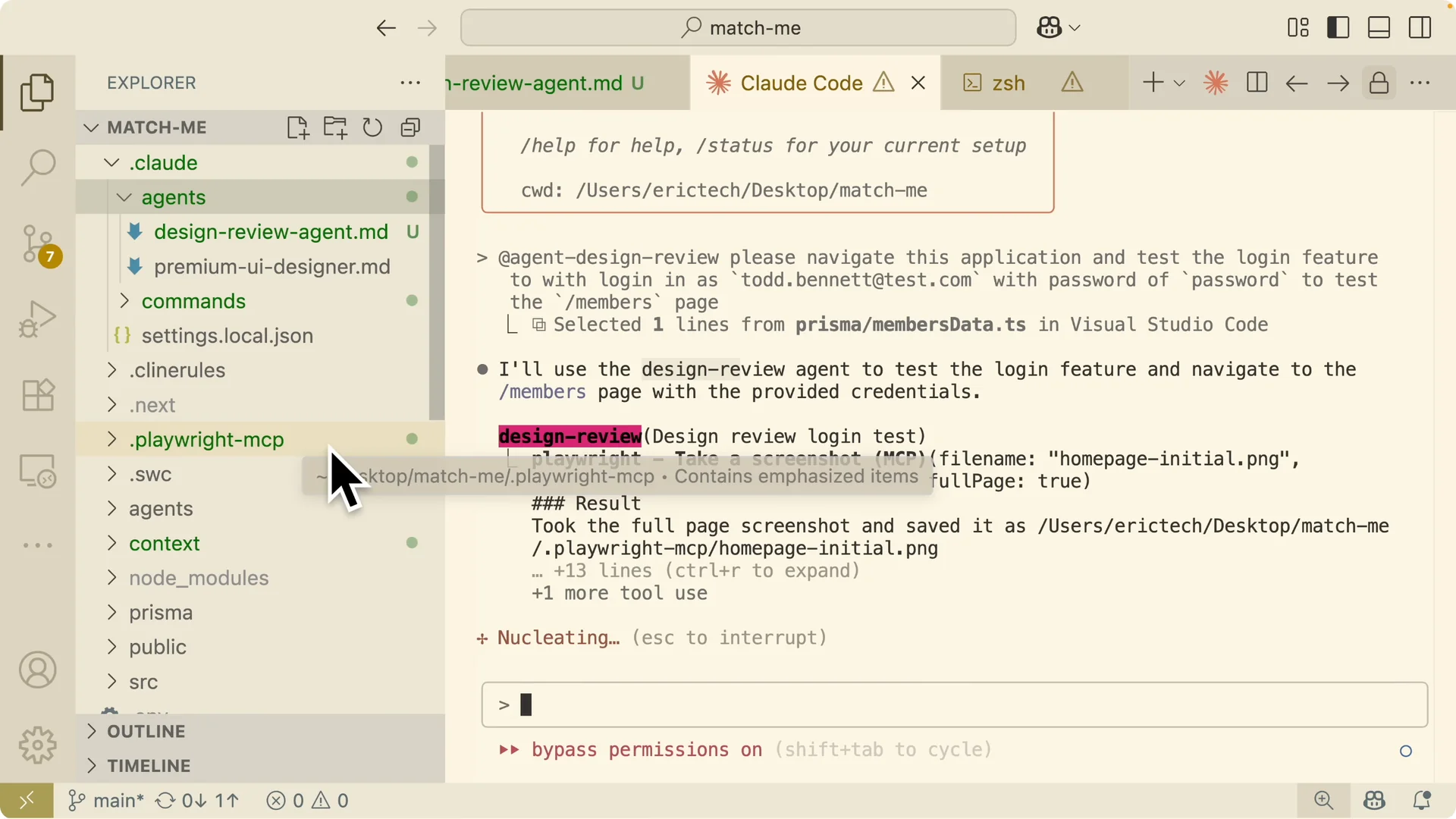
It autofills the email and password, logs in, and navigates to the members page. It resizes the browser window to check responsiveness.
The run covers the login flow, the members page, responsive design, and visual consistency.
It also lists areas to improve, such as loading states and performance that can be improved using lazy loading for images, plus accessibility.
I can review the screenshots it captured at each step.
For more on screenshot and image flows in Claude Code, see this quick image capture walkthrough: image capture walkthrough.
On the homepage I see the baseline view. On the login page I see the validated form with a correct email, and I also see the error for an invalid email. It captures stateful flows like filtering for only females, showing all users, and responsive views for both mobile and tablet sizes.
I notice responsive problems that need a fix. I ask Claude Code to fix the responsive design issue, referencing the mobile view image. After it applies the fix, it runs the MCP server again to verify the change.
It analyzes the responsive issue and targets the exact component causing it, which is the member sidebar that had collapsed into a single cluster.
It drafts a to do list for the fix, applies the code changes, and opens the app with MCP to verify.
It resizes the screen, navigates through the affected views, and shows that the mobile responsive design is much better.
It runs the build to catch any TypeScript errors based on the fix by executing npm run build. It clicks different buttons on the sidebar to check that everything is functional. The sidebar is now organized into the first row, second row, and third row with the expected layout and images.
Finally, I commit the changes so the history reflects the fix and the verification run. That keeps the workflow tight and observable from spec to implementation to validation. With this loop in place, Claude Code not only builds the feature but also proves it works.
Final thoughts
The core issue was that Claude Code could not see or interact with the browser. By adding the Playwright MCP server, I gave it vision and full browser control to navigate, act on the UI, capture evidence, read logs, and validate changes.
This fits cleanly into a spec → implement → test → reflect → iterate loop. With quick visual checks, comprehensive design reviews, explicit commands, and a compliance checklist, Claude Code can implement front end features and confirm they meet both requirements and design standards.