
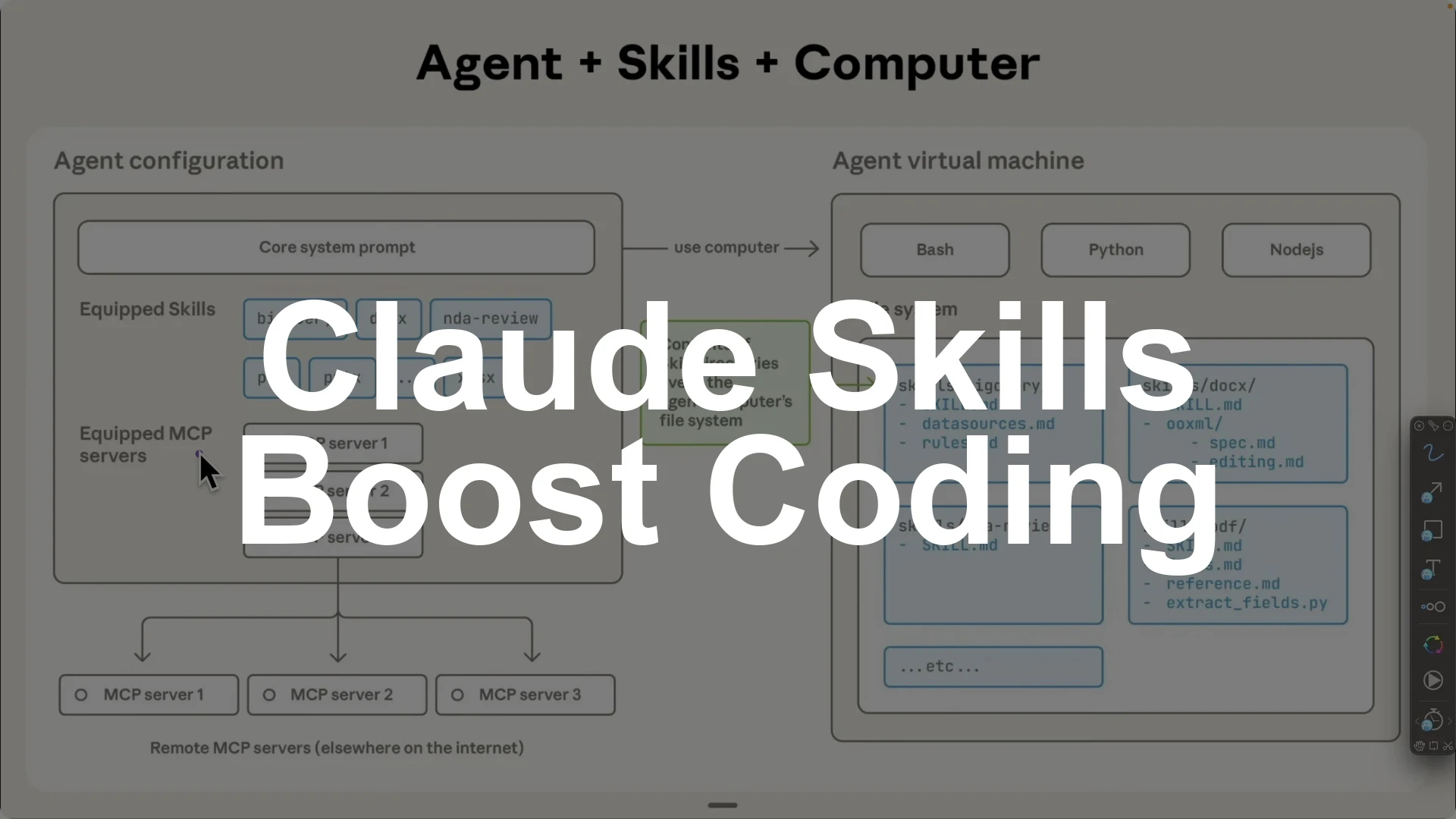
Claude Skills are worth using because they excel at specific, repeatable tasks, save context automatically, and are easy to share and reuse across projects and sub agents.
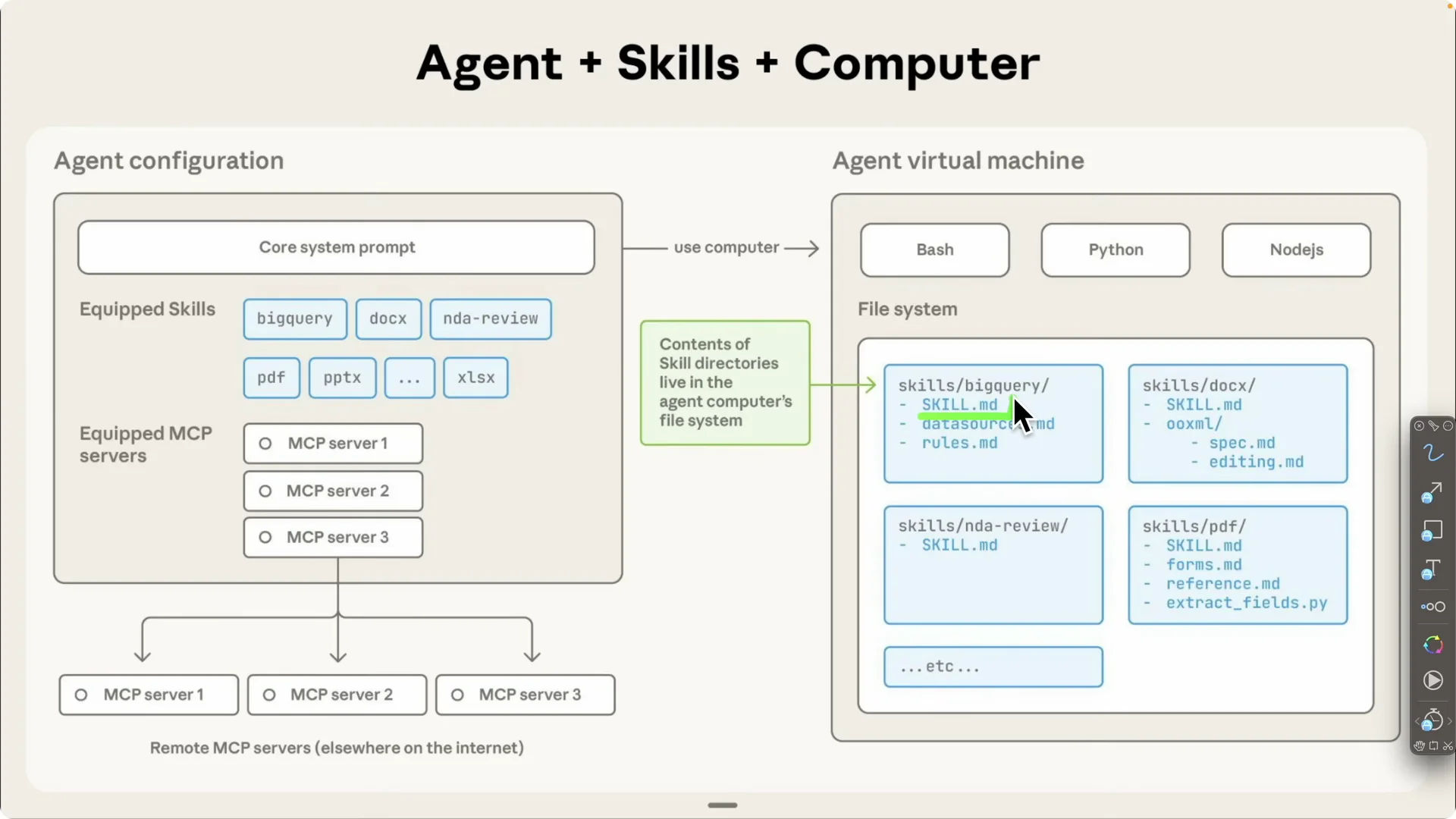
They sit inside your Claude agent configuration with core system prompts, equipped skills, and MCP servers, then run in an agent virtual machine that has access to languages like Python and Node.js plus a local file system for skill assets.
Each skill has a skill.md and optional scripts or data sources, and Claude will auto select the right skill for your prompt to reduce hallucinations and keep outputs consistent.
To boost day to day productivity fast, start with four skills that consistently pay off: a front end design skill that produces production grade UI, a domain name brainstormer that finds available, on brand domains, a Stripe integration skill that implements checkout, billing, and webhooks the right way, and a skill creator that turns your research into new reusable skills like a NestJS code review workflow.
I will explain why these skills matter, how Claude Skills work behind the scenes, and the exact prompts and steps to use them effectively.
You can adopt them once, then reuse them across projects with far less context overhead.
Why use Claude Skills
The first reason is that they are really good at specific and repeatable tasks. You go through the heavy lift once to define the exact style, colors, typography, and UI patterns you want, then save that as a skill and reuse it.
Next time you say “help me design a nice front end,” Claude already knows what “nice” means for you.
The second reason is that they save context. Before Skills, you had to pass a giant set of static rules to every conversation, even when most rules were irrelevant to the task.
With Skills, Claude automatically picks the right skill for the request, like a front end or a UX UI skill for design work, so you keep prompts short and focused.
The third reason is that they are easy to share.
Think of a skill as an SOP for the AI that you can export as a zip, pass to co workers, and attach to multiple sub agents that all share the same skills for a project. This makes it far easier to keep results consistent across a team.
If you want a systematic way to track quality over time, see how to measure, test, and improve Claude Skills.
Building a small library of proven skills compounds quickly and removes repetitive prompting from your workflow. That is where the real time savings show up.
How Claude Skills work?
Agent configuration
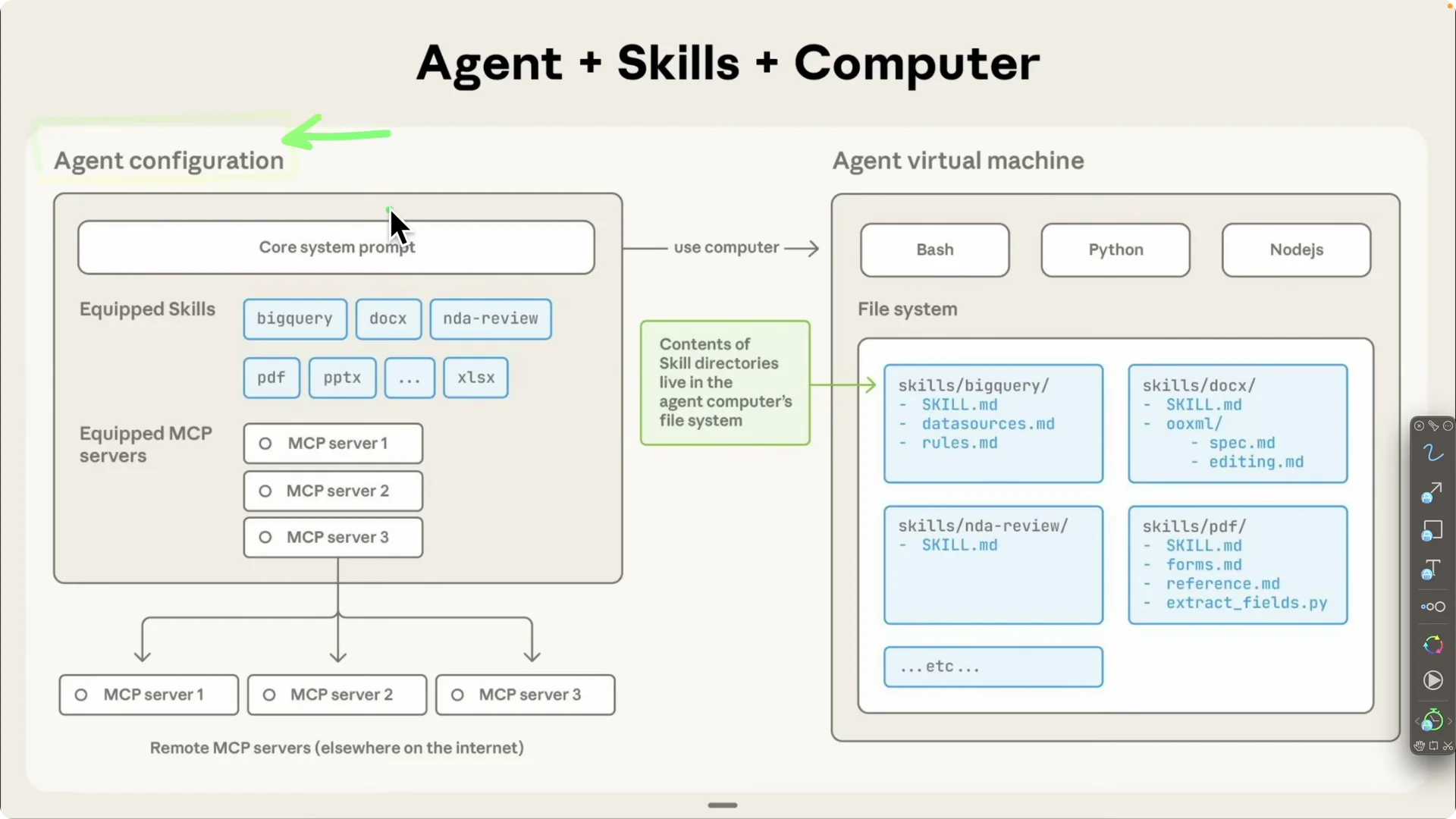
Your agent has three core parts in its configuration.
First are the core system prompts, the fixed rules you always want applied.
Second are the equipped skills you add later, like PDF handling, Excel handling, or PowerPoint handling.
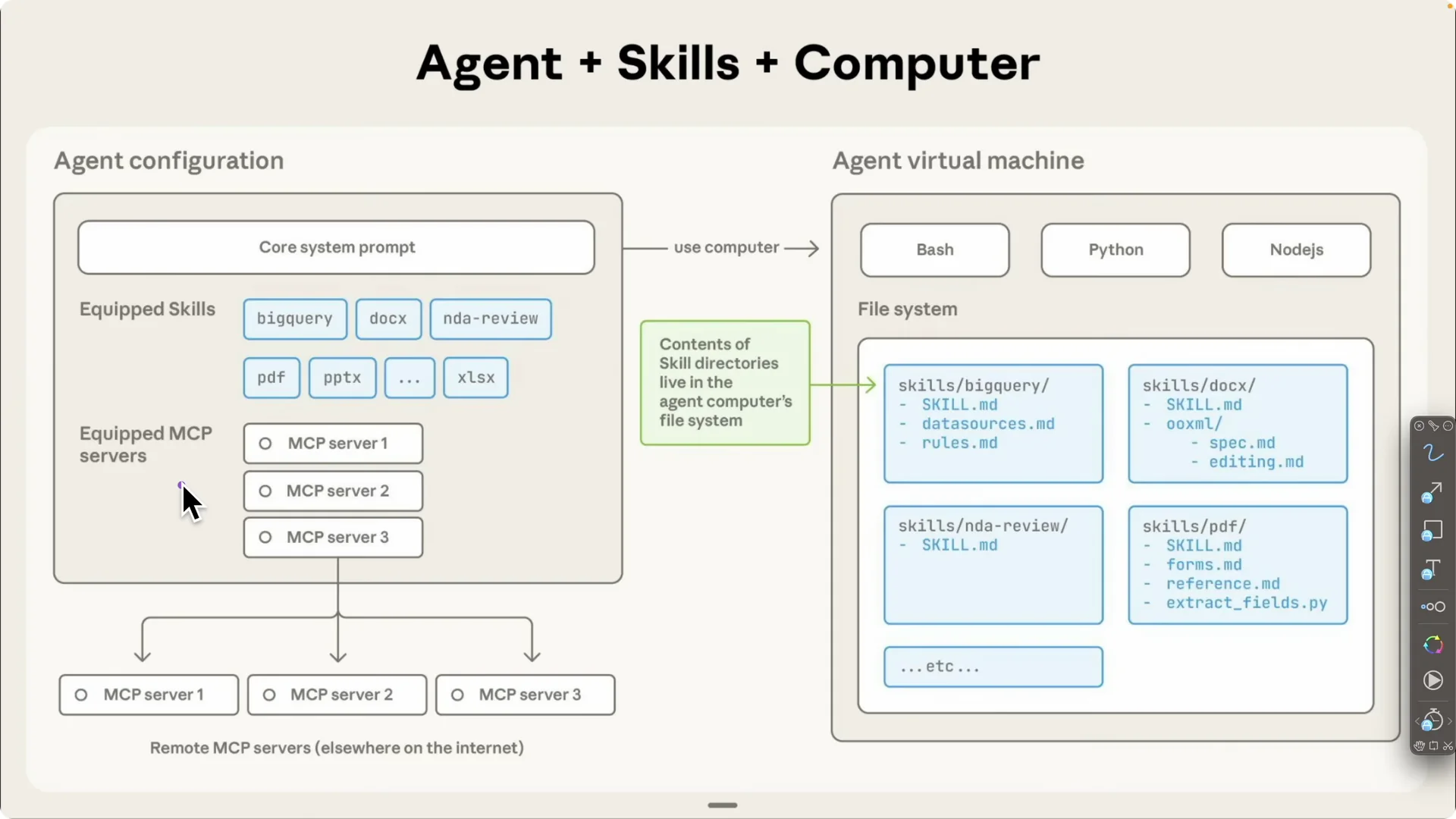
Third are the equipped MCP servers, essentially tools the agent can call to search the web, hit APIs, query your database, or create a pull request on GitHub.
For a reliable dev setup and local control, see the guide to setting up Claude Code remote control.
Pairing MCP with focused Skills gives Claude both the how and the tools to finish the job.
Execution flow
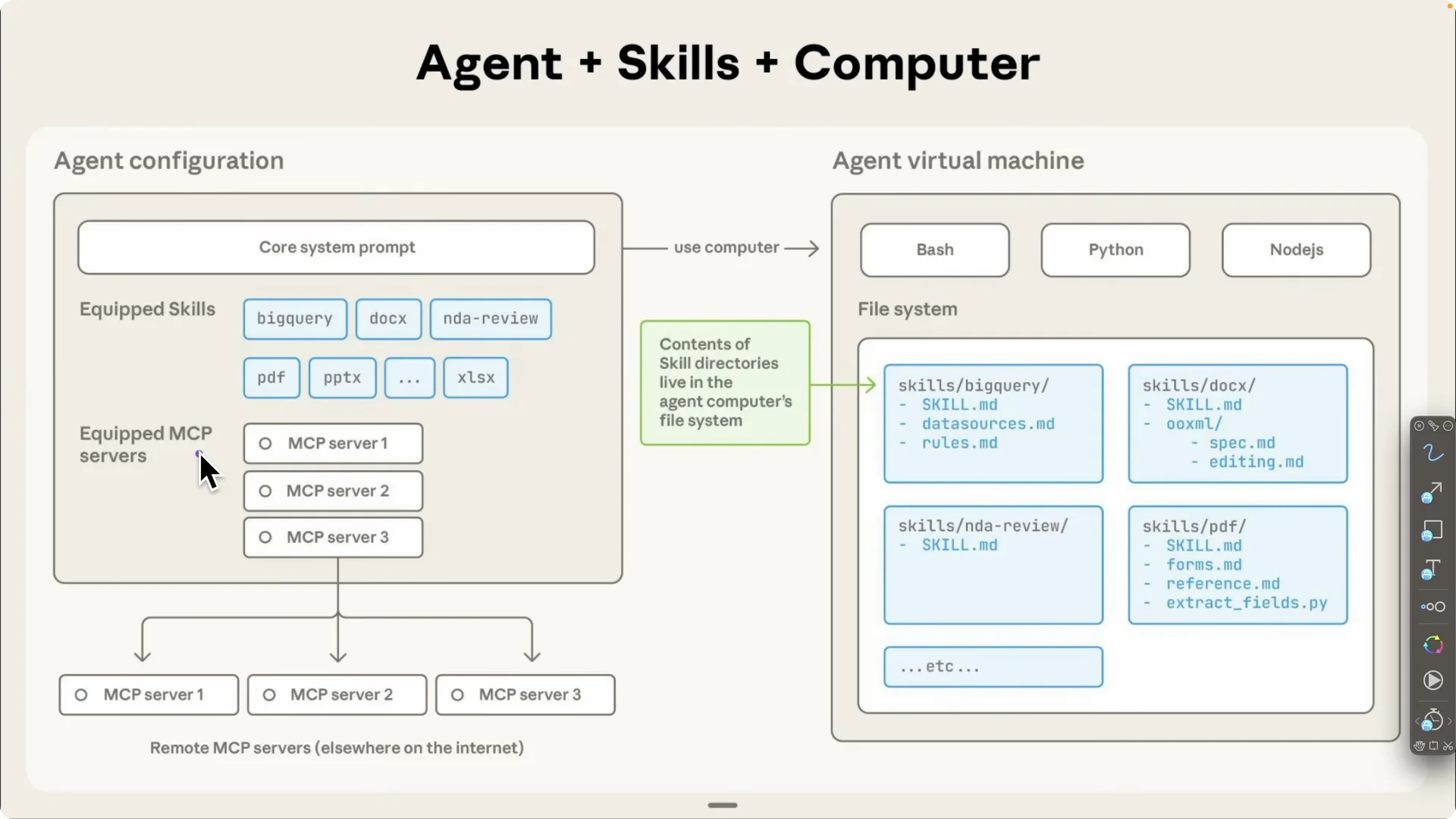
Each agent runs inside a virtual machine with access to languages such as Python and Node.js plus a file system.
The file system holds a skills directory, where each skill includes a skill.md that describes what it does along with optional data sources and scripts.
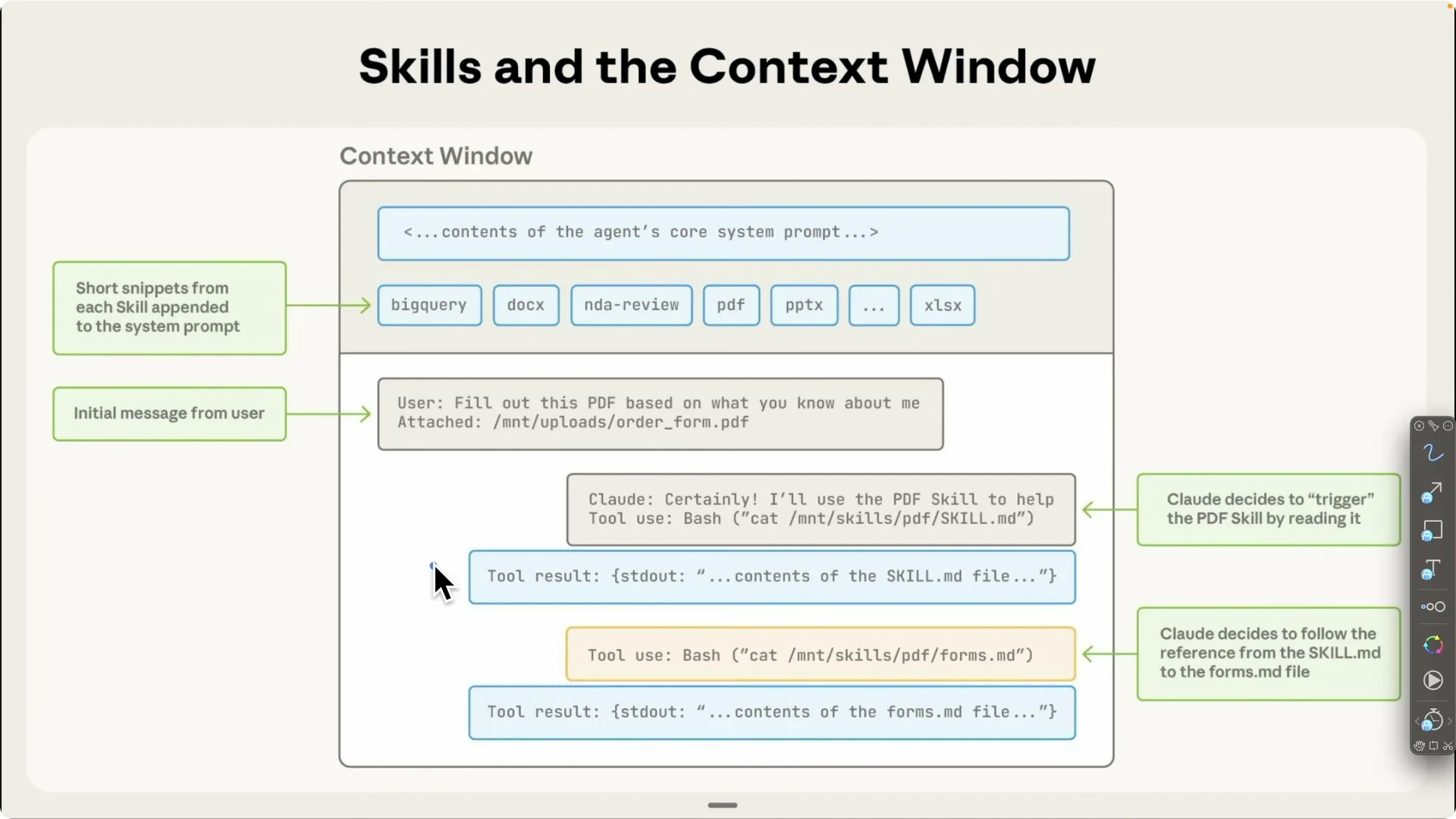
When a user prompts “fill this PDF form at this path based on what you know about me,” Claude identifies the PDF skill, calls the right tools, executes the script, and completes the task.
This auto selection is what reduces hallucinations.
The skill tells Claude exactly how to perform the task, and MCP tools provide the capabilities to act.
The result is faster, more consistent completions.
Four Claude Skills I use daily
For a broader catalog of quality picks, see this curated roundup of top Claude Code skills.
The four below are the ones that most reliably improve real world output for me.
I use them across product design, naming, payments, and code review.
Front end design skill
This skill creates a production grade front end interface with consistent design patterns.
It first understands the application, then proposes and applies a cohesive theme and layout that matches your product.
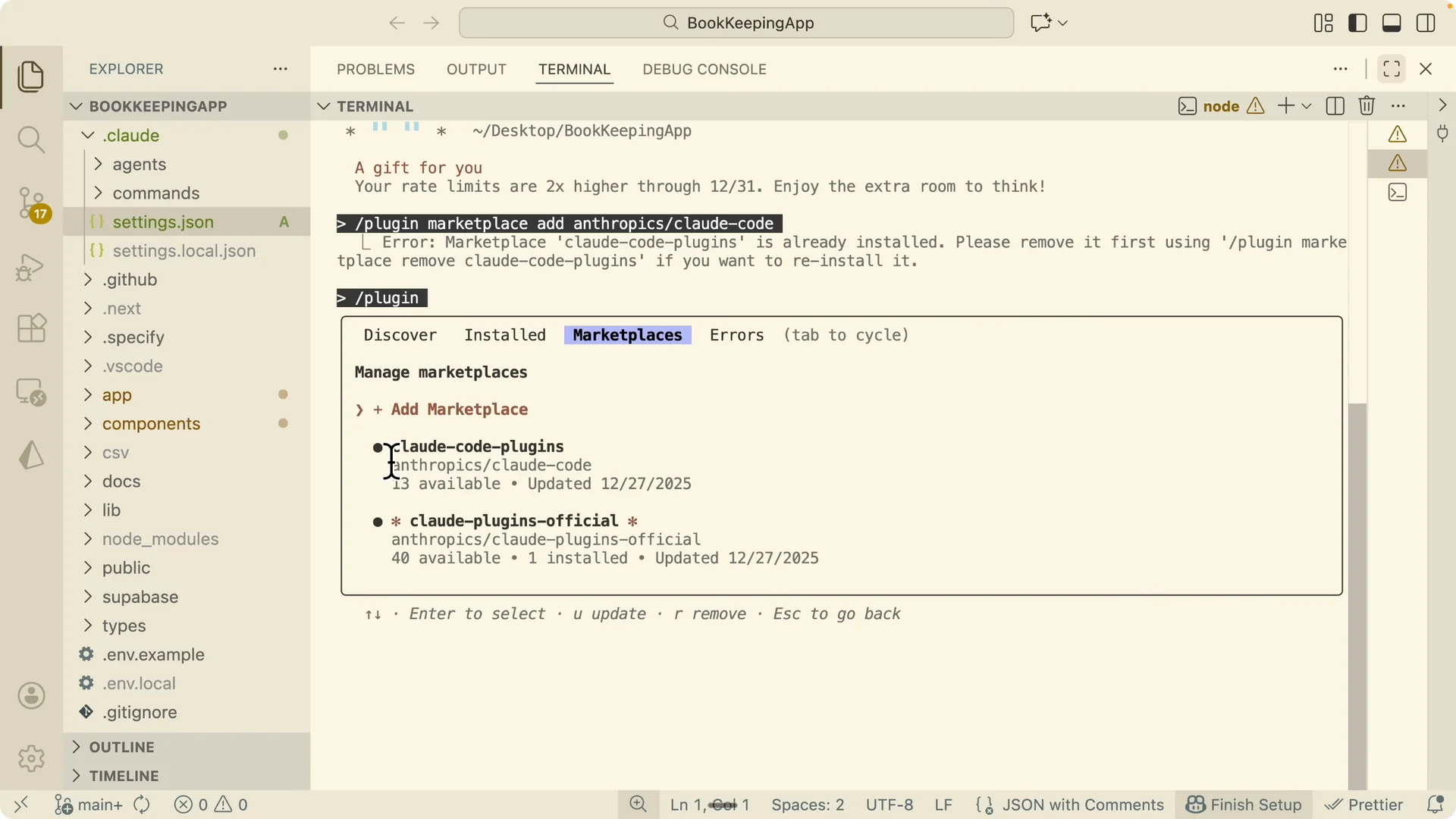
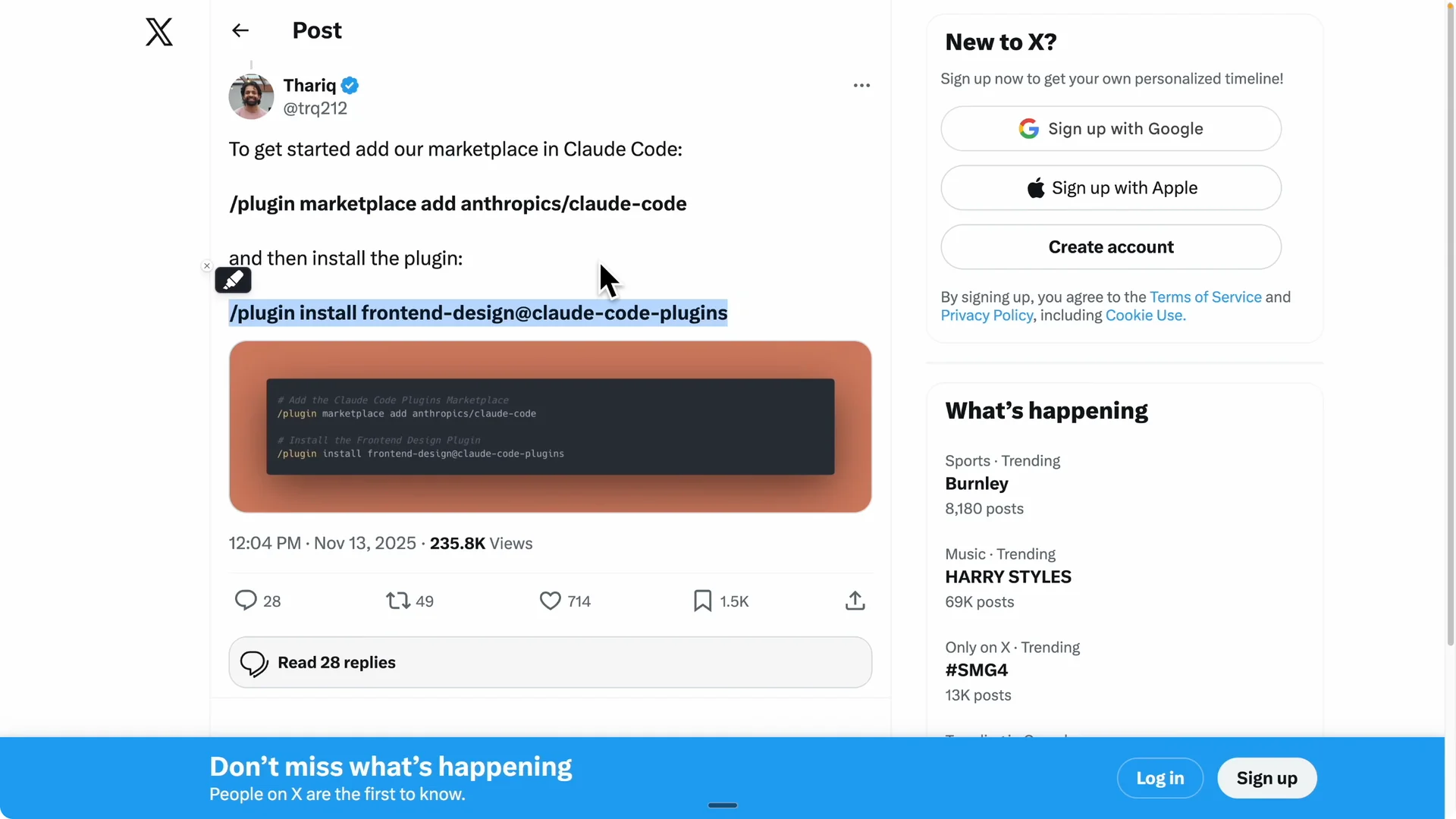
Step 1: Install the Claude Code marketplace.
Open your Claude Code session and run the marketplace installation, then use the `\plugin` command to confirm plugins are available.
Step 2: Install the front end design skill.
From the marketplace, add the front end design skill to your Claude Code environment, then verify it appears under installed plugins.
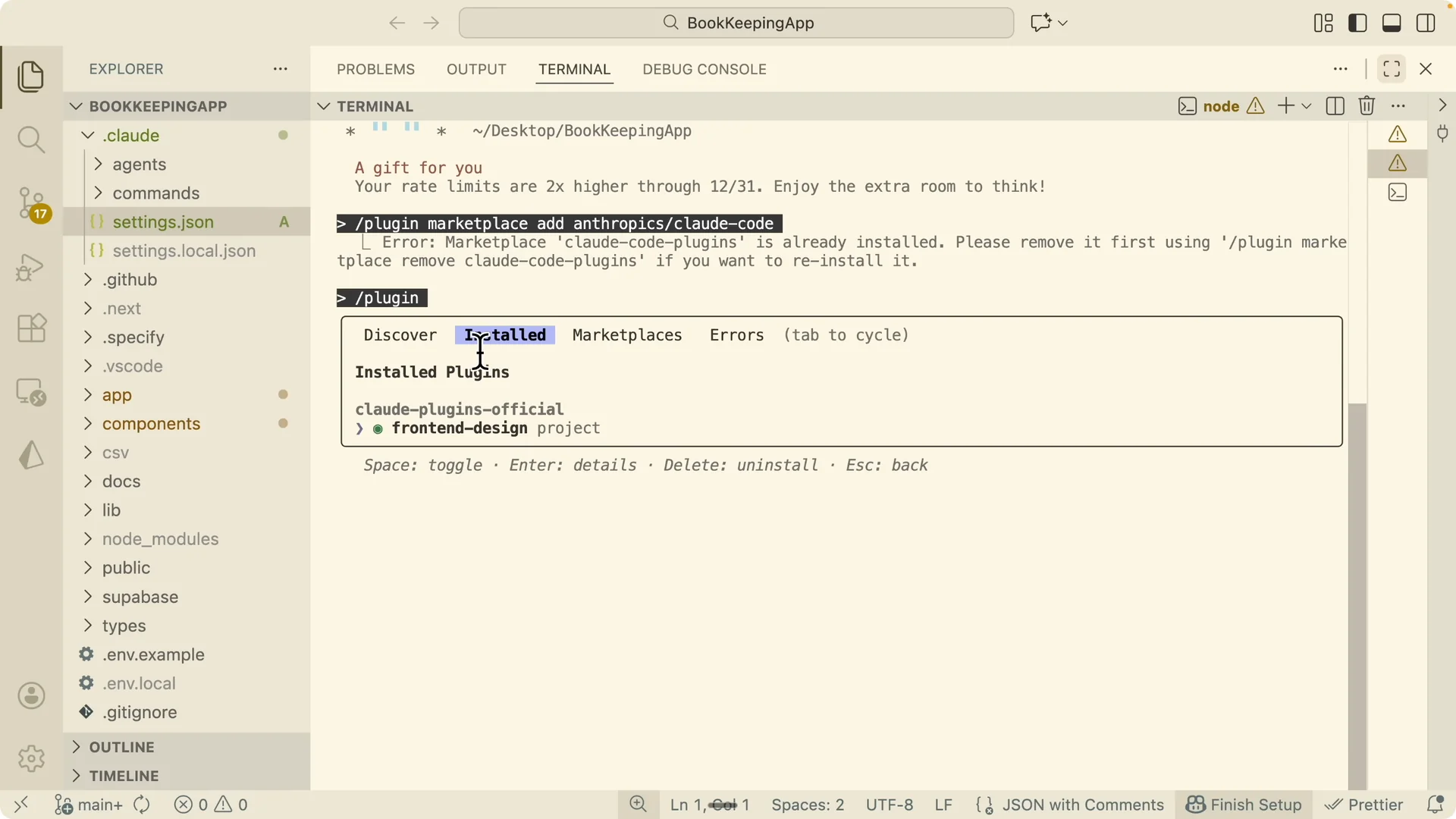
Step 3: Prompt Claude to redesign.
Tell Claude to use the front end design skill to redesign the entire application front end based on your app goals and audience.
The result is a consistent theme across the landing page, dashboard, typography, onboarding, calls to action, and footer.
Domain name brainstormer
This skill finds available, on brand domains tailored to your project’s audience and positioning. It compiles premium and budget options across TLDs, ranks them, and returns real time availability.
Step 1: Add the skill to your project.
Download the domain name brainstormer folder that contains the skill.md, then place it under your project’s skills folder. Restart your Claude Code session to load the new skill.
Step 2: Run a focused prompt.
Ask Claude to use the domain name brainstormer skill to propose domains for your specific product, audience, and tone. You will get grouped suggestions such as .ai, strong .com options, and tech forward TLDs, plus the top picks and a quick budget summary.
Step 3: Pick and register.
Choose the domain that fits your positioning and lock it in. You can reuse this skill for future projects to maintain naming quality.
Stripe integration skill
This skill standardizes Stripe payment processing end to end, including checkout, subscriptions, customer portal, webhooks, and database schema. It analyzes your app, proposes a pricing structure, confirms details, then implements a complete plan.
Step 1: Add the Stripe integration skill.
Download the folder with the skill.md, drop it into your project’s skills folder, and restart Claude Code. Prompt Claude to use the Stripe integration skill to add payments to your application.
Step 2: Confirm pricing and flows.
Claude will analyze the app, summarize gaps, recommend plans like Starter, Growth, and Pro with trials, and ask clarifying questions. Approve the plan, answer trial length and upgrade or downgrade rules, and confirm you have API keys.
Step 3: Configure environment.
Add your Stripe keys and price IDs to your environment files, then test in a sandbox.
“`
.env.example
STRIPE_PUBLISHABLE_KEY=
STRIPE_SECRET_KEY=
STRIPE_WEBHOOK_SECRET=
STRIPE_PRICE_ID_GROWTH=
STRIPE_PRICE_ID_PRO=
“`
Step 4: Verify end to end.
Choose a plan in the app, confirm redirect to Stripe Checkout with the correct free trial, run a test card, and ensure the app reflects the active tier.
You should see the subscription state update and features gated according to the plan.
Skill creator for NestJS code review
This skill creates new Claude Skills from your own research, then applies them. I used it to build a NestJS code review skill that mirrors how senior engineers review work across technical and product perspectives.
Step 1: Do deep research and save it.
Ask Claude to perform deep research on code review best practices for NestJS, React, and TypeScript, including architecture patterns and multi perspective review across roles like architect, PM, QA, UX, and business analyst. Save the output as research.md.
Step 2: Create the skill.
Prompt Claude to use the skill creator skill to build a comprehensive code review skill from research.md. It will generate skill.md plus references for patterns, perspectives, and a report template inside your skills folder.
Step 3: Run the review.
Prompt Claude to use the NestJS code review skill to evaluate your codebase or pull request. The process runs through four phases: architecture review, file structure review, detailed component review across six expert perspectives, and documentation review, ending with a clear report of findings and an approval decision.
Example application context
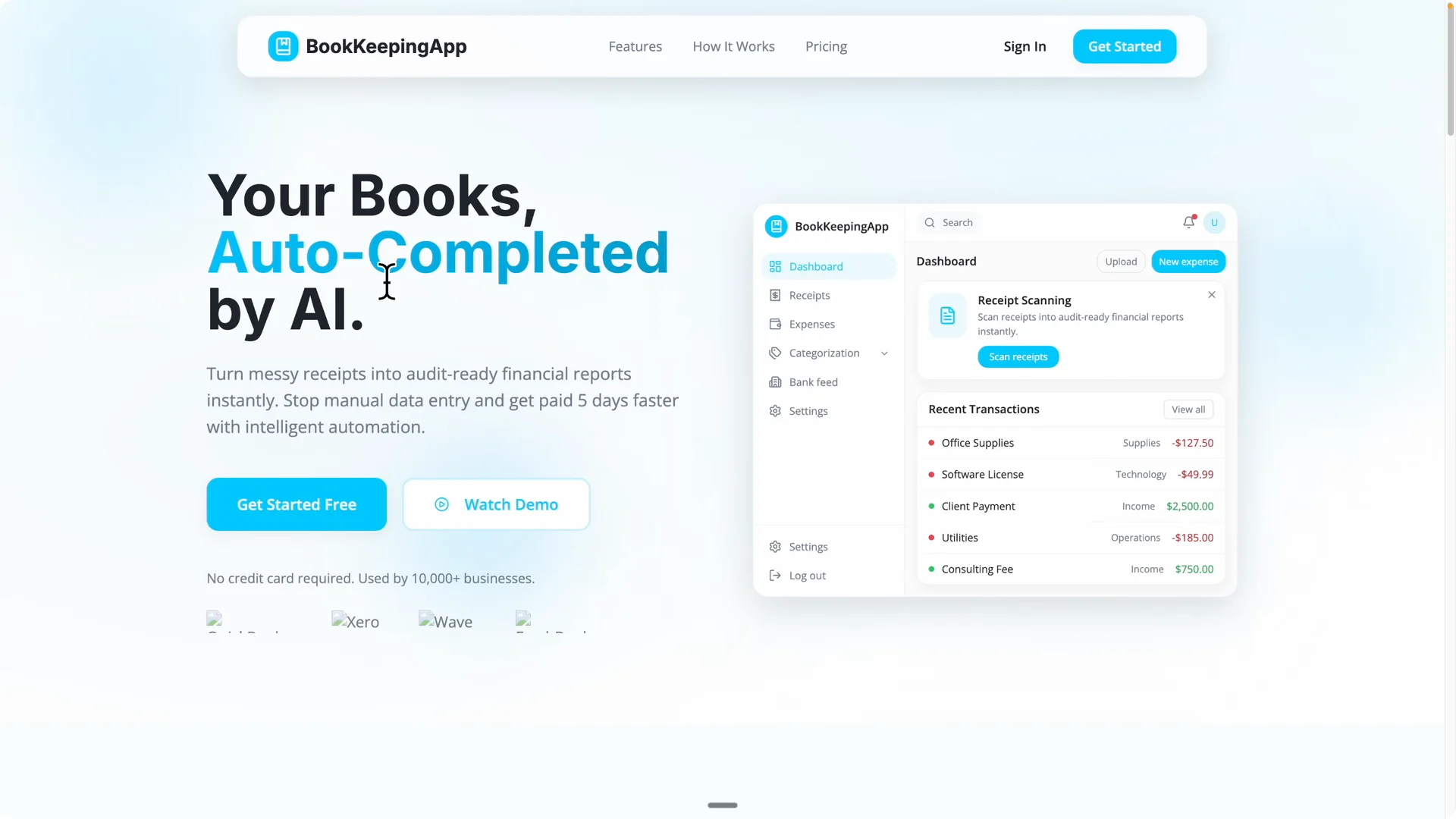
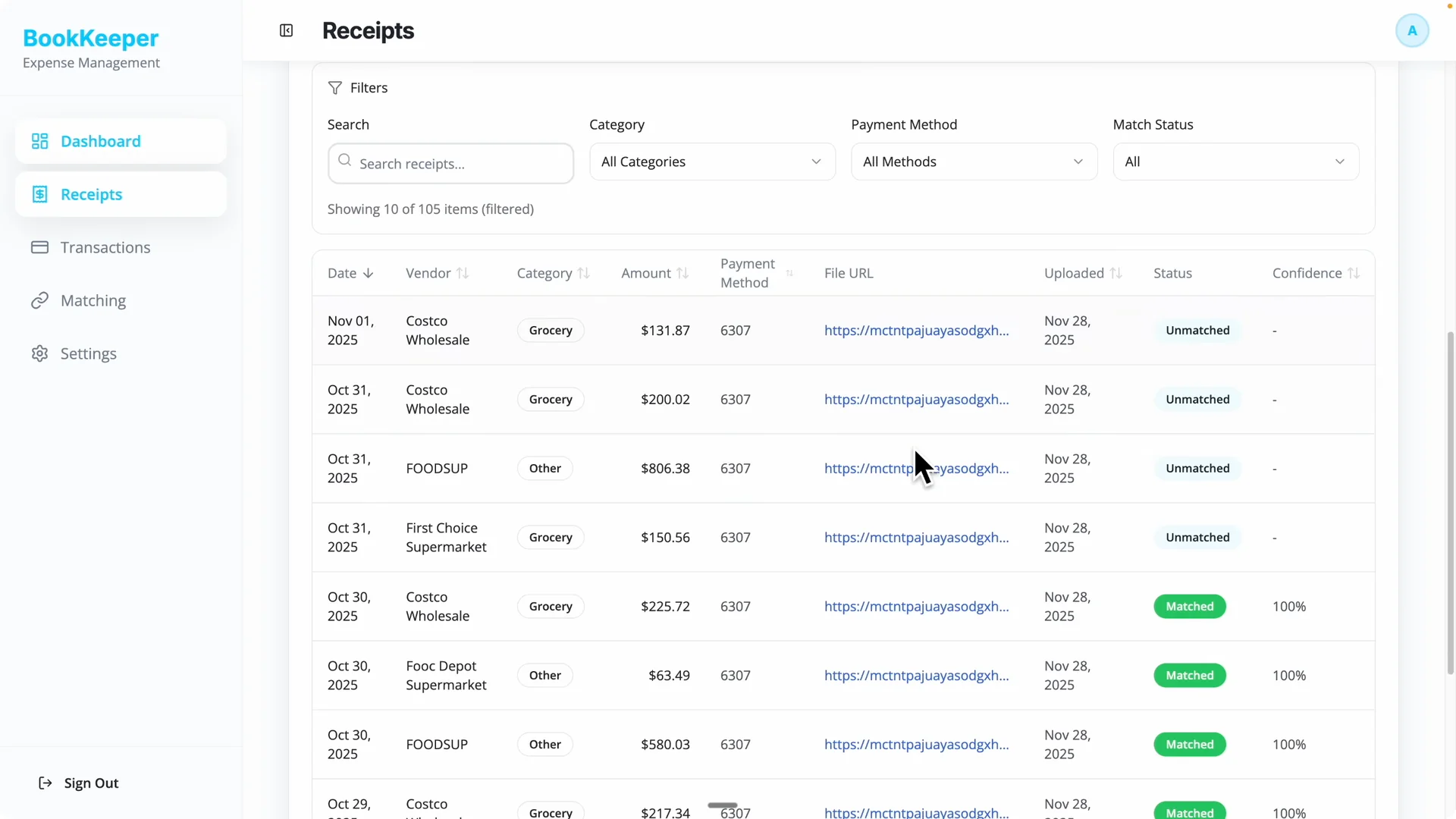
I used these skills on a bookkeeping application built with Next.js that tracks receipts and bank statements for easier tax prep.
The front end design skill produced a cohesive redesign, switching themes and normalizing typography while preserving core flows.
The Stripe integration skill added trials, pricing tiers, webhooks, schema, and a working sandbox checkout.
When I needed a strong domain identity for the app, the domain name brainstormer skill generated available, credible options across TLDs plus top picks.
For ongoing maintenance and collaboration, the NestJS code review skill gave me consistent, multi angle reviews that match real product needs.
Consistency and reuse are where Claude Skills deliver the biggest gains.
Final thoughts
Use Claude Skills to fix the two biggest issues in AI assisted work: consistency and context overload. Define the process once as a skill, let Claude auto select it for the right task, and share it across agents and teammates. Pair that with MCP servers and you get accurate actions plus predictable outputs.
Start with front end design, domain brainstorming, Stripe integration, and a code review skill built from your research. As you measure results and refine prompts, keep improving your skills library with this guide on measuring and improving Claude Skills.
For more inspiration, browse a curated set of Claude Code skills and make sure your environment is dialed in with the Claude Code remote control setup.