
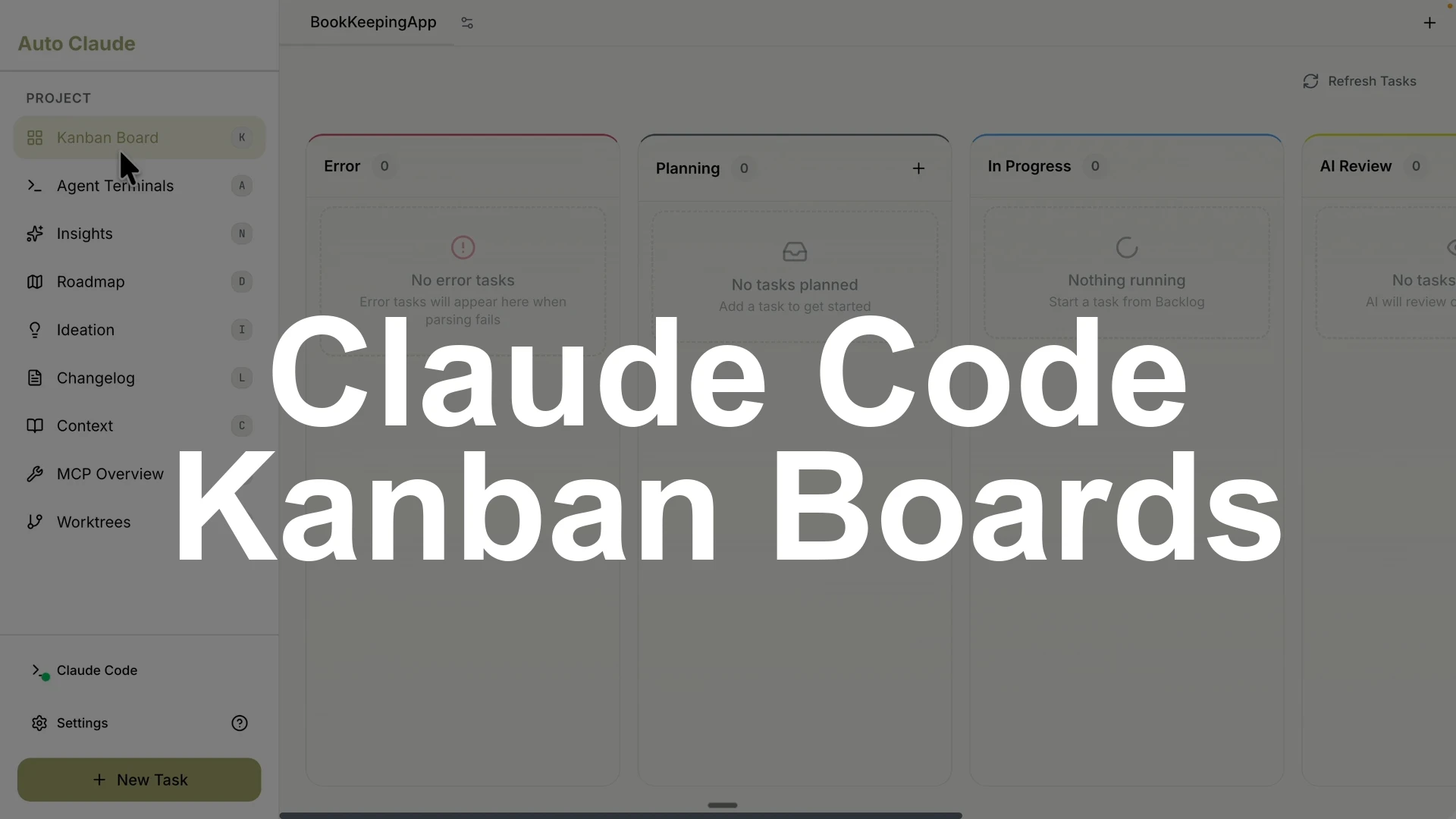
Auto Claude is a desktop GUI for Claude Code that lets me run full spec development in a Kanban board, track tasks across planning, implementation, and QA, run multiple agents in parallel, and manage branches, pull requests, work trees, MCP servers, and terminals in one place.
Install the stable build for your OS, open or create a project, add a task with a clear description and optional screenshots, pick an agent profile and models per phase, then start the task to let Claude plan, code, and QA with detailed logs you can follow.
You can run several tasks across separate Claude Code sessions, review the results, request changes, verify by running your app, and create a pull request while checking conflicts from the UI.
Roadmap runs comparative analysis and proposes additions, Ideation generates feature ideas, Insights answers codebase questions, and the Agent Terminal gives up to twelve terminals plus parallel Claude Code agents for real work.
This setup replaces terminal only flows with a visual, traceable workflow that scales.
Setup
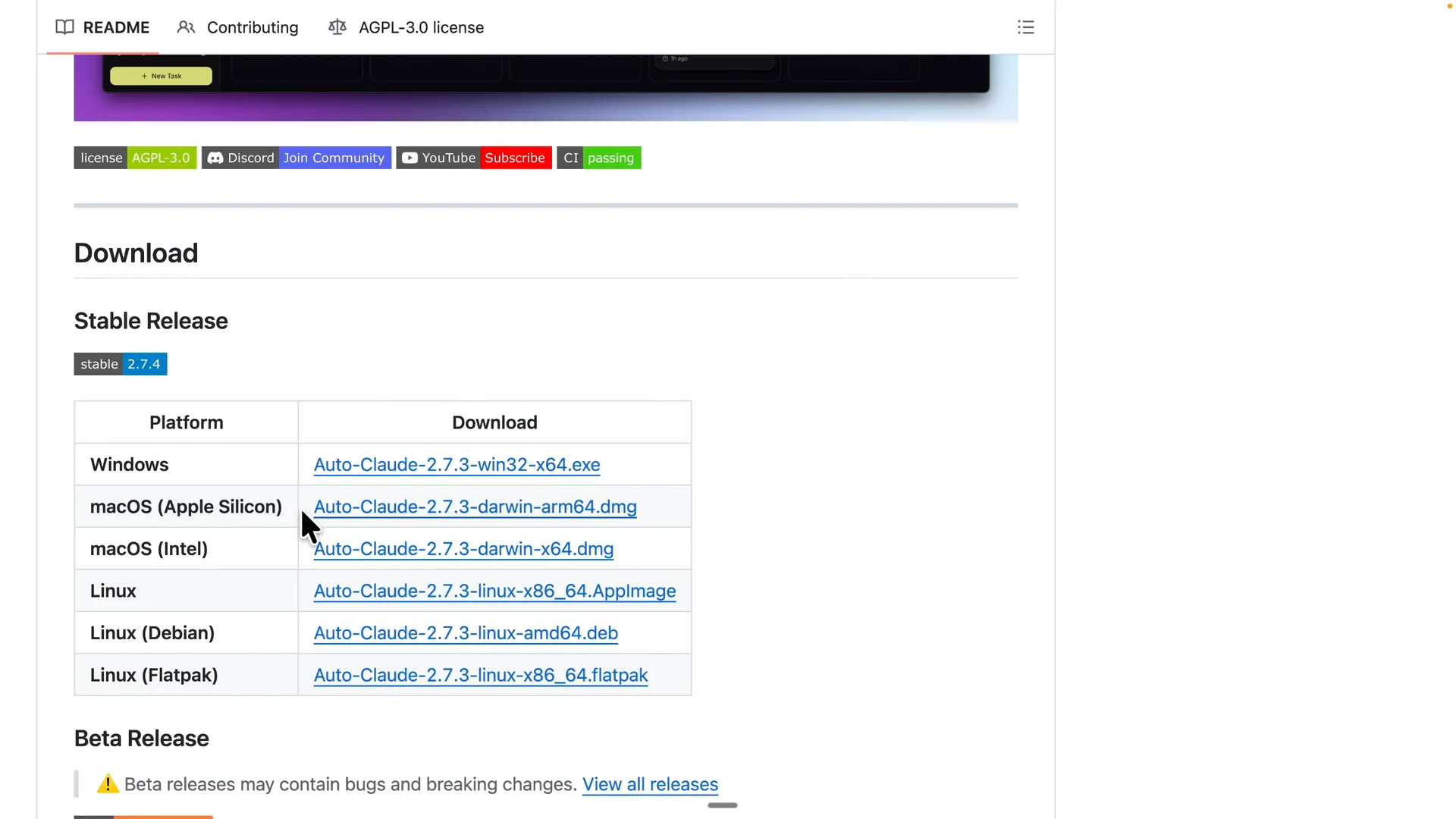
Download the stable Auto Claude build for your operating system and install it.
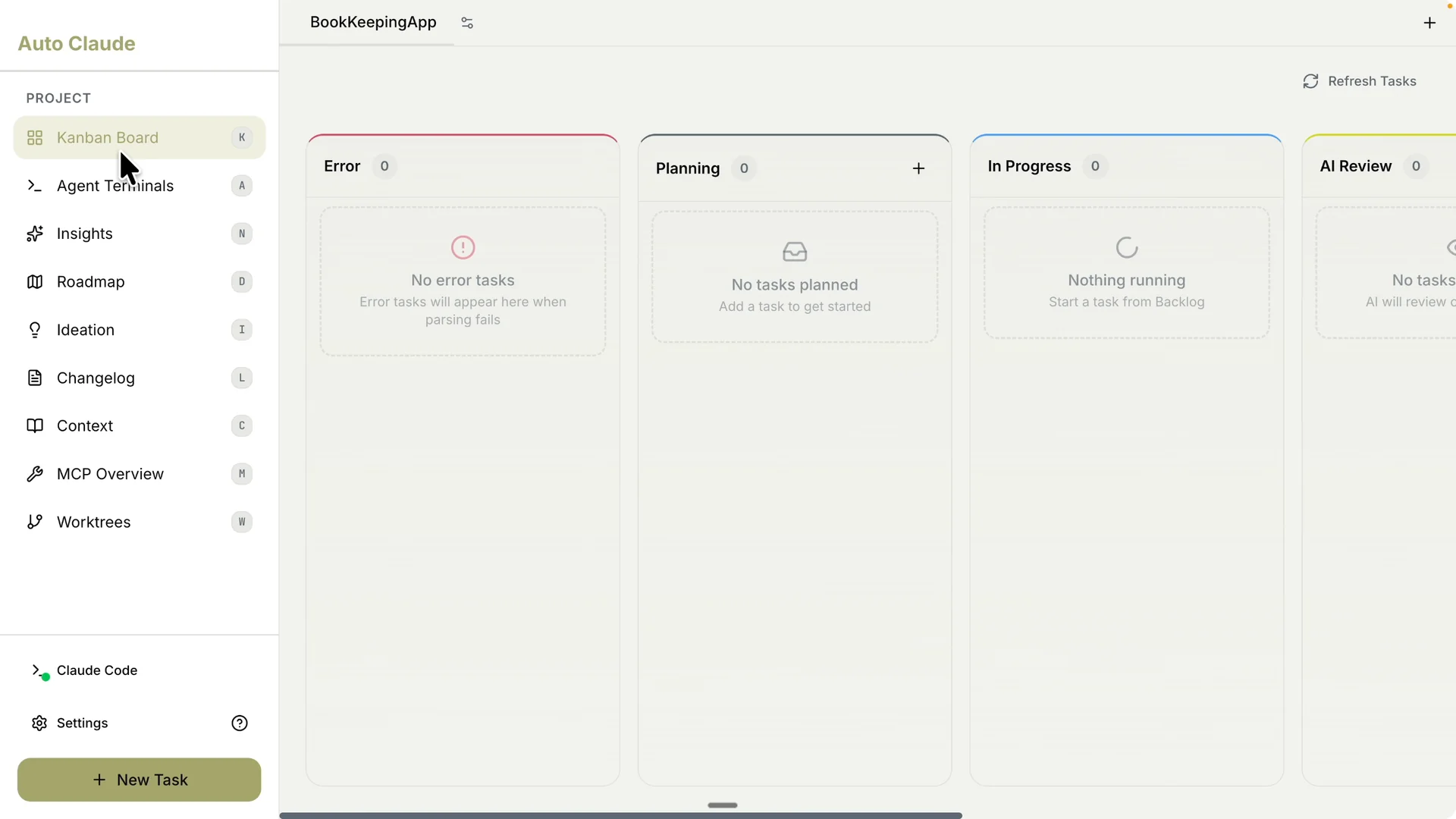
Launch the app to see the Kanban board with status columns for your development flow.
Open an existing project or create a new one by clicking the plus button and selecting your folder.
If you want remote control for your editor based workflows, check our guide on remote control setup.
It pairs well with a desktop task runner like this.
Create a project task
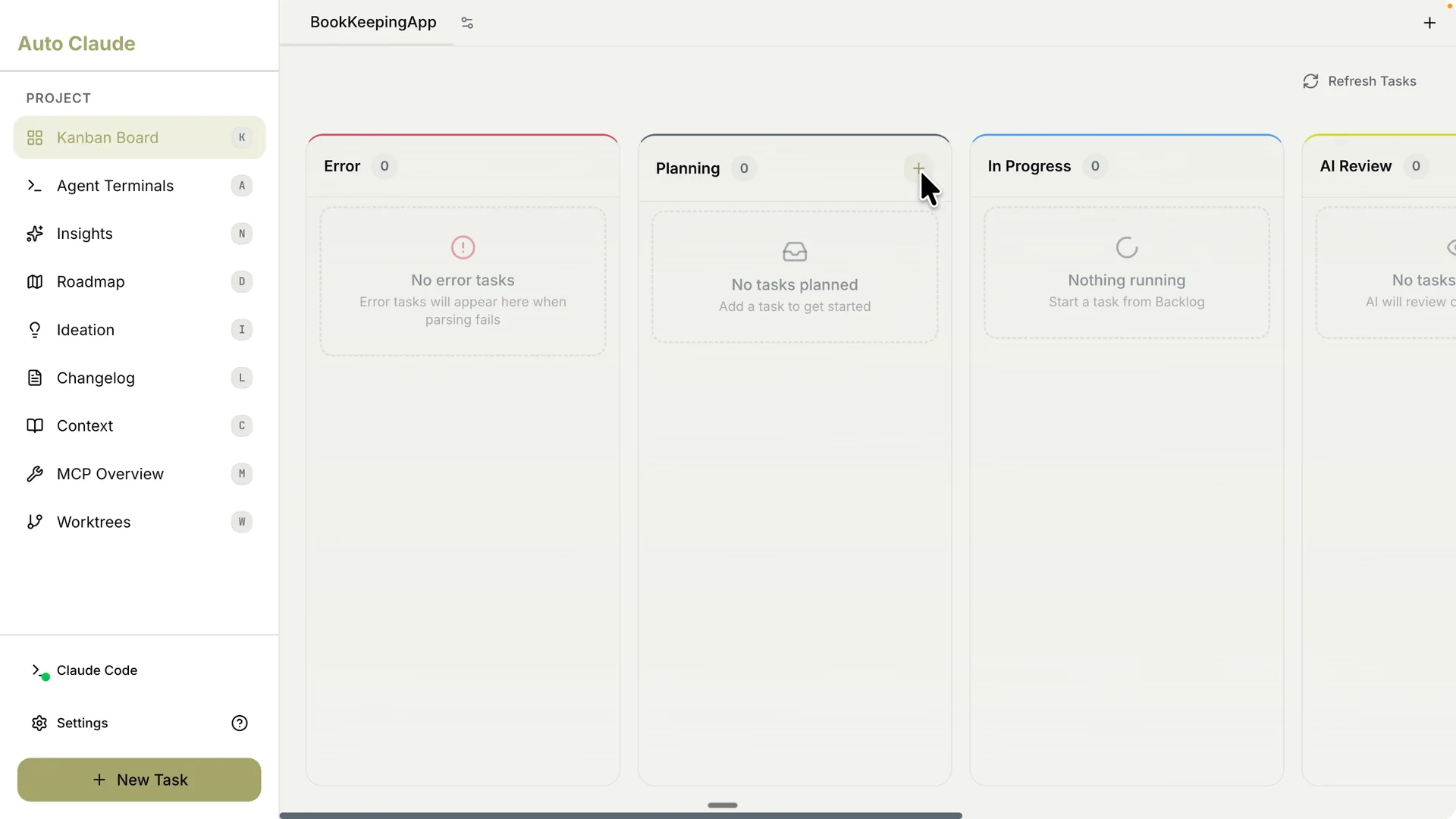
Click the plus button in the Planning column to create a task.
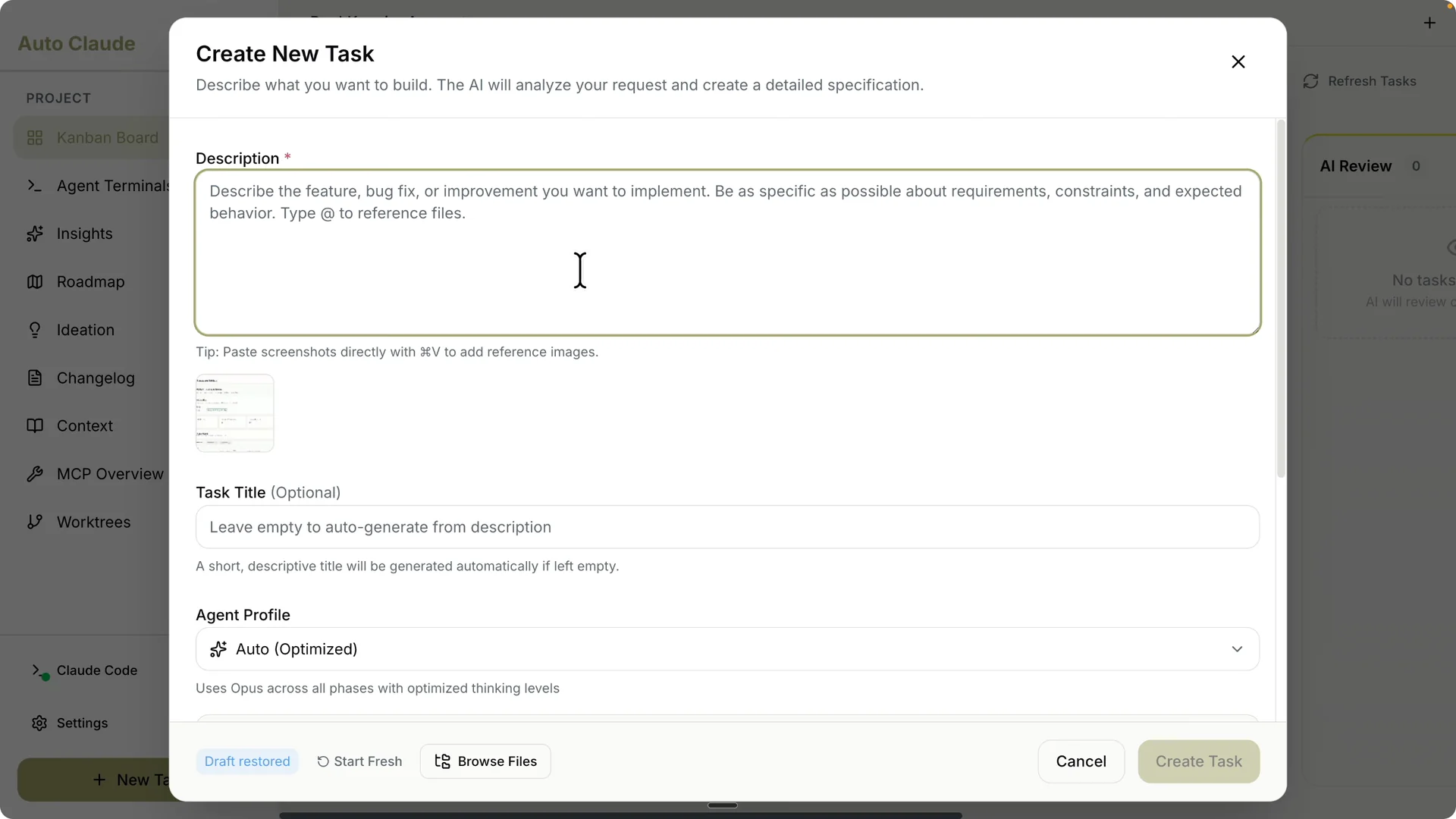
Describe exactly what you want to improve and attach any screenshots by dragging them into the prompt.
Give the task a clear title like Improving the Match Transaction page.
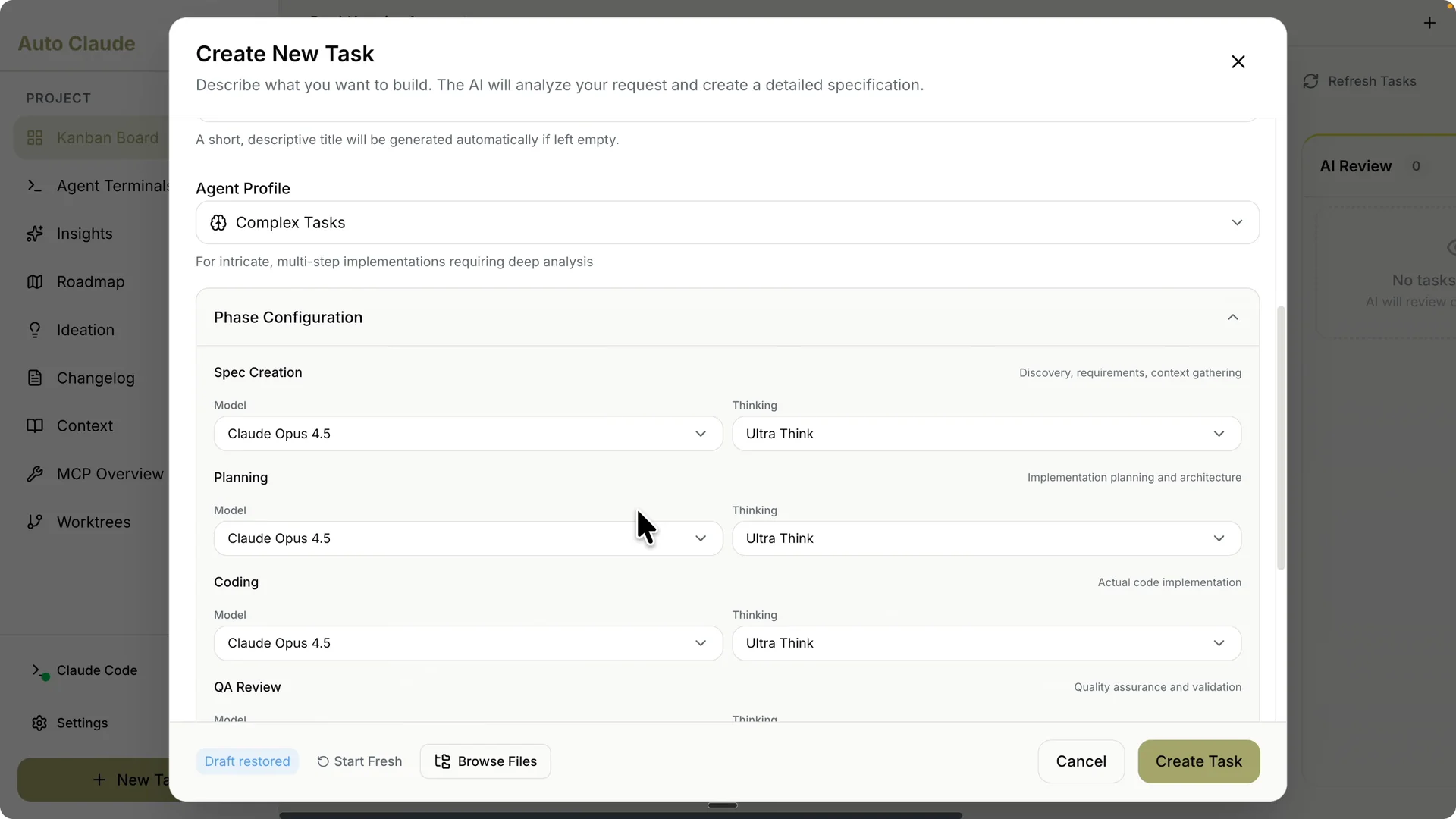
Set the agent profile based on task complexity. For a complex task, I choose Opus 4.5 with ultra thinking.
Click Customize configurations to pick models per phase for spec, planning, and coding, and adjust thinking level from low to medium to high to balance cost and quality.
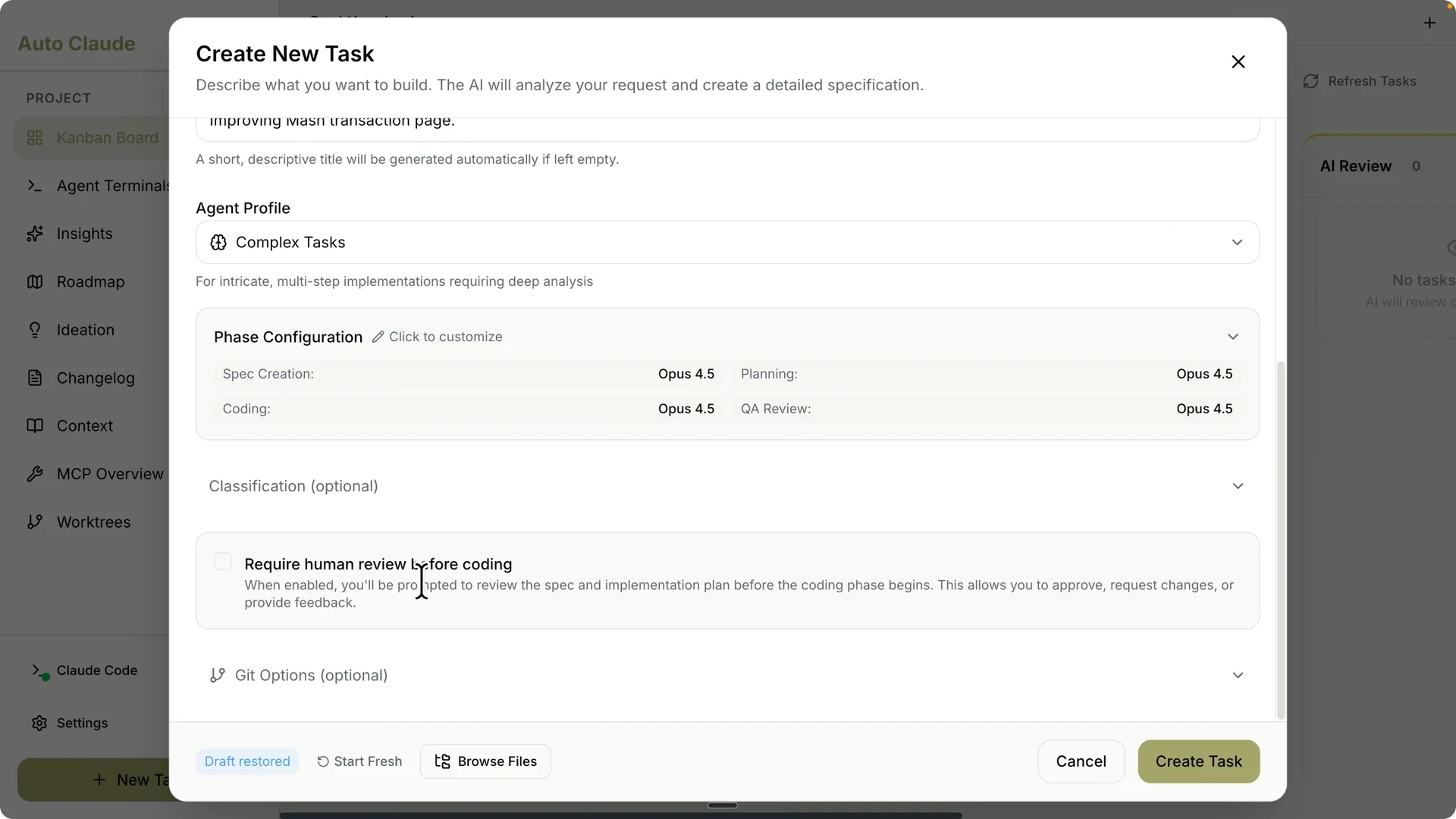
Toggle Required human review before coding if you want to gate coding on a spec review.
Leave it unchecked to let Claude complete planning, development, and QA in one pass.
Create the task to add it to the board.
Plan and specify the change
My Bookkeeper app’s Match Transactions page had five separate controls that forced a long scroll before reaching the table.
Date range, stats cards, autocomplete, match slider, and filter were all stacked, which slowed users down.
I asked the front end design skill to restructure the layout for a tighter, more usable page.
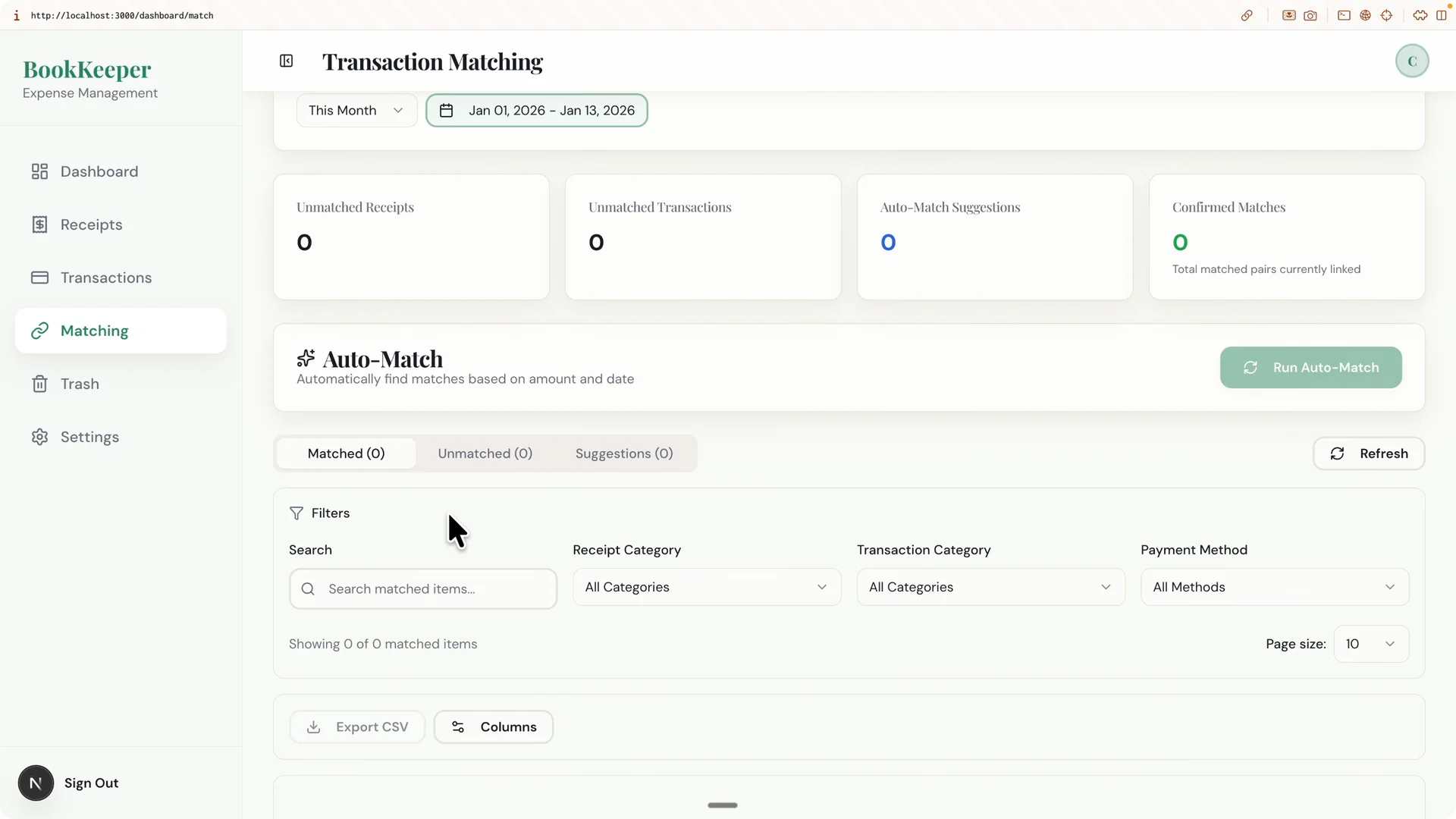
Paste that prompt into the task description with the screenshot so the agent has full context.
This sets up a clear spec target before any coding starts.
Clarity in the prompt drives better planning and implementation.
Start the task and monitor progress
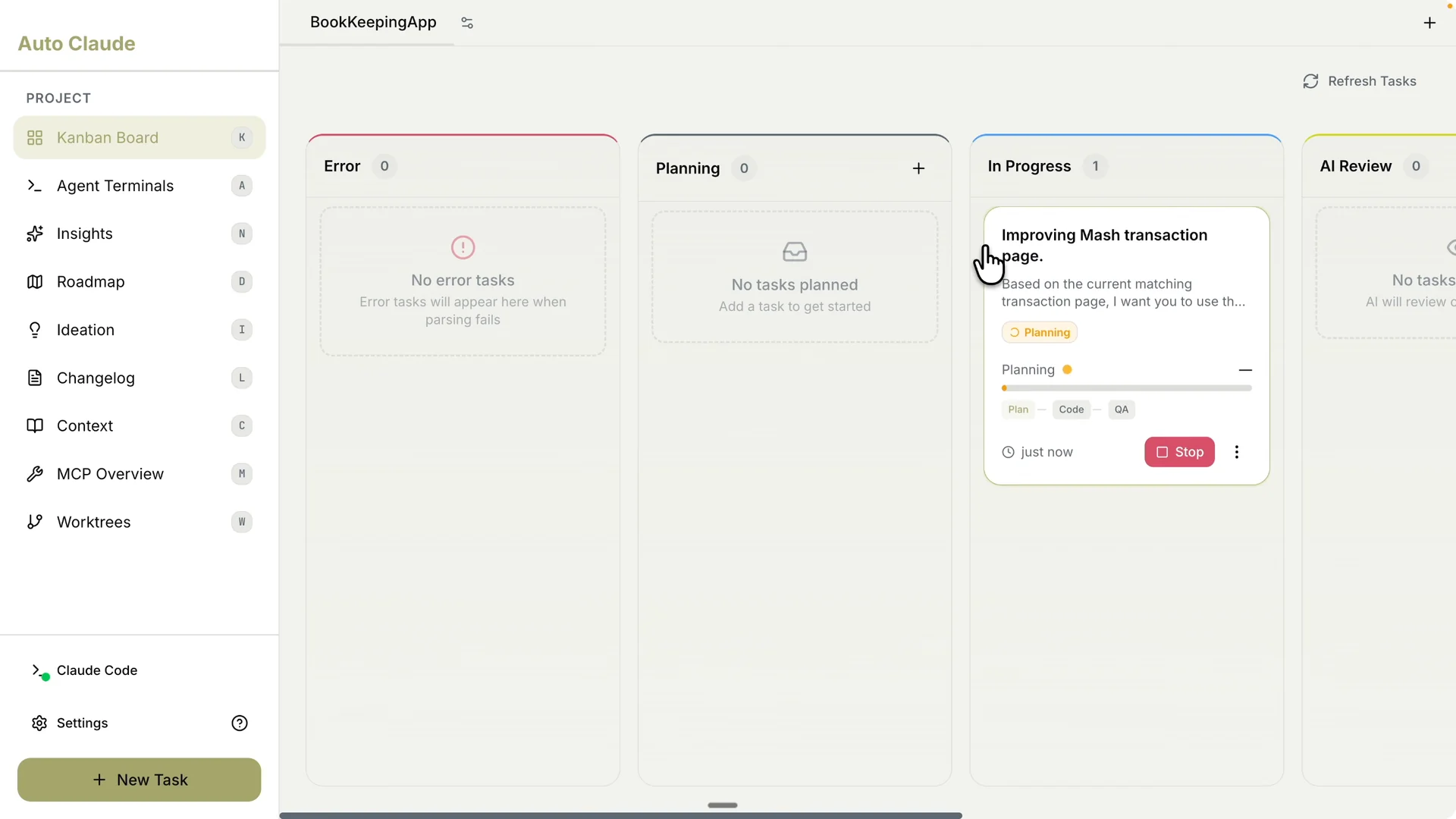
Start the task and watch the status update to In Progress.
Auto Claude creates a feature branch automatically for the change and shows its name so you know where the work lives.
Open Logs to see colored, phase by phase output for planning, coding, and QA without sifting through a terminal.
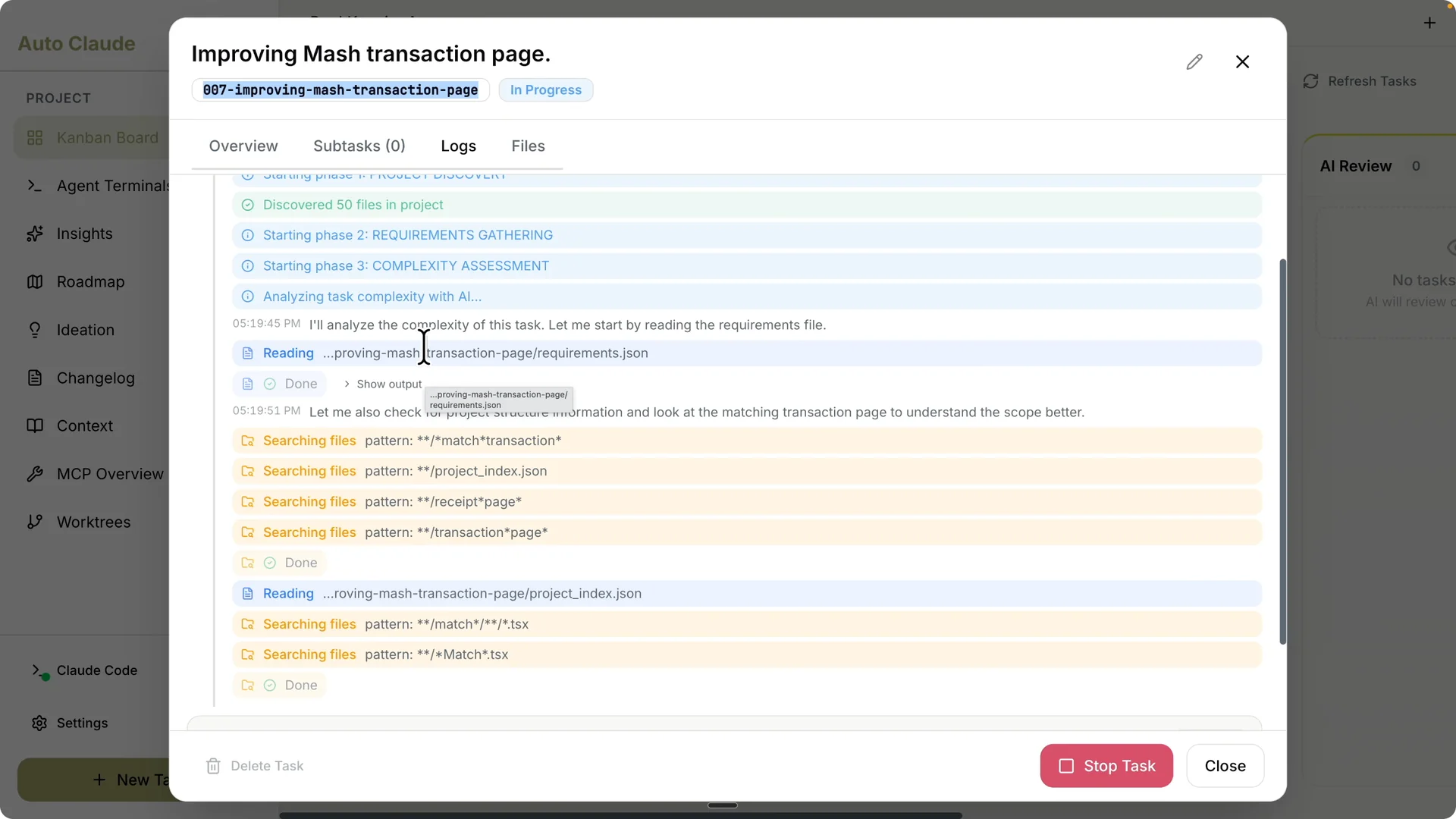
You can open Files and Subtasks to track artifacts as they are produced.
The UI makes it easy to see exactly what Claude Code is doing at each step. I wait for the task to reach Ready for human review.
Read More: Claude Code Nano Banana Ai Images
Review the result in the app
Run the app to verify the redesigned Match Transactions page.
I can select a date range and see the table immediately alongside categories, payments, download, column selection, pagination, and refresh with proper loading feedback.
Key stats like total transactions, receipts, and unmatched receipts are visible without scrolling.
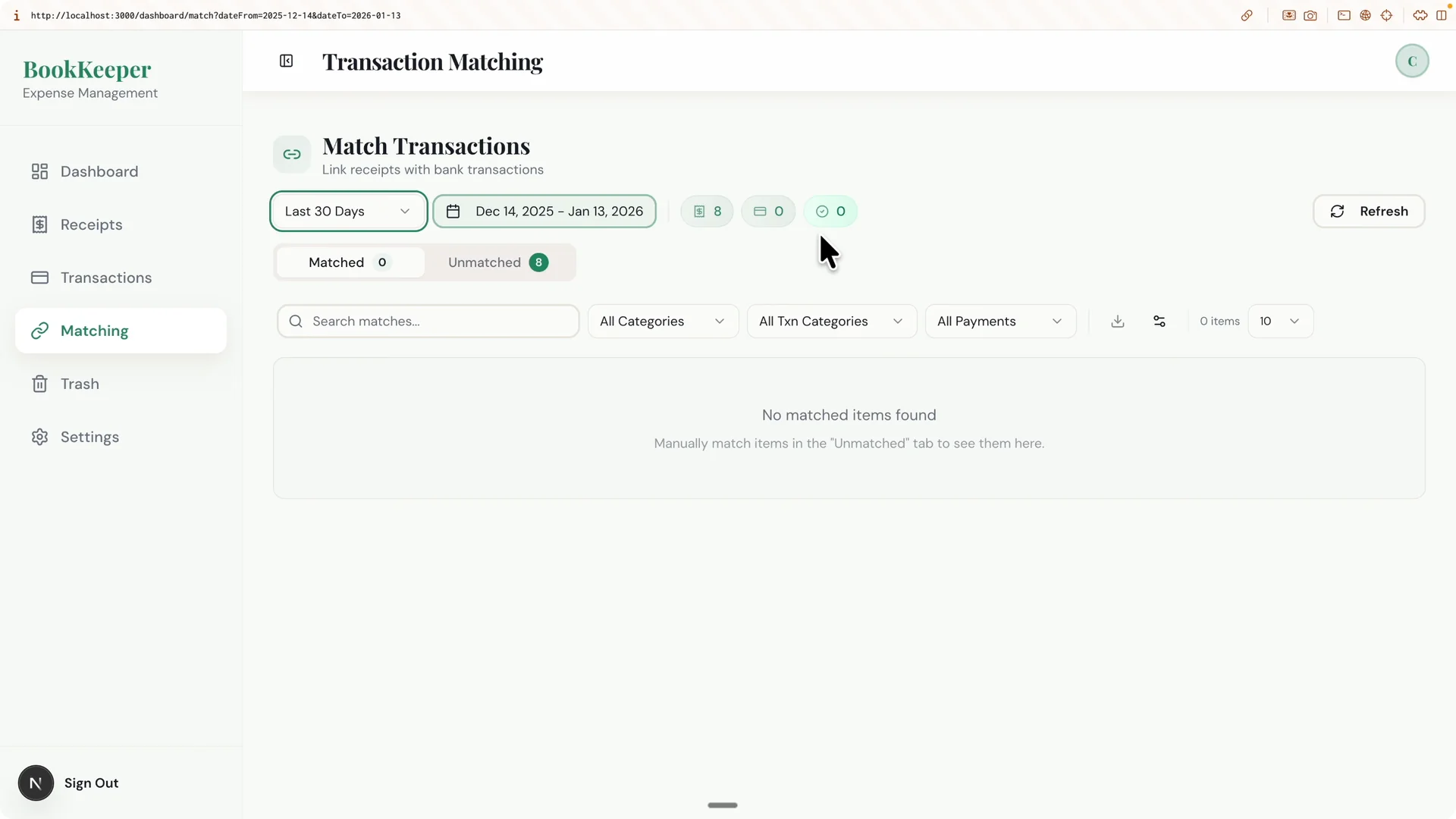
Clicking an info card opens full receipt details including purchase time, category, payment method, location, and items.
The page is more condensed and readable, and changing the date range updates the dropdown and range correctly.
This shows the task flow can take a messy page and ship a cleaner layout end to end.
Request changes or create a pull request
Open the task to request additional changes if you spot any issues. After that, you can create a pull request from the UI and check conflicts with the main branch. This keeps feature review and integration inside the same tool.
If you need to manage branches visually, open Work Trees to see main and feature branches. You can inspect, delete, and request merges without typing `git branch`. It is a straightforward way to keep work tidy.
For more day to day task orchestration techniques, see our guide on managing tasks in Claude Code Desktop. It complements this Kanban centric workflow.
Run multiple agents and terminals
Open the Agent Terminal to spin up multiple terminals and Claude Code sessions concurrently. I often keep four Claude sessions and up to twelve terminals active for parallel tasks.
You can expand or collapse panes, invoke Auto Claude, and start new terminal sessions quickly.
Parallel work is easier when you can see all sessions side by side. This also helps isolate experiments from production tasks. The UI keeps heavy multitasking manageable.
Ask questions with Insights
While a task runs, open Insights to ask questions about your codebase. Ask about architecture, code quality suggestions, and technical debt, and switch models or agent profiles to match complexity. It behaves like a chat interface with full project context.
This is handy for clarifying design choices or surfacing refactor opportunities during a build. It reduces context switching and keeps architectural thinking in the loop.
I use it to validate assumptions before merging.
Build a roadmap
Open Roadmap to run a comparative analysis of your app. The agent reads your codebase to understand the current state, then scans app stores, forums, and sites to find competitors and propose features.
It separates must haves like API rate limiting and duplicate detection from nice to haves like smart category learning or enhanced matching.
Group work into phases or push selected items straight to the Kanban. You can also open All features to see tickets and tasks to choose from.
This gives you a pipeline of improvements that connect market research to shipping work.
Generate ideas with Ideation
If you run out of ideas, open Ideation to generate feature concepts across UI and UX, documentation, security, and performance.
One useful suggestion was an undo toast alert for destructive actions that stays for around five seconds.
Breadcrumb navigation and icon tooltips also showed up as quick usability wins.
Click Task then Convert to auto build task to move an idea directly into the Kanban. The agent will spec, code, and QA it like any other task. This keeps ideation close to execution.
Add MCP servers
Use the MCP server overview to add more MCP servers to your project. Click Add custom server, name it, provide the HTTP endpoint, and save.
Expanding servers broadens what your Claude agents can do inside this workspace.
I keep a small set configured for memory and context tools, then add more as a project grows.
Centralizing these servers inside Auto Claude prevents scattered configs. It also makes debugging integrations easier.
Final thoughts
Auto Claude brings Claude Code into a focused desktop workflow with Kanban, phase aware planning, parallel agents, and integrated review. Install, create a task with a clear prompt and screenshot, pick models per phase, start the run, verify, request changes, and raise a pull request from the same UI. Use Roadmap, Ideation, Insights, terminals, Work Trees, and MCP servers to scale from single fixes to full product improvements.
If you want to extend this setup with editor control and automation, check out remote control setup for Claude Code for a deeper integration path.