
Claude Code is powerful for small tasks, but it skips the professional steps needed for complex SaaS work. Supercloud fixes this by adding a clear workflow with 16 commands and 9 plus personas that force proper planning, analysis, QA, security, performance work, and deployment steps before code generation.
You install Supercloud, add key MCP servers, then run guided commands like analyze with an architect persona and sequential thinking to get a full architecture report, to do list, and concrete recommendations.
With Supercloud in place, I plan projects with design, assign front end and back end personas, enable TDD, run QA and security scans, optimize performance, and prepare deployment with explicit commands.
Supercloud keeps Claude Code from jumping straight into code by enforcing architecture, UI UX, security, testing, and review gates across the life cycle.
The result is actionable reports, a scalability assessment, prioritized recommendations, and even a generated MD file you can commit and review in a pull request.
Why Supercloud
As a senior engineer, I need Claude Code to follow a professional process for serious applications.
A real project starts with architecture, UI UX, security, and testing plans, not a one shot code dump. Supercloud adds that missing process.
It acts like a predefined workflow on top of Claude Code for development.
I get commands for development, analysis, QA, security, performance, and deployment.
I also pick personas like architect, front end engineer, back end engineer, analyzer, security engineer, and document writer.
Read More: Claude Code Web Coding Setup
Install Supercloud
Open a terminal and move to your working folder.
Clone the repository, enter the supercloud folder, and run the Python installer.
Confirm prompts, let it check system requirements, and finish the installation.
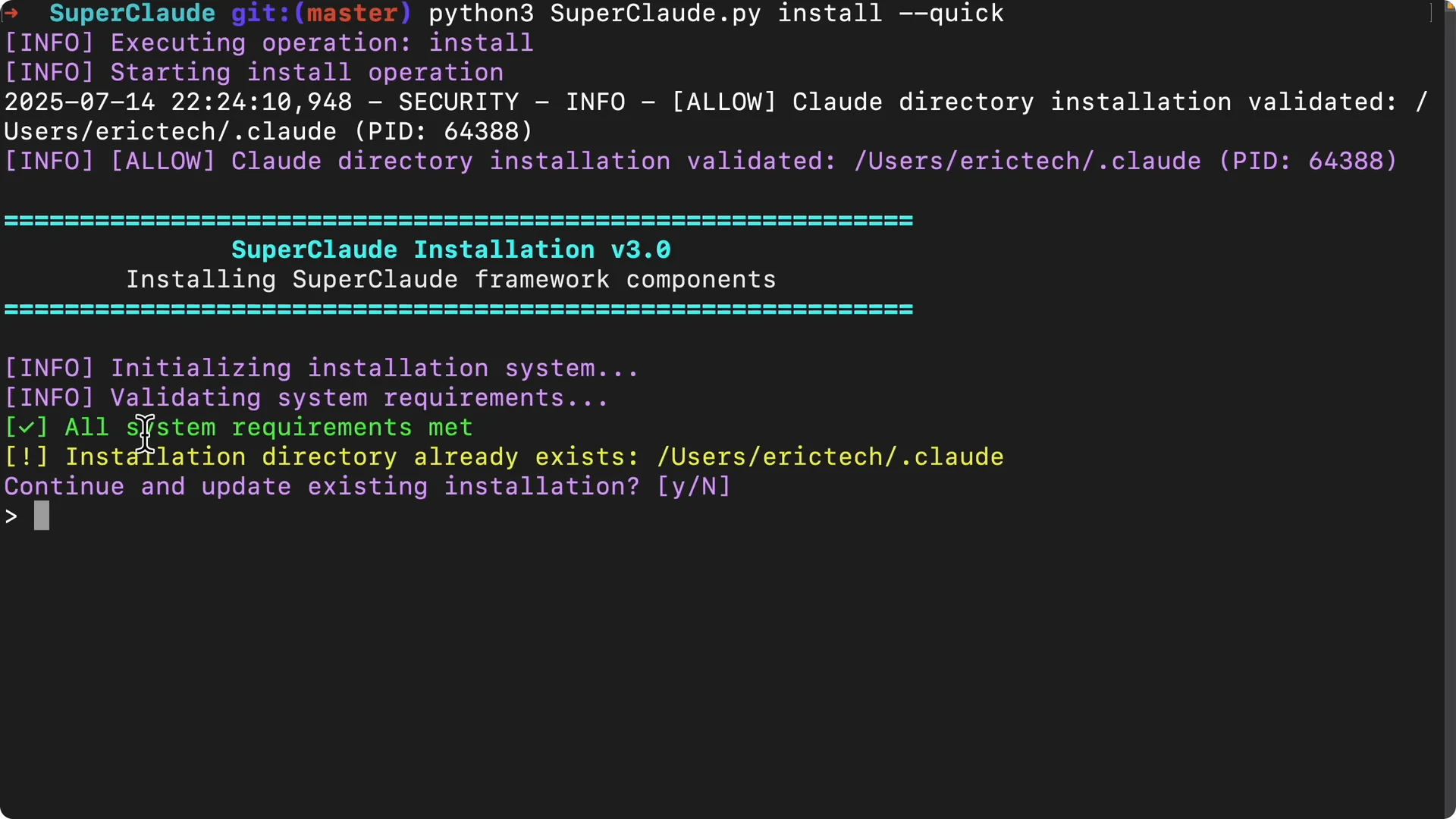
Restart your Claude Code session to load Supercloud. In VS Code or a terminal, type:
“`
claude
“`
If you want a refresher on terminal usage, see starting Claude Code from the terminal.
Add essential MCP servers
I add four core MCP integrations for my sessions.
Context7 fetches official libraries and docs, Sequential helps with complex multi step thinking, Magic generates modern UI components, and Playwright covers browser automation and testing.
Stop the session, clear the terminal, and add each transport:
“`
claude mcp add transport context7
claude mcp add transport sequential
claude mcp add transport magic
claude mcp add transport playwright
“`
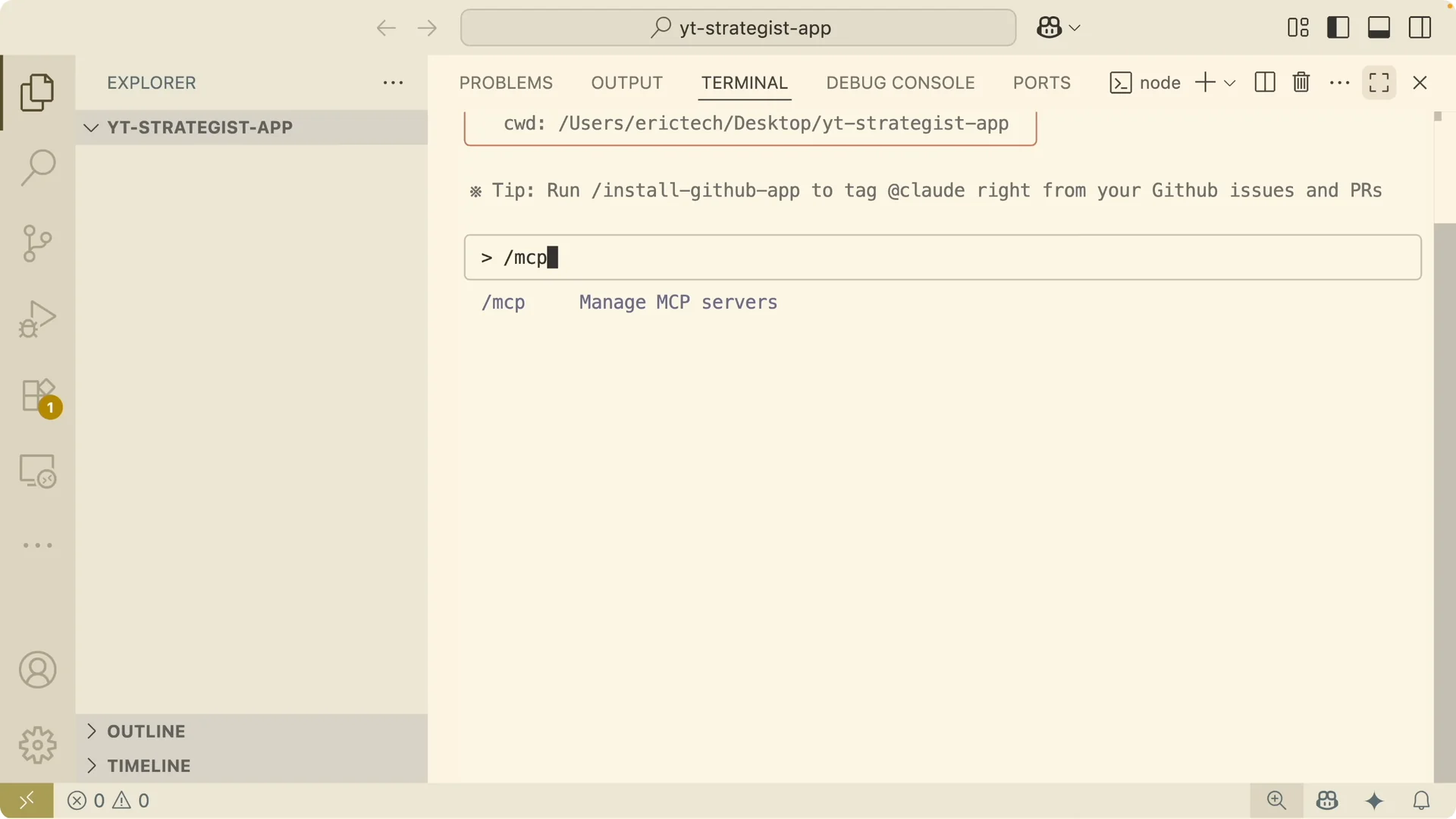
Start Claude again, then list servers to confirm:
“`
/mcp
“`
For a practical walkthrough of the Playwright setup, check the Playwright MCP integration guide.
Analyze an existing project
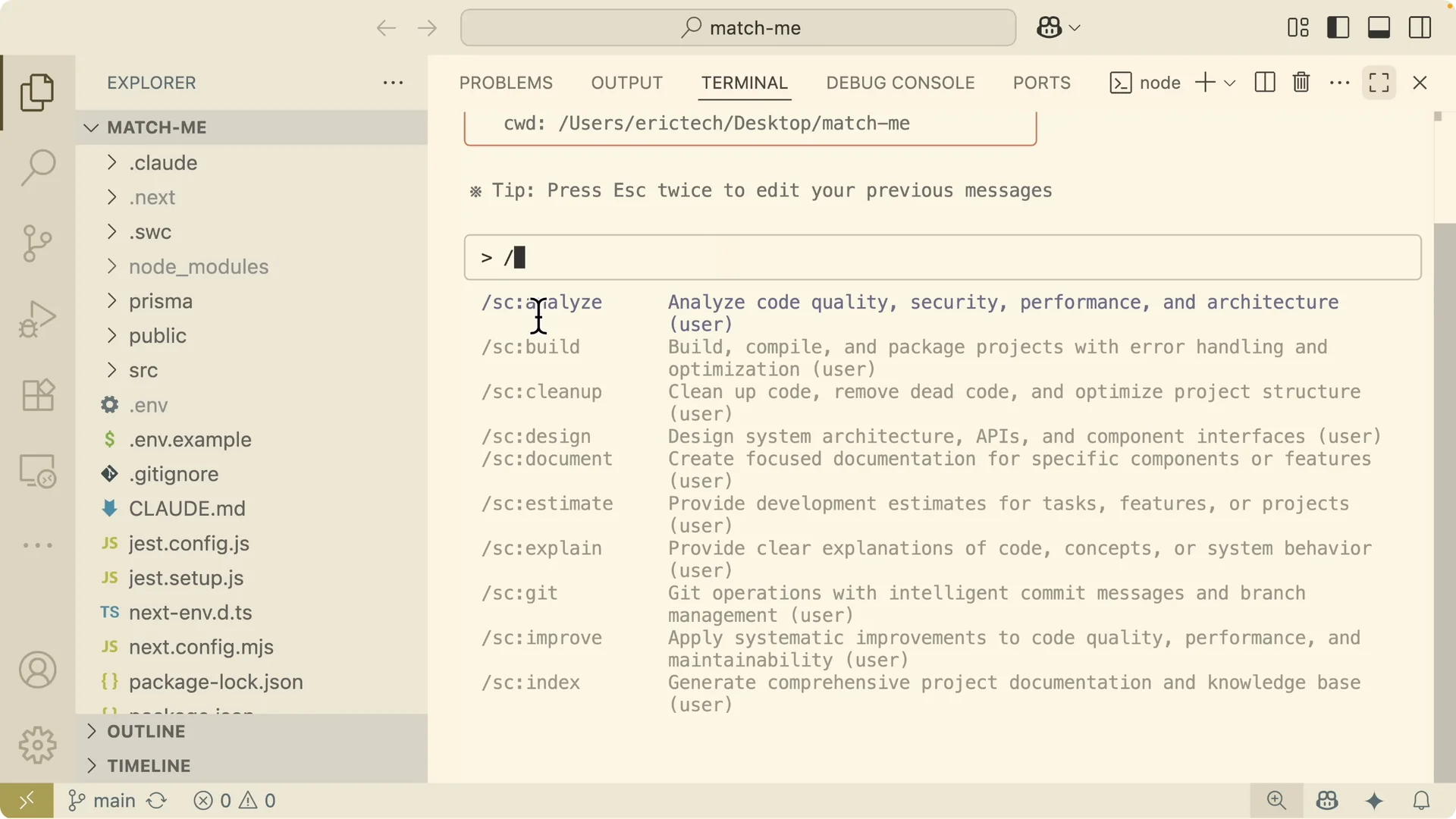
I open my project folder and switch to Supercloud commands inside the Claude session. Use the slash, then sc for Supercloud, and pick a command.
To run an architectural analysis with the architect persona and sequential thinking:
“`
/sc:analyze –architecture –persona architect –mcp sequential
“`
You can review all flags in flags.md and persona choices in personas.md inside the repository.
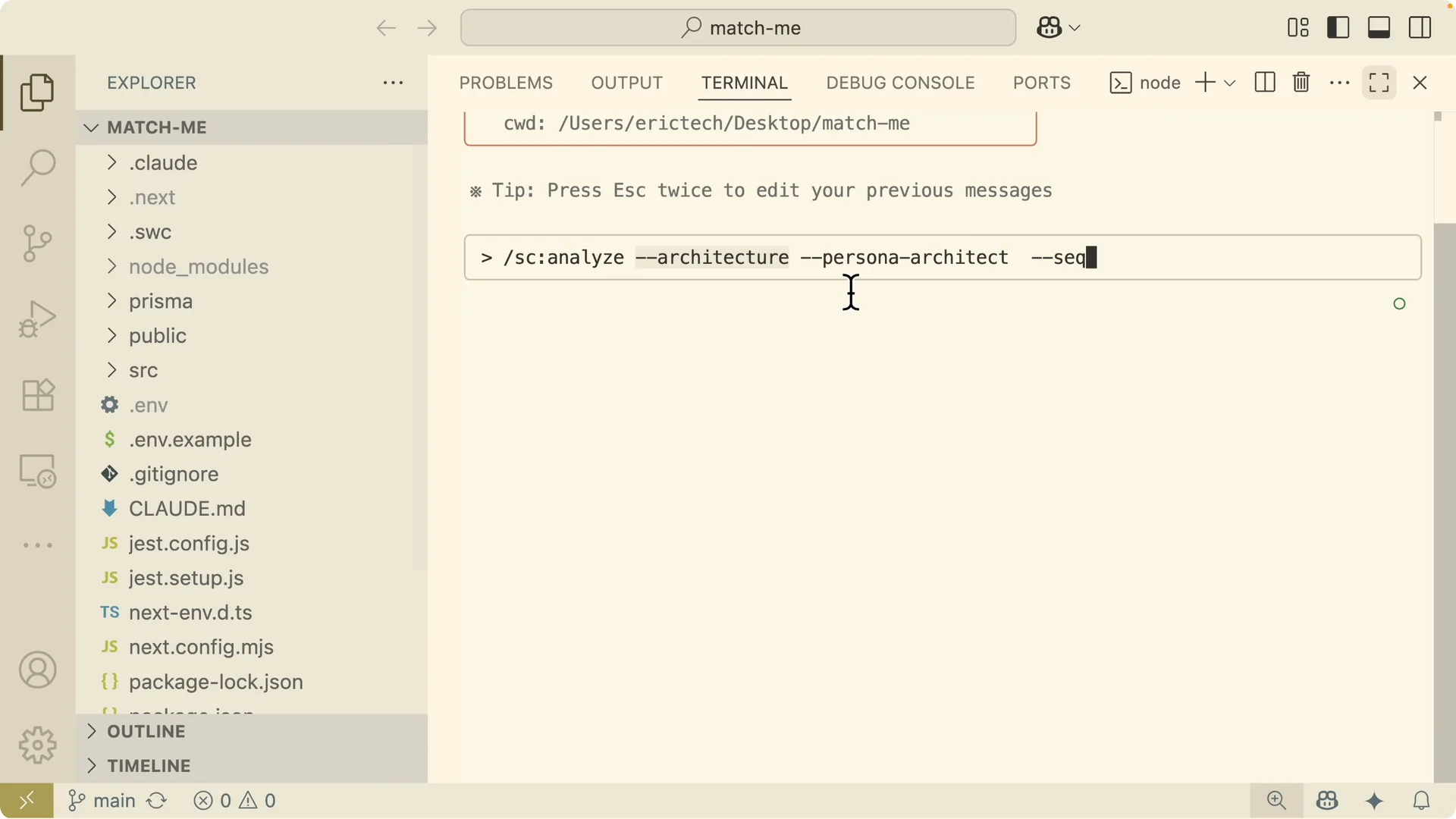
What the analysis produces
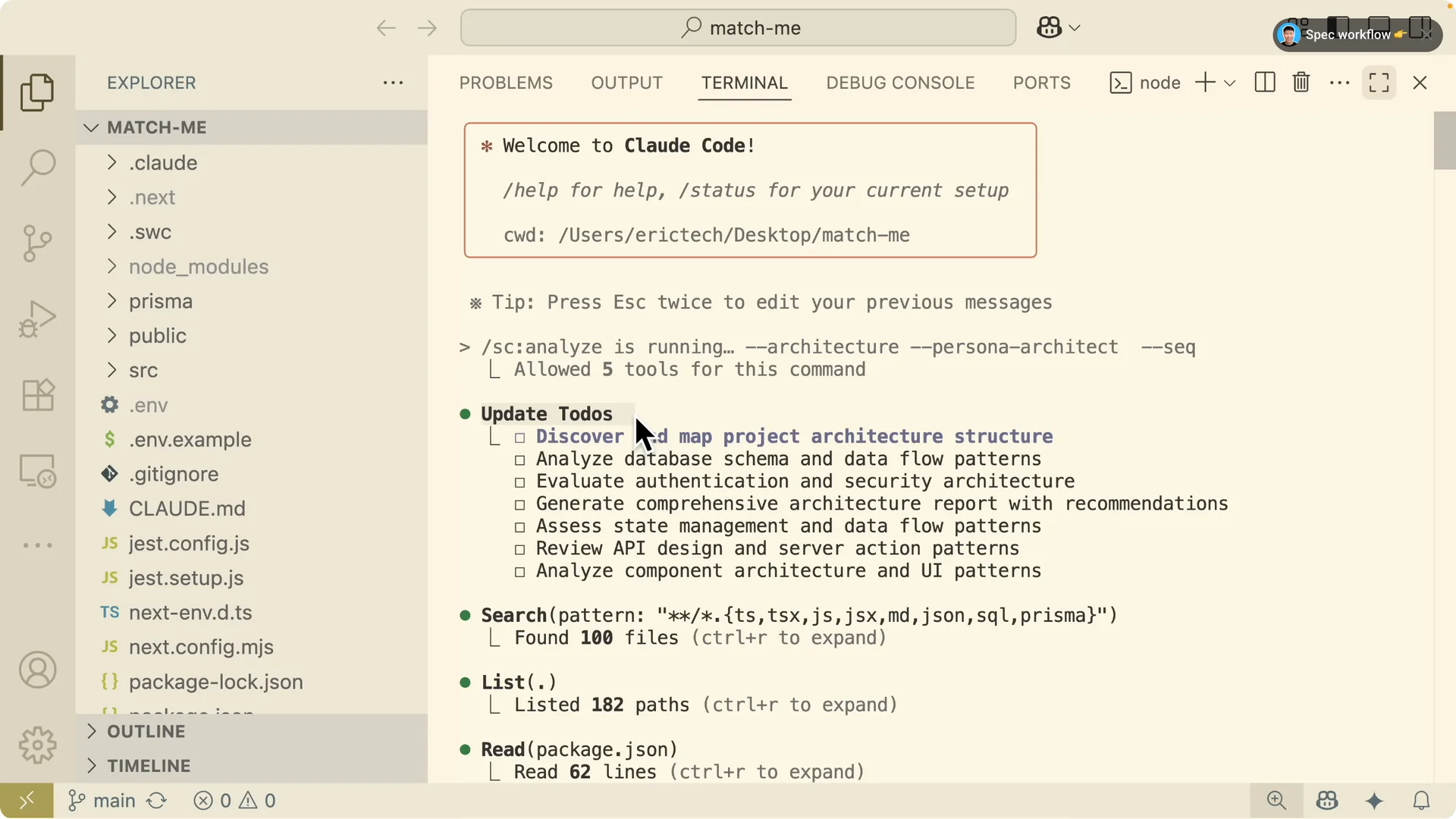
First it creates a to do list.
It discovers project structure, analyzes the database, evaluates authentication and security, checks state management and data flow, reviews API design and server actions, and inspects UI components.
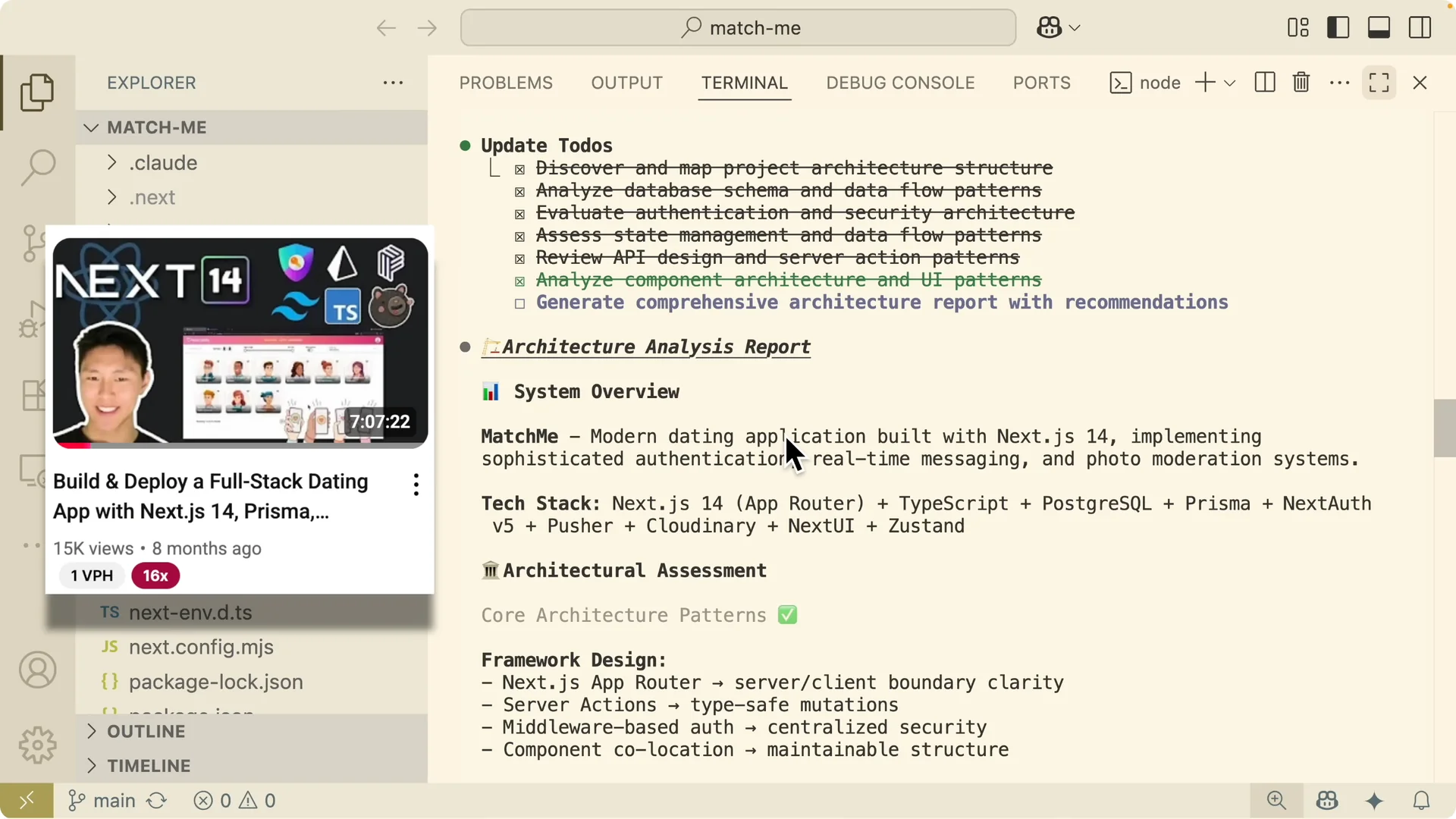
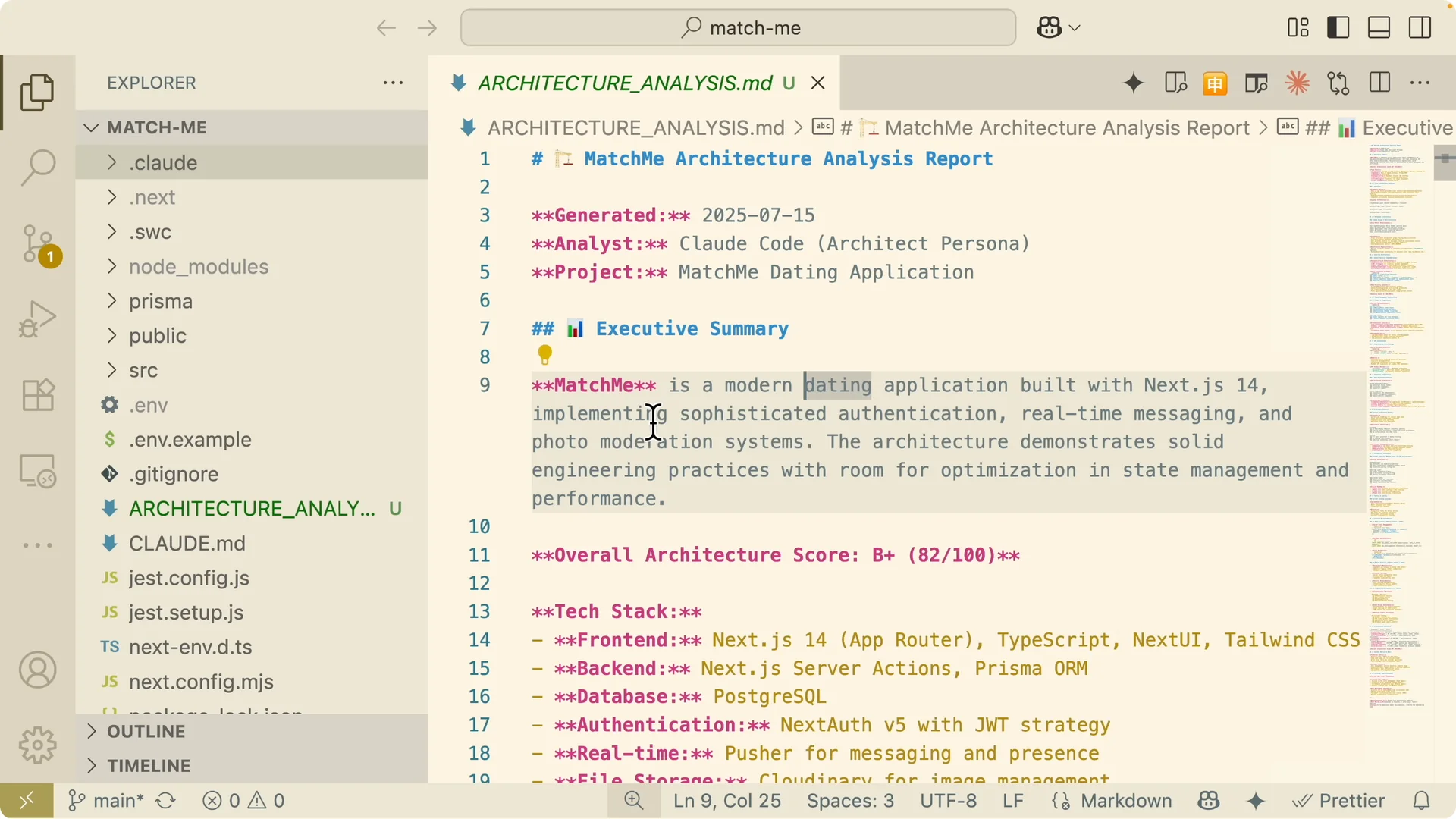
Then it generates an architecture analysis report.
The system overview calls out tech like NextJS 14, authentication, real time messaging, and photo moderation.
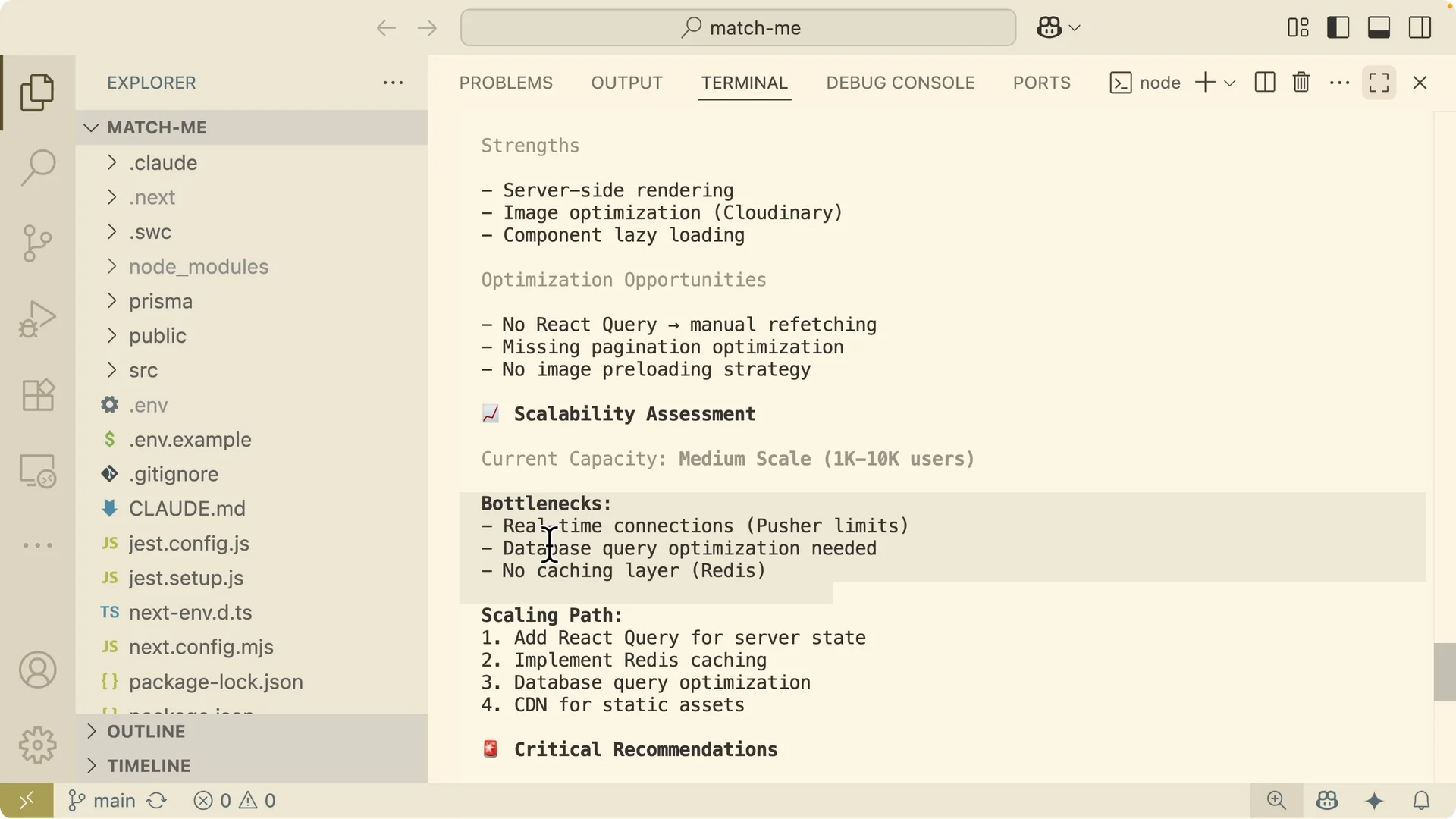
The assessment covers core patterns, security posture, database schema, state management concerns, API and component organization, performance strengths and optimizations, and a scalability assessment.
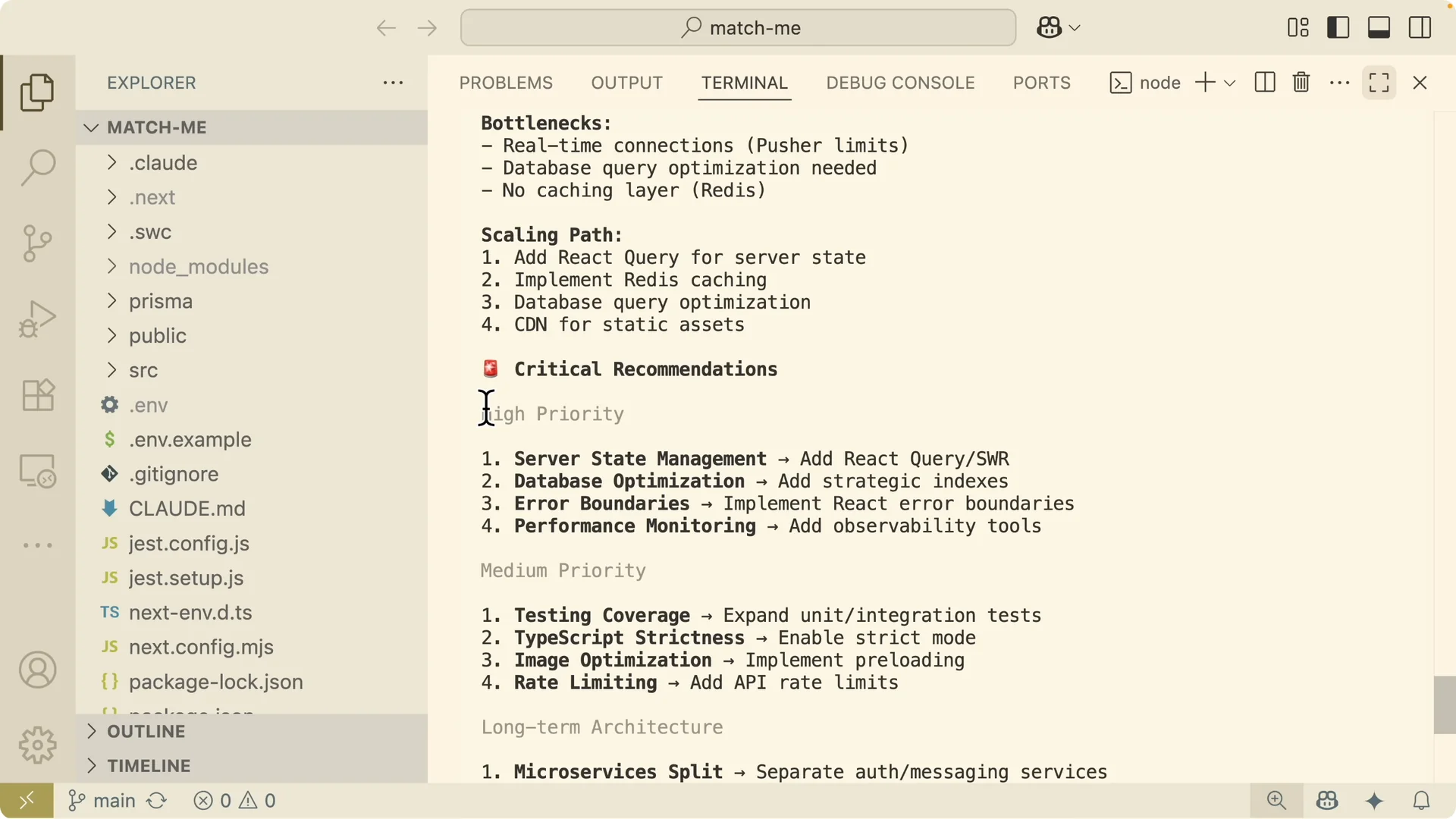
You also get bottlenecks and a scaling path.
Think connection limits with Pusher, database query optimization and caching, and a CDN for static assets.
It lists high priority and medium priority changes, long term architecture moves like splitting auth and messaging services, and an overall architecture score.
I ask Claude to output the analysis as a Markdown file for review.
I commit the file and open a pull request for team feedback.
This is the professional gate that small scripts skip and serious apps require.
Read More: structure Claude workflow output for reliable reviews
Project planning from scratch
When I start a new build, I plan first with the design command. I assign the architect persona and add flags for planning.
Example:
“`
/sc design –plan –persona architect “Create a system plan with architecture diagram, data model, security model, and testing approach.”
“`
Then I move to front end development. I assign the front end persona, add my MCP server where needed, and pass a focused prompt.
Example:
“`
/sc develop –frontend –tdd –persona frontend –mcp magic “Build the initial UI components and pages, define routes, and set up component tests.”
“`
For back end development I switch persona to back end and keep TDD active. I specify the endpoints, data access layer, and tests.
Example:
“`
/sc develop –backend –tdd –persona backend –mcp sequential “Implement auth, messaging endpoints, data models, and unit tests.”
“`
QA, security, performance, and deployment
Quality assurance confirms the software actually works. I run a focused QA pass:
“`
/sc qa –validate –persona analyzer “Run integration tests and verify critical flows.”
“`
Security scanning checks for vulnerabilities. I run:
“`
/sc scan –security –persona security “Audit auth, session handling, secrets, and third party access.”
“`
Performance optimization follows with profiling and fixes:
“`
/sc optimize –performance –persona performance –mcp sequential “Profile hot paths, add caching, and tune queries.”
“`
Deployment preparation wraps it up. I switch back to the architect:
“`
/sc deploy –prepare –persona architect “Produce infra checklist, env configs, and rollout plan.”
“`
If you like visualizing work in stages, consider adding kanban to your routine with an Auto Claude kanban workflow.
Troubleshooting during development
Issues happen. I start by identifying the problem from production using troubleshoot with investigate and the analyzer persona:
“`
/sc troubleshoot –investigate –persona analyzer “Collect logs, metrics, recent changes, and error context from production.”
“`
Then I go after the root cause with the five whys flag and sequential thinking:
“`
/sc troubleshoot –five-whys –persona analyzer –mcp sequential “Trace cause chains and confirm the primary failure.”
“`
For performance checks I use analyze with a performance persona:
“`
/sc analyze –profile –persona performance –mcp sequential “Measure response times, CPU, memory, and I O.”
“`
After the fix, I improve code quality and raise test coverage using the refactor persona:
“`
/sc improve –quality –coverage 85 –persona refactor “Refactor for clarity, raise coverage to target, and update docs.”
“`
Practical notes
In the scalability section of the report, I pay close attention to server state and caching. The tool often recommends React Query for server state and Redis for caching.
It flags query hot spots for optimization and reminds me to put a CDN in front of images.
It also highlights bottlenecks like Pusher connection limits for real time events.
I plan the scaling path early by isolating auth and messaging services.
I keep the action list split into high priority and medium priority items with clear owners.
For session setup basics and ergonomics, see a simple web coding setup for Claude Code.
I also keep the terminal flow smooth with the notes in Claude Code Terminal.
Final thoughts
Claude Code is great at writing code, but serious apps need a process first. Supercloud gives Claude Code that missing professional process with commands, personas, and MCP integrations that enforce planning, analysis, QA, security, performance, and deployment. If your complex project keeps veering into ad hoc code, wire in Supercloud and let the guided workflow do the heavy lifting where it matters most.